
120W MSI GF63 Charger
5.0Editor score
Exact 120W output specification
Detailed model cross-referencing
Precise 5.5 x 2.5mm connector
Explore the best MSI laptop charger replacement options by wattage, connector type, voltage, model support, safety features, and cable design for a confident
An MSI laptop charger replacement must match the voltage, amperage, wattage, and physical connector used by the computer. A visually similar plug can still deliver the wrong output, so model-specific details matter more than appearance. The strongest replacements also provide suitable protection and a dependable power cord for home, office, or travel use.
This guide compares ten replacement options listed for MSI gaming, creator, workstation, and mainstream laptops. The evaluation focuses on electrical specifications, connector design, compatible model families, included accessories, safety features, portability, and practical differences between 120W, 180W, and 330W adapters. Each recommendation is based on the supplied product information rather than personal testing.
The picks range from a narrowly specified 120W option for select models to broad 180W replacements and a high-output 330W unit for advanced MSI systems. Every entry reveals its strongest feature and its main limitation. Ratings, availability, and prices can change, so confirm the original adapter label and charging-port dimensions before ordering.
5.0Editor score

4.4Editor score
4.6Editor score
The comparison below organizes each replacement by rated output, connector type, supported MSI families, and distinguishing features, making it easier to narrow the list before checking your laptop's original power specifications.


This 180W AC power adapter is a flexible replacement for common MSI Thin, Katana, and Stealth systems, earning a 4.3 rating. Its standout feature is the connector system: the main 5.5 x 2.5mm tip is supplemented by 7.4 x 5.0mm and 4.5 x 3.0mm tips. That makes the package useful when a buyer is unsure which barrel style the notebook uses or wants to keep one adapter for several compatible machines.
We may earn a commission when you buy through this link, at no additional cost to you.
The electrical specification is 19.5V at 9.23A for up to 180W, with universal 100–240V, 50–60Hz input. The product information also states that it can serve laptops designed for MSI 150W and 120W supplies. Compatibility is particularly strong for GF63, GF65, GF75, GF66, GF76, GS63, GS65, and several other listed gaming families. Smart-chip protection is specified against over-current, over-voltage, overheating, and short-circuiting.
The main limitation is that extra tips do not make the adapter appropriate for every MSI notebook. It remains limited to the stated electrical ceiling and does not address laptops requiring a different connection method. Buyers should still compare the original label, full model number, and port dimensions, particularly when a notebook originally shipped with a USB-C charger or a high-wattage adapter.
This is an appealing choice for owners of common MSI gaming laptops who want one 180W package with several tip options. It also makes sense as a shared household or travel charger when the same tip works across compatible devices. Confirm the connector and wattage before ordering; if those details align, the generous tip kit and solid electrical specification make it a practical replacement.
The interchangeable tips reduce the need to search for an exact visual match. The 5.5 x 2.5mm tip remains installed as the main connector, while the two additional tips can accommodate more MSI notebooks and compatible systems using those barrel sizes.
The stated smart-chip safeguards cover over-current, over-voltage, overheating, and short-circuit conditions. These protections are particularly relevant for a high-output gaming-laptop replacement that may remain connected for long periods.
We may earn a commission when you buy through this link, at no additional cost to you.
This 180W charger is a straightforward replacement option for many MSI GF63, GF65, GF75, and GS-series notebooks. It carries a 4.3 rating and is built around a 19.5V, 9.23A output with a 5.5 x 2.5mm round connector. The product information goes beyond a generic family claim by listing several GF63 Thin configurations, including 8RC, 9RCX, 9SCSR, 10SC, 11UC, 12VE, and 12UCX.
We may earn a commission when you buy through this link, at no additional cost to you.
Its compatibility extends beyond MSI to select Razer Blade 15 and Gigabyte G6, KF, and G5 systems, although the strongest case remains for MSI laptops. The adapter is also described as compatible with 120W and 150W MSI output configurations, including 19.5V 6.15A, 19V 6.3A, 19.5V 7.7A, and 19V 7.9A ratings. Universal input supports use at home, work, or abroad with the appropriate regional cord.
Compared with multi-tip options, this product offers a simpler package centered on the common 5.5 x 2.5mm interface. FCC and CE marks and safeguards against short-circuiting, over-current, and over-voltage are listed. These are meaningful advantages, but the absence of a 4.5 x 3.0mm or 7.4 x 5.0mm option means buyers should verify the port rather than assume the model family is sufficient.
This charger is best for a user who knows the laptop accepts a 5.5 x 2.5mm plug and uses a 120W, 150W, or 180W arrangement. Its detailed GF63 list and straightforward design make it especially useful for owners of these frequently replaced gaming laptops. Verify the complete model and original output label, then choose it for a dependable conventional barrel connection.
The product listing identifies multiple GF63 Thin configurations by their short model codes. This level of detail is more useful than a vague promise of universal compatibility because it lets buyers compare their exact machine with the stated list.
A single 180W unit can serve several lower-rated MSI laptops when the voltage, amperage, and connector align. That flexibility can simplify charger storage for owners of more than one compatible notebook.
We may earn a commission when you buy through this link, at no additional cost to you.
The HSXIRQA 180W adapter is the strongest all-around choice for the broad middle of MSI's laptop range. Its 4.4 rating is supported by an extensive compatibility list that covers GE, GS, GF, GL, GP, WS, WE, WT, GT, GX, and other families. The 19.5V, 9.23A output also supports 120W and 150W devices, making it a versatile choice for many mainstream and performance laptops.
We may earn a commission when you buy through this link, at no additional cost to you.
A built-in chip is described as adjusting output according to device temperature and battery status. Safeguards also cover over-current, short-circuiting, and overheating, while the housing uses heat-resistant, flame-retardant, and fire-resistant materials. Those details make the adapter more attractive for sustained gaming use than a basic replacement with no stated protection system.
The package includes one power adapter and one power cord. Its single 5.5 x 2.5mm round connector simplifies operation, although it does not provide the tip versatility of the three-tip options in this comparison. It is also unsuitable for notebooks requiring more than 180W, so it should not be considered for the highest-powered Raider, Vector, or Creator systems covered by the 330W selection.
This is the best general pick for someone who owns a common MSI gaming, creator, or workstation model and wants one charger to cover many mainstream families. Confirm that the original adapter used 19.5V, a 5.5 x 2.5mm tip, and no more than 180W. If so, the combination of broad model support, lower-wattage flexibility, and stated safety controls makes it a particularly well-rounded replacement.
The long model-family list makes this a practical central charger for a household with several MSI notebooks. The included 180W rating also accommodates many 120W and 150W systems without requiring a separate adapter for each family.
The described temperature-responsive chip and over-current, short-circuit, and overheating safeguards support stable charging. Heat-resistant materials add another layer of suitability for a high-wattage gaming-laptop replacement.
We may earn a commission when you buy through this link, at no additional cost to you.
This 120W charger is built for MSI systems that use the newer 4.5 x 3.0mm round connector, giving it a 4.6 rating and a clearly defined use. Its output is 20V at 6A, and the product information identifies A17-120P2A, ADP-120VH, and ADP-120VH D as related adapter references. That specificity makes it relevant to buyers who can no longer find the original Slim Tip-style supply.
We may earn a commission when you buy through this link, at no additional cost to you.
Compatibility covers a substantial range of MSI Thin, Cyborg, and Creator systems. Listed examples include Thin 15 B12U, B13V, and B13U; several Thin A15 configurations; GF63 Thin 10, 11, and 12 variants; GV15 Thin 11SC; Cyborg 14 and 15 models; Creator M14; and MS-16R5, MS-16R6, MS-16R7, and MS-16J4 systems. Several ASUS Zenbook and Pro Flip models are also listed.
The 4.5 x 3.0mm interface is the decisive trade-off. This adapter cannot be used with the 5.5 x 2.5mm connector found on many gaming notebooks, and its 120W ceiling makes it unsuitable for 150W or 180W models. A buyer who assumes all MSI laptops use the same barrel size could select it incorrectly, so checking the original label is essential.
This is the most suitable 120W selection in the guide for a compatible Thin 15, A15, GF63 Thin, Cyborg, Creator M14, or listed MS-16 system. It combines a strong customer rating with current-model coverage and stated safeguards against short-circuiting, over-current, over-voltage, and temperature issues. Match both the 20V output and 4.5 x 3.0mm tip before purchasing.
Many newer slim MSI systems do not use the familiar 5.5 x 2.5mm barrel connection. This charger's dedicated 4.5 x 3.0mm tip fills that gap and may be the only relevant option in the roundup for compatible 120V systems.
The listed Thin, Cyborg, Creator, and MS-16 families provide a meaningful upgrade over older model lists. Buyers can match a specific configuration rather than relying on a generic gaming-laptop label.
We may earn a commission when you buy through this link, at no additional cost to you.
This AC adapter delivers a familiar 19.5V, 9.23A, 180W output for MSI gaming laptops and carries a 4.4 rating. Its compatibility list spans GF, GS, GE, GL, and related series, including GF63, GF75, GS66, GS65, GS75, GE72, GE70, GE62, GF65, GF62, GF72, GL62, GL72, GS40, GS43, GS63, and GS73.
We may earn a commission when you buy through this link, at no additional cost to you.
The product information describes it as suitable for 180W, 150W, and 120W laptops. Universal 100–240V input at 50–60Hz supports international use when the appropriate plug or cord is available. Protection against short-circuiting, over-current, over-voltage, and overheating is stated, while the compact design is intended to make the adapter easy to carry.
The package contains one charger and one power cord, so the buyer does not need to assemble a multi-piece kit. On the other hand, it does not offer interchangeable tips, which makes exact connector confirmation more important. It also cannot address MSI notebooks that need 280W, 330W, or USB-C power delivery.
This is a good straightforward option for owners of common MSI gaming laptops that previously used a 5.5 x 2.5mm barrel connection. It is particularly suitable for users who value a simple 180W unit, broad model-family coverage, and a compact design without needing alternate tips. Compare the original adapter label and port before ordering to ensure the replacement matches.
The adapter follows the familiar 19.5V output and 5.5 x 2.5mm connection used by many MSI gaming laptops. That makes it easier to understand and pair with the original charger for supported 120W, 150W, and 180W systems.
The stated compact construction is useful for keeping a backup at work or packing for a trip. International input support adds flexibility, while the included cord provides the basic connection needed for use.
We may earn a commission when you buy through this link, at no additional cost to you.
The BIYTC adapter is a 180W replacement aimed particularly at MSI Thin and Stealth notebooks, including GF63, GF65, GS65, and GS63. It has a 4.1 rating, the lowest among the products in this guide, but its core electrical specification is conventional and easy to compare: 19.5V at 9.23A with a 5.5 x 2.5mm connector.
We may earn a commission when you buy through this link, at no additional cost to you.
Additional listed applications include 15M, Sword 15, Crosshair 15, and Crosshair 17 systems, as well as Katana laptops. The product description highlights efficient power delivery up to 180W, while the specification provides universal 100–240V, 50–60Hz input. One 180W power adapter and one AC power supply cord are included.
The listing gives less detail about protection circuitry than several competing products. It does not provide the same exhaustive model list as the broad 180W option or the three-tip flexibility of other adapters. As a result, a buyer should place more weight on the complete laptop model and original adapter label, particularly for configurations outside the explicitly named Thin, Stealth, Katana, Sword, and Crosshair families.
This charger is most appropriate for a buyer who has one of the specifically named MSI systems and needs a conventional 180W barrel adapter. Its straightforward construction and included cord make setup uncomplicated. The lower customer rating does not disqualify it, but it gives another strong option the edge when model coverage, safety detail, or connector versatility is the priority.
The naming and model references make this easy to understand for Thin, Stealth, Katana, Sword, and Crosshair owners. It is a focused alternative rather than a charger claiming support for nearly every MSI category.
The 19.5V, 9.23A output and 5.5 x 2.5mm tip align with the charger format used by many mainstream MSI gaming laptops. International input support helps with travel, subject to using the correct regional cord.
We may earn a commission when you buy through this link, at no additional cost to you.
This 180W adapter combines the highest customer rating in the roundup, 4.8, with a flexible three-tip design. Its built-in 5.5 x 2.5mm connector can be supplemented by 7.4 x 5.0mm and 4.5 x 3.0mm tips, allowing it to serve MSI laptops associated with 120W, 135W, 150W, or 180W power supplies.
We may earn a commission when you buy through this link, at no additional cost to you.
The model coverage is especially extensive. Listed families include GF, GS, GL, WF, WE, WS, GE, GP, GT, PE, GX, Bravo, Crosshair, Sword, Creator, Alpha 15, Alpha 17, 15M, 17M, M16, and Z16 systems. The output is 19.5V at 9.23A, and the product information states that it can efficiently charge compatible 150W, 135W, and 120W laptops.
Safety and materials receive detailed attention. The listing cites FCC, CE, and ROHS certifications, along with over-voltage, over-current, short-circuit protection, real-time temperature monitoring, and heat dissipation. Oxygen-free copper wiring, thickened tin plating, a heat-resistant design, and laser-soldered ports are also described. A six-foot AC cable is included for placement flexibility.
This is an excellent choice for someone who wants one high-rated 180W adapter to cover many compatible MSI notebooks without matching the barrel size by sight. Its 4.8 rating, three tips, certification claims, and long compatibility list set it apart. It remains unsuitable for laptops demanding more than 180W or a different charging protocol, so verify the original requirements before selecting a tip.
The 5.5mm, 7.4mm, and 4.5mm options address several common barrel interfaces found across MSI gaming and creator laptops. This versatility is useful when a buyer wants one power solution for multiple machines rather than a model-specific adapter.
Real-time temperature monitoring, heat dissipation, and protection against over-voltage, over-current, and short circuits are specifically described. FCC, CE, and ROHS certifications further distinguish this option within the comparison.
We may earn a commission when you buy through this link, at no additional cost to you.
The HNHTKJ adapter combines a 19.5V, 9.23A, 180W output with an unusually long cable arrangement, earning a 4.3 rating. It is designed as a replacement or backup for A15-180P1A, ADP-180MB K, and A17-180P4A power arrangements, using the common 5.5 x 2.5mm tip connection.
We may earn a commission when you buy through this link, at no additional cost to you.
MSI compatibility covers GF63, GF65, GS65, GS66, GL62, GE62, GF75, GP60, WS65, Stealth, and Apache Phantom systems, along with GS40, GS43, GS60, GS63VR, GS70, GS73, GS73VR, GS75, GF72, GL72, GE70, GP62, and GL62 classic gaming notebooks. The manufacturer also states that 120W, 150W, and 180W output options are available to match different requirements.
The most distinctive feature is the total cable length of ten feet, consisting of a six-foot charger cable and four-foot power cord. This allows the wall outlet and laptop to be positioned with considerable freedom, which can be useful behind a desk, at a gaming station, or in a shared workspace. The longer run may be less convenient when packing, and the package provides only one tip style.
This is a good choice for a user who values reach and placement more than a multi-tip kit. It is also a solid option for owners of the listed MSI gaming families that use a 5.5 x 2.5mm connector. Confirm the original output and connector, then consider whether the extended cable arrangement suits the intended charging location.
A ten-foot combined cable system can keep the wall outlet and laptop separated by a useful distance. That flexibility is particularly handy when the nearest outlet is behind furniture or in a crowded gaming area.
The listed support for 120W, 150W, and 180W systems means the adapter can cover several compatible notebooks in one household. The model list and barrel connector still need to match the laptop being connected.
We may earn a commission when you buy through this link, at no additional cost to you.
This 120W replacement earns the highest customer rating in the guide, 5.0, and is distinguished by unusually explicit compatibility guidance. It provides 19.5V at 6.15A and a round 5.5mm outer-diameter, 2.5mm inner-diameter connector for MSI notebooks originally designed to use the same 19.5V, 6.15A adapter.
We may earn a commission when you buy through this link, at no additional cost to you.
The listed coverage includes GF63 8RC and 8RD; GF63 Thin 8SC, 8RCS, 9RC, 9RCX, 9SC, 9SCX, 9SCXR, 9SCSR, 10SCXR, 10SCS, and 10SCSR; WF65 10TH, 10TI, and 10TJ; WP65 9TH; and select GE62, GE72, WE62, WE72, and GF75 models. The description also gives spare-number references MSI S93-0403460-C54 and Chicony A120A041P, which can make cross-checking much easier.
This precision comes with clear limits. The charger is not compatible with USB-C charging ports, 4.5mm round plugs, rectangular connectors, or laptops requiring 150W, 180W, or greater. It is also described as a compatible third-party replacement rather than an MSI-manufactured original, a distinction worth keeping in mind when comparing warranty support or physical finish.
This is the best pick for a buyer whose MSI laptop originally used a 120W 19.5V 6.15A adapter with a 5.5 x 2.5mm tip. Its detailed model list, explicit exclusions, and high customer rating make it an informed choice rather than a speculative one. If those specifications match the laptop and the smaller 120W supply is sufficient, this is a focused replacement with unusually clear guidance.
Providing the original spare number and a comparable manufacturer model gives buyers concrete identifiers to compare with the existing adapter. This is more reliable than selecting a charger solely from a family name such as GF63.
The product description expressly excludes USB-C, 4.5mm, rectangular, and 150W-or-higher systems. Clear limitations reduce the chance of an electrical or physical mismatch and make this a more focused recommendation.
We may earn a commission when you buy through this link, at no additional cost to you.
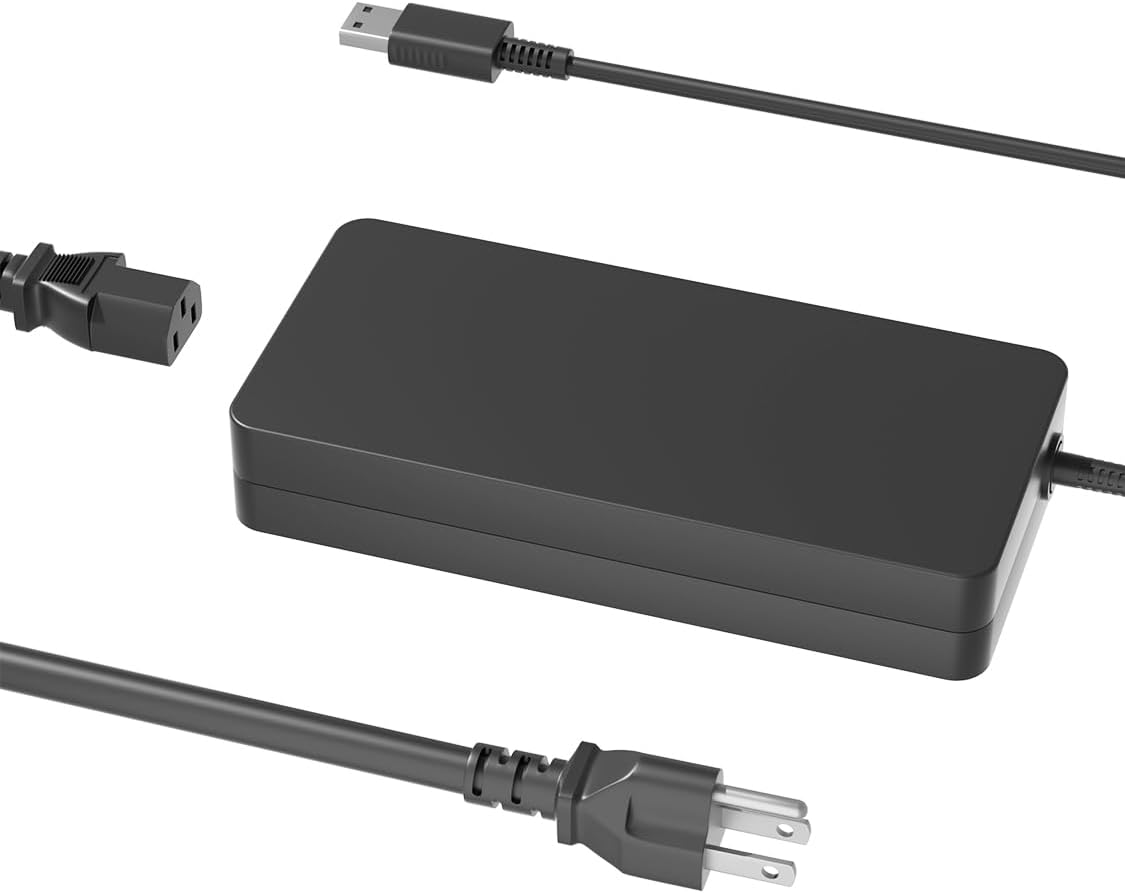
This 330W charger is the specialist choice for MSI's most power-intensive laptops. It carries a 4.6 rating and outputs 19.5V at 16.92A. The product information states that it can also work with 280W, 240W, and 230W devices, offering a higher ceiling than the 120W and 180W replacements in this guide.
We may earn a commission when you buy through this link, at no additional cost to you.
Its compatibility list centers on premium systems, including Stealth 18 and 16 variants, CreatorPro 16, Creator 16 and Z-series models, Titan GT77, Vector 16 and 17, GP66, GP68, GP76, and GP78HX, and Raider GE66, GE67HX, GE76, GE77HX, and GE78HX systems. Related power references include ADP-330CB B and A20-330P1A, which can assist buyers making a direct replacement.
The connector is described as a USB tip, meaning it is physically different from the 5.5mm barrel connection used by many lower-powered MSI notebooks. Its 330W rating is also unnecessary for systems designed for 120W or 180W. Buyers should therefore verify both the charger port and the laptop's expected output rather than assuming that a more powerful adapter will work everywhere.
This is the best premium option for a compatible Raider, Vector, Titan, CreatorPro, or high-end Stealth laptop. The stated protections include over-current, short-circuit, and overheating safeguards, while a temperature-responsive chip and heat-resistant housing are designed to support stable charging. For any other MSI notebook, choose a 120W or 180W barrel-style replacement instead.
The 330W output is intended for demanding systems with more substantial power requirements. It provides one centralized option for owners of compatible premium Raider, Vector, Titan, CreatorPro, and Stealth models.
The product information describes a chip that adjusts output based on temperature and battery status, along with over-current, short-circuit, and overheating safeguards. Those features align with the needs of a high-output charger used for extended workloads.
We may earn a commission when you buy through this link, at no additional cost to you.
The safest replacement is the one that reproduces the voltage, current, wattage, polarity, and connector arrangement expected by the laptop. Use the following factors to narrow the ten options before making a final selection.
Read the label on the charger currently used with the MSI laptop and record every value rather than estimating from the model family. Output voltage, amperage, wattage, and polarity all matter, while the input range should be appropriate for the wall outlets and travel locations where the replacement will be used. A label reading 19.5V, 6.15A describes a 120W-class adapter, while 19.5V, 9.23A describes a 180W-class adapter. Higher-powered systems may use a 19.5V, 16.92A supply rated at 330W. Compare the new adapter with these exact values.
MSI laptops have used several round barrel sizes, including 5.5 x 2.5mm and 4.5 x 3.0mm, while newer premium machines may use a USB-style tip. The outer diameter alone is not always enough, and visually similar connectors can differ in the center pin or internal dimensions. The 120W Thin and Cyborg option uses 4.5 x 3.0mm, most conventional gaming-laptop choices use 5.5 x 2.5mm, and the 330W premium choice uses a USB tip. Measure the port or compare the connector listing with the original plug.
Use the wattage class supported by the laptop rather than selecting the highest number available. A 330W unit is intended for compatible premium systems and will not provide the right physical connection for most mainstream gaming notebooks. Likewise, a 120W adapter cannot safely replace a 150W or 180W supply simply because the connector looks similar. Some 180W options are stated to support lower 120W and 150W configurations, making them useful when the voltage, amperage, and connector also align. The goal is a match, not simply the most power.
Broad family names such as GF63, GS65, Stealth, Raider, or Creator can contain systems with different power arrangements. The full model code, often found on the underside of the laptop or in system information, should be compared with the charger's supported list. The 120W GF63 option provides especially detailed model codes and original-adapter cross-references, while the broad 180W choice lists many GE, GS, GF, GL, GP, and WS families. Even with a long list, verify that the particular configuration and connector match.
A replacement should include suitable safeguards against common electrical faults. Features stated across the selected products include over-current, over-voltage, over-temperature, and short-circuit protection, along with temperature-responsive chips and heat-resistant housing. The 180W tip-kit option also cites FCC, CE, and ROHS certifications, while another 180W choice is marked FCC and CE. These statements add confidence, but they do not replace correct voltage, current, and connector matching. Treat certifications and protection claims as one part of a complete compatibility decision.
Cable design affects where a charger can be used. The 180W tip kit includes a six-foot AC cable, while the HNHTKJ adapter has a ten-foot total arrangement composed of a six-foot charger cable and four-foot power cord. Longer reach is useful behind a desk or beside a gaming setup, though it can occupy more packing space. Compact adapters are easier to carry in a laptop bag, but a short lead may require a nearby outlet. The included AC cord and the length of the attached charger lead should both be considered before purchasing.
A one-tip adapter is simpler and may be preferable when the laptop's connector is already known. Multi-tip packages are more adaptable for households with different MSI systems, and the 180W tip kit includes 5.5 x 2.5mm, 7.4 x 5.0mm, and 4.5 x 3.0mm options. Tips should be selected carefully and fully seated before connecting power. Extra tips do not increase the adapter's wattage, and they do not make it suitable for USB-C charging or for systems that expect more than 180W.
A replacement can serve as a permanent home charger, a shared family solution, or a compact backup for travel. A focused, precisely specified model is often preferable as a primary adapter because the compatibility is easier to document. A broad 180W unit with several tips is more convenient for maintaining one charger across multiple MSI notebooks. A high-output 330W unit makes sense only when the laptop family requires it. Planning around the intended role helps prevent buying an overly capable charger with the wrong connector or a lower-rated option that cannot satisfy the system.
Before connecting anything, compare the replacement's output label with the charger originally supplied with the laptop. Confirm the voltage, amperage, wattage, polarity, and connector, and inspect the new tip and laptop charging port for dirt or damage. If the replacement includes interchangeable tips, select the tip matching the original charger, insert it fully, and avoid forcing a connector that does not fit. Connect the adapter to the wall first when practical, then attach the DC plug to the powered-off or sleeping laptop.
Use the charger on a stable, dry, and reasonably ventilated surface. Do not cover the adapter with bedding, clothing, papers, or other materials that could trap heat. Keep the connector seated while charging and avoid pulling the cable by the wire or tip. Route long cords where they cannot be pinched, stepped on, or pulled from the outlet. When using the 120W, 180W, or 330W unit for a demanding gaming system, allow the laptop's own cooling system to operate normally and avoid operating the computer in a poorly ventilated bag or enclosure.
Unplug the adapter before cleaning it or changing an interchangeable tip. Disconnect the wall plug first, then remove the connector from the laptop. Wipe the housing with a dry or lightly damp cloth, but do not use water, solvents, or cleaning sprays directly on the adapter, and never immerse it. Inspect the cable and connector periodically for cracking, discoloration, corrosion, or a loose fit. Replace the charger if damage appears, and store it loosely coiled rather than tightly wrapped around the power brick.
Sometimes, but only when the output voltage, current capability, polarity, and connector match and the charger is explicitly listed as compatible with the lower-wattage system. A higher rating does not automatically force more power into the laptop, yet connector differences and incompatible protocols can still prevent operation. Several 180W options in this guide are stated to support 120W and 150W laptops, but the original label and model list should still be checked.
The numbers describe the connector's outer and inner barrel dimensions, and the two are physically different. A 5.5 x 2.5mm plug will not fit a 4.5 x 3.0mm port even if the apparent hole looks similar. The 180W gaming-laptop replacements generally use 5.5 x 2.5mm, while the 120W Thin and Cyborg option uses 4.5 x 3.0mm, so the connector must be matched exactly.
No. A 330W adapter is intended for compatible high-end systems that use the appropriate connector and expect that output level. Most mainstream MSI gaming laptops use a lower-rated 120W or 180W adapter, commonly with a 5.5 x 2.5mm barrel tip. Using the 330W USB-tip replacement with a laptop designed for a barrel connector will not work, and its higher rating does not change the laptop's charging port.
Start with the label on the original adapter and record its output voltage, amperage, wattage, and polarity. Then measure the charging connector and find the laptop's complete model number. Compare all three pieces of information with the replacement's specification and compatibility list. If the original adapter is missing, system documentation and the charging-port shape can provide clues, but the full model number should be confirmed before ordering.
A genuine adapter is not always required, but the replacement must accurately reproduce the electrical and physical requirements of the laptop. The products in this guide are compatible third-party replacements rather than necessarily original MSI accessories. Third-party options can offer broader model lists, interchangeable tips, or extended cables, but buyers should pay closer attention to connector accuracy, protection features, certifications, and warranty information.
It can, provided every laptop uses a compatible connector and accepts the offered voltage and current configuration. Some 180W options support lower 120W and 150W systems, and the multi-tip 180W adapter can cover several barrel sizes. You should still check each laptop's original requirements individually and never rely on family name alone to determine compatibility.
A power adapter converts AC power into DC power and naturally produces heat, particularly at 180W or 330W output. Normal warmth can occur while a gaming laptop is under load, but the charger should not be excessively hot, discolored, or producing an unusual odor. Keep it uncovered on a stable surface and ensure ventilation. Stop using it if you notice a burnt smell, visible damage, repeated circuit-breaker trips, or a connector that becomes loose or deformed.
Adapters with 100–240V, 50–60Hz input can operate across a wide range of countries, but the wall plug and power cord must be appropriate for the destination. The listed products generally include an AC cord, though the physical plug configuration varies. Check the adapter's input label, inspect the cord for damage, and avoid using unofficial adapters or exposed connections in unfamiliar electrical environments.
The best choice depends less on the MSI badge and more on an exact match between the laptop and the adapter. The precisely documented 120W option is ideal for select GF63, WF65, and related systems using 19.5V 6.15A and a 5.5 x 2.5mm tip. The broadly compatible 180W choices cover many mainstream gaming and creator families, while the 330W specialist serves compatible Raider, Vector, Titan, CreatorPro, and premium Stealth models.
Prioritize output voltage, amperage, wattage, and connector over any broad compatibility claim. A multi-tip 180W kit offers useful flexibility, a one-tip adapter can be simpler when the requirement is known, and a long-cabled design may be better for a fixed desk. For current Thin or Cyborg systems, pay particular attention to the 4.5 x 3.0mm connection rather than assuming it matches an older MSI barrel tip.
Finally, check the current listing, model information, included cord, and protection details before ordering, since product details and prices can change. Read the original adapter label, compare the complete laptop model, and choose the lowest-cost option only after it has been confirmed to meet the electrical and physical requirements of the MSI system.