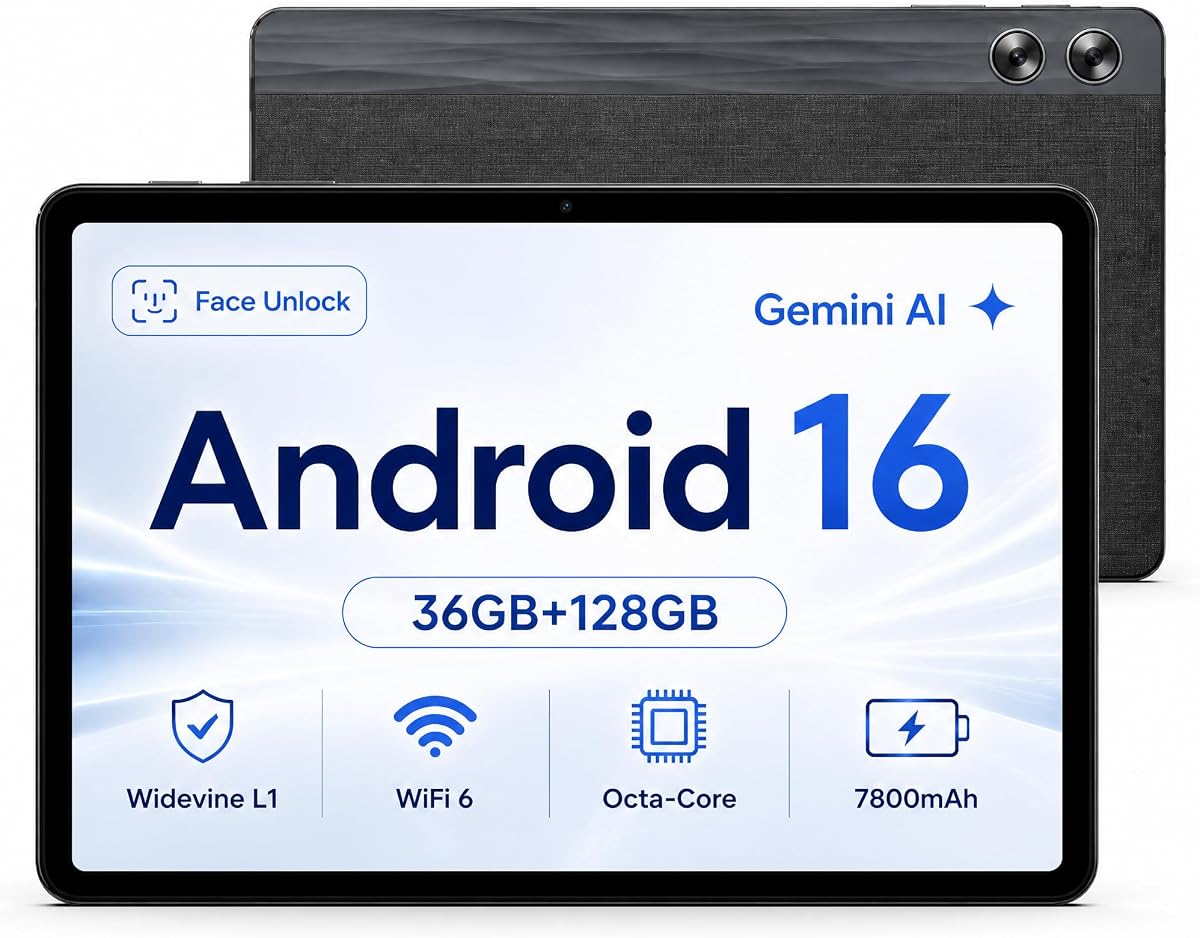
Jeazans X7
4.6Editor score
11-inch 800-by-1280 display
36GB combined memory
Widevine L1 streaming support
A resolution Android tablet must balance a sharp display with usable brightness, color, touch response, and battery life. The most suitable model depends on whether you prioritize streaming, reading, gaming, creative work, mobile connectivity, or a keyboard-equipped productivity setup.
This guide compares ten Android tablets using resolution, panel technology, refresh rate, processing power, memory, storage, battery capacity, cameras, wireless capabilities, and included accessories. It covers models from 10-inch basic tablets to expansive 13.4-inch screens and 2.5K productivity devices.
Each review highlights the strengths and limitations of its featured tablet to show what it does best. Product details and ratings may change over time, and current prices vary by seller, configuration, promotion, and availability, so shoppers should verify the latest listing before buying.
4.6Editor score
4.4Editor score

5.0Editor score
As an Amazon Associate we earn from qualifying purchases.
The comparison below highlights each tablet's display resolution, general screen size, core performance specifications, and major connectivity or productivity feature, making it easier to identify the right model for your needs.


The TECLAST T65 combines a large 13.4-inch panel with a 1920×1200 resolution, giving it one of the most useful combinations of screen size and visual detail in this guide. Its 120Hz refresh rate is especially notable because it makes scrolling and animation feel smoother than the more common 90Hz panels. The tablet carries a 4.3 rating, reflecting a capable package with some compromises.
We may earn a commission when you buy through this link, at no additional cost to you.
Display quality is the central attraction. The narrow-bezel design maximizes the viewing area, while TDDI technology is intended to improve light transmission and touch response. Streaming support includes Widevine L1, and the octa-core processor, 4G LTE, dual-band Wi-Fi, GPS, and OTG make the T65 more versatile than a basic home tablet. Its slim 8.5mm body and 720g weight also help offset the large display.
The main limitation is its 20GB memory configuration, which is less generous than several competitors offering much larger combined RAM totals. Cellular use may also require a compatible plan and SIM arrangement. Even so, the 128GB storage, 8000mAh battery, and 120Hz screen form a convincing package for users who want a large, fluid display without moving to a larger productivity-focused model.
The T65 is a strong recommendation for mobile users, video viewers, travelers, and families who want a big screen that remains reasonably portable. It is particularly attractive when 4G independence and a high refresh rate matter more than maximum memory. For display-focused shopping, it offers an excellent balance of size, sharpness, smoothness, and connectivity.
The 1920×1200 panel supplies more usable detail than a basic 800-by-1280 screen, while 120Hz refresh improves the feel of scrolling, menus, and supported content. Its 13.4-inch size also makes it easier to watch videos, read documents, or use split-screen apps.
Integrated 4G LTE, dual-band Wi-Fi, GPS, and OTG allow the tablet to operate beyond a fixed home network. The 8000mAh battery and slim body complement that mobile focus, making the T65 useful during commutes, road trips, and field work.
We may earn a commission when you buy through this link, at no additional cost to you.
The Jeazans X7 is a practical Android 16 tablet for buyers who want a capable everyday device without paying for a large accessory bundle. Its 11-inch in-cell display has an 800×1280 resolution, which is less detailed than the FHD and QHD alternatives here. The advantage is a 4.6 rating, 36GB combined memory, and generous built-in storage.
We may earn a commission when you buy through this link, at no additional cost to you.
Its octa-core processor and Mali-G57 MC1 GPU are geared toward normal multitasking, web browsing, streaming, reading, and communication. The supplied information highlights Gemini AI features such as voice control, real-time translation, and AI summarization. Storage expands through microSD up to 1TB, while the 7800mAh battery and Type-C 2.0 port support extended use and OTG accessories.
Its trade-offs are straightforward. The HD resolution may appear less crisp on a large desktop display, and the specification list does not mention cellular service. On the other hand, the X7 includes dual speakers and front and rear cameras, making it a more complete general-purpose tablet than many similarly positioned devices.
Choose the X7 for students, families, and everyday users who value memory, battery life, streaming access, and strong customer feedback more than ultra-high resolution. It is a sensible budget-oriented choice for web content, education, video calls, and media consumption, though creative work may benefit from a sharper panel.
The combination of 36GB combined memory and an octa-core processor gives the X7 room for several daily applications. It is better suited to balanced productivity and entertainment than a specialist workstation, but it should handle routine switching effectively.
Widevine L1 enables HD streaming on major supported services, while the 7800mAh battery is designed for long sessions. Dual 8-watt speakers add useful volume for video, music, and online lessons.
We may earn a commission when you buy through this link, at no additional cost to you.
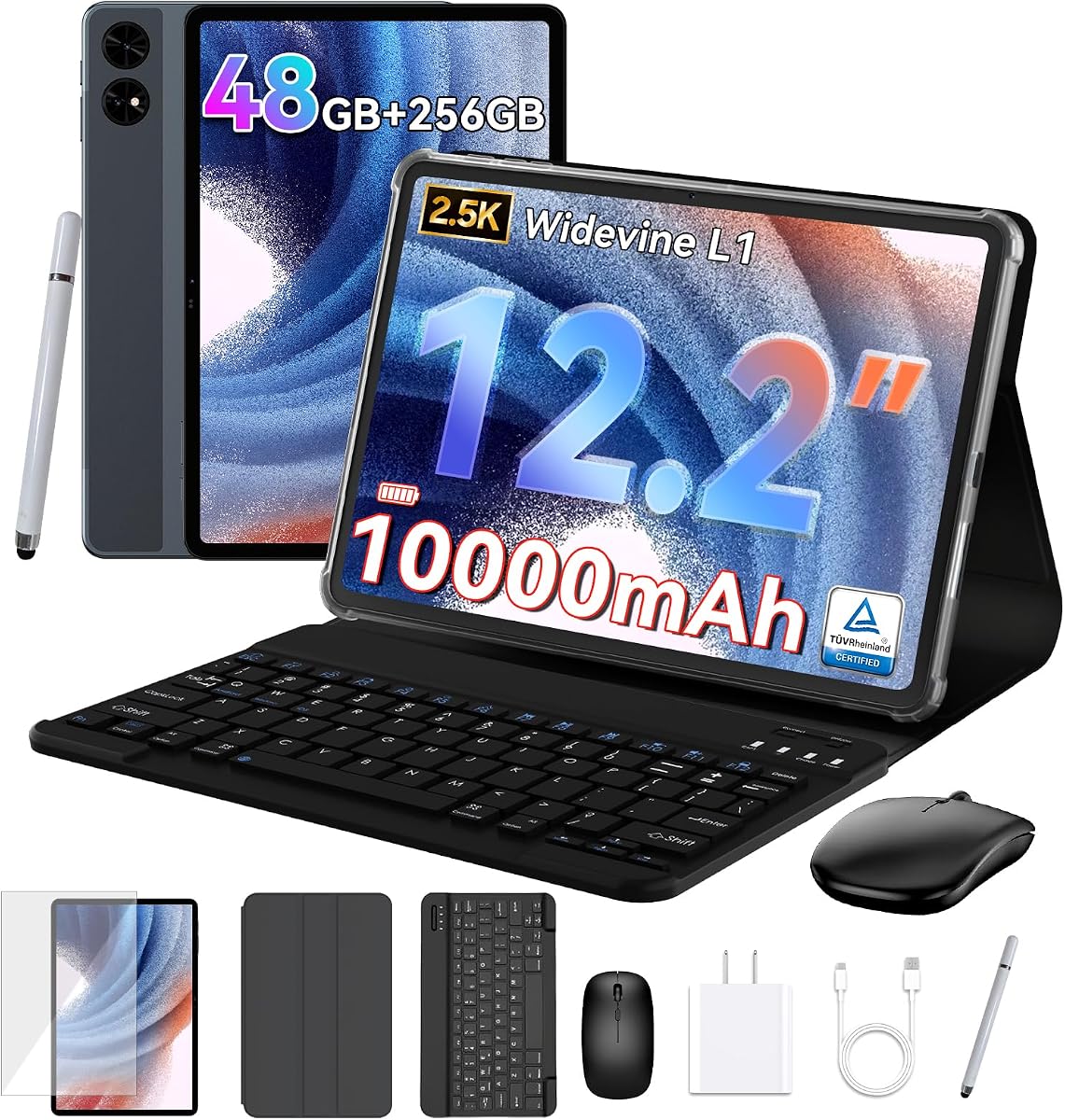
The TABWEE T60 is the strongest resolution-focused option in this roundup, with a 12.2-inch 2.5K QHD CSOT display and claimed 99% sRGB color coverage. Its 4.4 rating reflects a broad feature set, including Android 16, Gemini AI, 256GB UFS storage, GPS, Widevine L1, and an expansive accessory package.
We may earn a commission when you buy through this link, at no additional cost to you.
The panel targets users who inspect images, edit creative work, or simply want finer detail while reading and watching video. Anti-glare and eye-comfort features are intended to improve long-session comfort. Performance is supported by 48GB combined memory, an octa-core processor, and Android 16's desktop windowing and background-app management features.
The supplied configuration includes a magnetic keyboard, mouse, stylus, and protective case, creating a compact productivity bundle. Its 10000mAh battery and GPS make it suitable for mobile work, while expandable storage adds flexibility. Buyers should still consider its larger footprint and the distinction between physical and virtual memory when comparing specifications.
The T60 suits creative professionals, students, remote workers, and enthusiasts who want a high-resolution canvas with a laptop-style accessory setup. It is the premium choice when display detail, color coverage, and productivity tools matter more than minimalism. For casual browsing, its capabilities may be more than necessary, but for high-resolution use they are unusually compelling.
The 2.5K QHD panel and claimed 99% sRGB gamut make the T60 especially appealing for design review, photo viewing, and detailed editing. Anti-glare treatment also makes it more practical in bright indoor environments.
Android 16 desktop mode, a magnetic keyboard, mouse, stylus, and case create a flexible two-in-one arrangement. Split-screen and windowed workflows make it more practical for documents, notes, calls, and ordinary office tasks.
We may earn a commission when you buy through this link, at no additional cost to you.
The Samsung Galaxy Tab A11+ is a refined family tablet with an 11-inch bright display, up to a 90Hz refresh rate, and a 4.5 rating. Its principal strength is not a headline resolution number but the combination of smooth motion, Samsung design, strong audio, and familiar Google features.
We may earn a commission when you buy through this link, at no additional cost to you.
Quad speakers with Dolby Atmos provide a notably strong entertainment package for a family tablet. Google Gemini and Circle to Search add practical assistance, while the upgraded chipset is designed to keep common tasks responsive. The product information also describes fast charging, expandable storage, and a slim, light construction suited to shared use.
The listed 6GB memory is modest compared with the much larger combined memory figures of several rivals. The supplied data does not state a precise screen resolution, so buyers focused specifically on pixel density must verify that specification. These limitations matter most for intensive multitasking or specialist creative work rather than streaming, browsing, gaming, and schoolwork.
The Tab A11+ is ideal for households wanting a polished, approachable tablet with excellent sound. It is a better fit than a specification-heavy bargain model when design, software integration, and balanced everyday performance matter. Those prioritizing maximum resolution should look to the T60 or JJGJ instead.
The quad-speaker system and Dolby Atmos support distinguish this tablet from models that treat audio as a secondary feature. It is particularly effective for family video sessions, music, and casual gaming.
Gemini assistance, Circle to Search, and an up-to-90Hz panel create a convenient environment for browsing, learning, and finding information. The slim design also helps the tablet remain comfortable for several users.
We may earn a commission when you buy through this link, at no additional cost to you.
This 11-inch Android 16 tablet combines a 1920×1200 display with a 4.5 rating, making it an attractive Full HD option for reading, streaming, and productivity. Its octa-core processor and 32GB combined memory provide more headroom than basic models, while the 128GB storage can be expanded by as much as 1TB.
We may earn a commission when you buy through this link, at no additional cost to you.
The display is one of its most important features, offering noticeably more detail than 800-by-1280 alternatives. Widevine L1 certification supports HD streaming, while an 8000mAh battery is suited to extended browsing, media, and gaming. Dual-band Wi-Fi and Bluetooth 5.0 cover the main wireless needs.
The package includes a keyboard, mouse, stylus, screen protector, and case, allowing a more laptop-like workflow. A 5G Wi-Fi label should be understood as dual-band wireless capability rather than cellular service. The stated RAM figure also includes dynamic allocation, so physical and virtual components should be considered separately.
This model is a strong choice for students and home-office users who want a sharp screen and accessories without moving to a premium 2.5K tablet. It is particularly useful for typing notes, editing documents, browsing, and consuming media. Buyers wanting mobile data would need to consider a cellular model instead.
The 1920×1200 resolution provides a useful middle ground between entry-level HD panels and much larger 2.5K screens. Text, websites, and video interfaces appear more defined, particularly on an 11-inch display.
The keyboard, mouse, and stylus support notes, typing, navigation, and more conventional office workflows. A folding case and screen protector complete the bundle for users who plan to carry the tablet regularly.
We may earn a commission when you buy through this link, at no additional cost to you.
The Evermyth 10-inch tablet is a compact Android 16 option with a 4.9 rating, the highest customer score in the group. Its 1280×800 IPS in-cell display is suitable for reading, streaming, classes, and web browsing, although it does not offer the detail of the FHD and 2.5K models.
We may earn a commission when you buy through this link, at no additional cost to you.
A major advantage is its modern connectivity. Wi-Fi 6, dual-band operation, and Bluetooth 5.4 make it a good match for current routers and accessories. The octa-core processor, 36GB combined memory, 128GB storage, and expansion up to 1TB support a wide range of ordinary tasks.
The 6000mAh battery is smaller than several alternatives, and the stated 36GB memory contains 30GB of virtual allocation. Low-blue-light technology is included to reduce harsh flicker and blue light during extended use. These are acceptable compromises for users who value portability and connectivity over a premium display.
The Evermyth is a compelling compact tablet for students, travelers, and families. Its GMS certification and Google Play access simplify app availability, while Android 16 keeps the platform current. It is best suited to reading, browsing, video calls, and media rather than detailed professional image work.
Wi-Fi 6 and Bluetooth 5.4 provide a current foundation for streaming, downloads, and peripherals. Dual-band support also offers flexibility in crowded networks where 2.4GHz and 5GHz behavior differs.
The 10-inch format is easier to carry than larger 12.2-inch and 13-inch tablets. Low-blue-light features and eye-comfort settings also make the smaller display practical for reading and online classes.
We may earn a commission when you buy through this link, at no additional cost to you.
The JJGJ 13-Inch 2K combines an expansive 1920×1200 IPS display, a 5.0 rating, 256GB storage, and a full 2-in-1 accessory kit. It is one of the most complete packages for users who want a large Android workspace for media, notes, typing, and light office use.
We may earn a commission when you buy through this link, at no additional cost to you.
The large 2K panel offers a broad viewing field and enough detail for documents, creative review, and video. Gemini AI supports functions such as document summarization, drafting, translation, and brainstorming. A UNISOC T615 octa-core processor, dual-band Wi-Fi, Bluetooth 5.0, and front and rear cameras cover the core tablet experience.
Its 36GB combined memory consists of 6GB physical and 30GB virtual memory, so demanding applications may not perform like tablets with more native RAM. The 10000mAh battery offsets some of the burden created by the large display, but the substantial chassis is naturally less convenient to carry than a 10-inch model.
The JJGJ is ideal for home use, presentations, students with desk space, and users who value a large screen over pocketability. The included keyboard, mouse, stylus, case, protector, charger, and cable make it especially suitable as a compact desktop companion. Its rating and feature breadth make it a strong premium selection.
The 13-inch Full HD IPS display gives documents, media, and app windows a spacious presentation. A larger panel can also reduce the need to rotate frequently between a laptop and a smaller companion device.
The 256GB internal capacity provides room for large media and application libraries, while TF expansion can reach 2TB. A 10000mAh battery supports extended work, travel, and entertainment away from a charger.
We may earn a commission when you buy through this link, at no additional cost to you.
The FEONAL 11-Inch Android 16 tablet stands out for dual 4G LTE, dual SIM support, GPS, and VoLTE. Its 1280×800 in-cell display is a basic HD panel, but the 4.3 rating and broad connectivity make this a useful option for users who need mobile service away from Wi-Fi.
We may earn a commission when you buy through this link, at no additional cost to you.
The MTK8786 octa-core processor supports Android 16, and the GMS-certified platform offers direct Google Play access. Storage includes 128GB internally and can be expanded through a TF card up to 1TB. Screen projection, split-screen mode, reading mode, eye protection, and dark mode are useful additions for work and entertainment.
The 20GB combined memory figure includes 8GB physical and 12GB virtual memory, which may be restrictive compared with higher-memory alternatives. The 7000mAh battery and 1280×800 display are also modest. Cellular operation requires compatible service, and the SIM card is not included, so buyers must consider ongoing carrier requirements.
The FEONAL works best for travelers, drivers, field workers, and households wanting a cellular tablet without a high-tier specification sheet. It handles calling, navigation, streaming, browsing, and communication well. If in-home sharpness is the primary goal, an FHD model offers a better screen.
Dual SIM slots, 4G LTE, GPS, and simultaneous VoLTE support are valuable for travel, navigation, and work away from fixed networks. Dual-band Wi-Fi provides a convenient fallback when cellular coverage is limited.
Reading mode, eye protection, and dark mode make the tablet more adaptable to different viewing environments. These features are especially helpful for long documents, web articles, and evening use.
We may earn a commission when you buy through this link, at no additional cost to you.
The TABWEE T90 delivers a sharp 1920×1200 display in a balanced 11-inch format, earning a 4.2 rating. It is a compelling choice for readers, students, and light workers who want Full HD detail without moving to the much larger T60 or JJGJ designs.
We may earn a commission when you buy through this link, at no additional cost to you.
Its fully laminated TDDI panel is described as smooth and natural, with an 84.9% screen-to-body ratio. Widevine L1, dual speakers, and 380-nit brightness suit indoor entertainment. The 24GB combined memory, 128GB storage, and TF expansion up to 2TB provide reasonable flexibility for daily applications and media.
The UNISOC T615 processor is adequate for streaming, lessons, documents, and communication rather than demanding professional workloads. The supplied battery claims include up to 11 hours of video, eight hours of entertainment, and 40 hours of music, though real results vary. The keyboard, mouse, and stylus make the tablet more versatile.
The T90 suits students, travelers, and home users who value a sharp screen, GPS, stable dual-band Wi-Fi, and useful accessories. Its 13MP rear camera works with Google Lens for scanning and translation, while face recognition and parental controls broaden its family appeal. It is a versatile middle ground in this list.
The 1920×1200 panel provides a clear upgrade over basic 800-by-1280 screens. Its laminated construction and narrow bezel improve the immersive experience, although the stated 380-nit brightness is more appropriate for indoor use.
Google Lens can scan documents, translate text, identify objects, and capture handwritten notes. GPS support, dual-band Wi-Fi, and the included keyboard make the T90 a practical companion for classes and mobile work.
We may earn a commission when you buy through this link, at no additional cost to you.
The 10.1-Inch Android 15 tablet is a straightforward entry into stylus-equipped Android devices. Its 4.1 rating is the lowest in the group, but the bundle includes both a stylus and foldable protective case, making it convenient for note-taking and portable everyday use.
We may earn a commission when you buy through this link, at no additional cost to you.
The 1280×800 IPS touchscreen provides standard HD detail and five-point capacitive touch. Android 15, a quad-core processor, 8GB combined memory, and 32GB storage cover basic browsing, reading, media, and simple applications. Storage can expand by up to 1TB, while Wi-Fi 6 and Bluetooth 5.0 provide modern wireless support.
The 6000mAh battery is smaller than most premium alternatives, and the 32GB base storage may fill quickly with downloaded media. The supplied claim of up to six to eight hours of continuous use and 360 hours of standby depends on usage and settings. Camera specifications are modest at 2MP and 8MP.
This model is best for students who need a stylus, families seeking a simple secondary tablet, or buyers who prioritize a complete protective bundle. It offers fewer advanced features than higher-ranked Android 16 alternatives, but its portability and included accessories may be more important than a faster processor or finer display.
The included stylus enables direct text entry, annotations, and note-taking without requiring a separate purchase. The folding protective case improves portability and provides a basic way to protect the tablet during travel.
Android 15 and a quad-core processor cover basic web, media, reading, and communication needs. Wi-Fi 6, GPS, and expandable storage add useful flexibility without complicating the configuration.
We may earn a commission when you buy through this link, at no additional cost to you.
Display resolution is only one part of a useful tablet comparison. Screen size, panel quality, refresh rate, performance, connectivity, battery life, and the included accessories should be evaluated together to find a device that suits your specific routines.
Resolution describes the number of pixels available to render an image, but perceived sharpness also depends on screen size, pixel density, panel quality, and scaling. A 1920×1200 panel on an 11-inch screen can look more detailed than a higher-resolution panel that is small, poorly calibrated, or affected by strong reflections. The T60 leads this guide with 2.5K resolution, while the T65, T90, and 11-inch Android 16 model use 1920×1200.
Choose a higher resolution when editing images, reading small text, or using multiple windows. For ordinary video and web use, a well-made HD panel may be sufficient. Match the resolution to the display size rather than treating the largest pixel count as automatically superior.
Refresh rate affects how smoothly scrolling, animation, and supported games appear. The TECLAST T65 stands out with a 120Hz panel, while the Samsung Galaxy Tab A11+ offers up to 90Hz. Other models focus their specifications on resolution, battery, and productivity rather than a stated high refresh rate. Touch technology also influences perceived responsiveness.
A high refresh rate is most noticeable during continuous scrolling and fast interaction. Check the display's stated rate and compatibility with the apps or games you use. For most reading and video tasks, the difference matters less than panel clarity, viewing comfort, and reliable touch input.
IPS, In-Cell, and TDDI panels differ in construction, touch integration, brightness, and viewing experience. The TABWEE T60 claims 99% sRGB coverage and anti-glare treatment, making it appealing for visual work. Other tablets use IPS or In-Cell panels with low-blue-light or eye-comfort features for extended reading.
Look for accurate color if you will edit photos, review graphics, or display design work. For indoor entertainment, contrast and brightness may matter more. Outdoor use requires a brighter panel, although none of the listed specifications provides a standardized outdoor brightness rating.
An octa-core processor is standard across most of the higher-ranked options, but clock speed, GPU, and native memory also influence responsiveness. The T65 specifies a 2.2GHz A75-based chip, while the T60 combines 48GB total memory with UFS storage. Other models list 20GB, 24GB, 32GB, or 36GB combined memory, which may include virtual allocation.
Choose sufficient native memory for heavy apps and many open programs, and treat virtual memory as a supplement rather than equivalent physical RAM. The T90, T65, and T60 are better matched to advanced productivity, while the 10.1-inch Android 15 tablet is oriented toward simpler tasks.
Built-in storage ranges from 32GB to 256GB across this guide. The T60 and JJGJ offer the largest native capacity, while several midrange models include 128GB. Most provide microSD or TF expansion, with limits ranging from 1TB to 2TB. Expansion cards are generally not included, so capacity and compatibility should be checked separately.
Choose storage based on offline media, downloaded applications, documents, and creative files. Cloud sync can reduce pressure on internal storage, but reliable local capacity remains useful for streaming quality, games, and travel. Larger screens and productivity setups benefit from more room for files and accessories.
Battery capacity ranges from 6000mAh to 10000mAh, although the largest number does not automatically guarantee the longest runtime. Processor efficiency, display size, brightness, network type, and workload all influence results. The T60 and JJGJ use 10000mAh batteries, while the T65, T90, and 11-inch Android 16 tablet use 8000mAh cells.
For travel and long work sessions, prioritize a large battery and efficient charging. Check whether a charger is included, as not every listing states one. USB-C charging is convenient, but charger wattage and cable support can affect the speed of replenishing a large-capacity battery.
A Wi-Fi-only tablet is sufficient for many homes and offices, but LTE provides valuable access to mobile data. The T65 includes 4G LTE, while the FEONAL offers dual SIM, 4G, GPS, and VoLTE. Other choices emphasize dual-band Wi-Fi, Wi-Fi 6, or Bluetooth for accessories.
Verify carrier compatibility, SIM requirements, bands, and the availability of cellular service in your area. For a cellular tablet, also account for the recurring plan and possible carrier locks. Bluetooth version matters most when connecting keyboards, headphones, speakers, mice, or styluses.
A keyboard can transform an Android tablet for document work, but the quality of the support, software adaptation, and desktop mode matter. The T60, JJGJ, T90, and 11-inch Android 16 model include productivity accessories. The 10.1-inch Android 15 tablet adds a stylus and case, which may better serve note-taking and media consumption.
Choose a keyboard bundle for typing, study, and office workflows. A stylus and case may be more useful for handwritten notes and portable reading. Evaluate the complete package rather than paying attention only to the tablet, because accessories can add considerable value to a productivity setup.
After setup, update Android and all installed applications, configure a secure screen lock, and adjust display scaling, brightness, and reading settings to suit your eyesight. Most models also include reading mode, eye protection, or dark mode, which can make extended reading more comfortable. Connect the device to Wi-Fi, sign into the required accounts, and verify that Google Play, streaming applications, and productivity tools work as expected.
For mobile use, activate the relevant cellular or location features only when needed and keep Bluetooth, GPS, and background applications under control to conserve power. A protective case and the supplied screen protector can reduce the risk of scratches and impact damage. Use a compatible USB-C cable and charger, and avoid leaving the tablet in extreme heat, direct prolonged sunlight, or a very cold environment.
Periodically review internal storage and expand it with a compatible card when needed. Keep the charging port clean, update the system regularly, and use device-specific battery or parental controls to establish limits for children. For a keyboard setup, test split-screen and desktop modes, customize shortcuts, and adjust the viewing angle before beginning extended typing sessions.
A 2.5K panel can display more detail than a 1920×1200 screen, which is especially useful for small text, image editing, and larger displays. The difference is less obvious in ordinary video streaming or casual browsing. Panel quality, brightness, size, and scaling also affect how sharp the screen appears in practice.
A 1920×1200 resolution is a strong choice for an 11-inch reading tablet because it provides more definition than 1280×800. The TABWEE T60 goes further with a 2.5K display, but a higher resolution cannot compensate for every panel weakness. Consider brightness, eye-comfort features, text scaling, and weight alongside the pixel count.
Resolution improves fine detail, while refresh rate makes motion look smoother. The TECLAST T65 combines 1920×1200 resolution with 120Hz, making it attractive for both. For video playback and reading, resolution may be more noticeable; for scrolling and supported games, the difference between 90Hz and 120Hz can be clearer.
Physical memory generally has a more direct effect on sustained multitasking and demanding applications. A combined figure may include virtual memory allocated from storage, which can improve flexibility but is not equivalent in every workload. The T60, T65, and T90 specify their physical and virtual portions, making those breakdowns useful when comparing models.
A cellular tablet can be useful when reliable Wi-Fi is unavailable. The TECLAST T65 includes 4G LTE, and the FEONAL adds dual SIM and VoLTE. Check carrier compatibility, supported bands, SIM requirements, and service coverage before buying. A Wi-Fi-only model is usually simpler and more economical for use at home.
A keyboard bundle can be worthwhile for typing documents, attending classes, and using desktop-style workflows. The T60, JJGJ, T90, and 11-inch Android 16 model include relevant accessories. The quality of the keyboard and Android's desktop mode matter more than simply having a keyboard attached.
Widevine L1 supports high-definition playback on compatible streaming services, making it important for Netflix, Disney+, Prime Video, and similar apps. Several models in this guide list it. Subscription access, app support, and regional availability still apply, so certification alone does not guarantee every title will play in HD.
A student needs enough room for applications, documents, lecture notes, media, and offline learning materials. The 128GB and 256GB models offer comfortable starting points, and microSD or TF expansion provides additional room where supported. Cloud storage can help with synchronization, but important coursework should still be available locally.
The TABWEE T60 is the leading resolution-focused choice because its 2.5K QHD display, claimed 99% sRGB coverage, and productivity accessories create the most complete high-detail package. The Jeazans X7 offers a balanced alternative for everyday users, while the JJGJ 13-Inch 2K stands out for its expansive screen, 256GB storage, and complete two-in-one kit.
Prioritize the display qualities you can actually see in daily use. Fine text and image editing reward higher resolution, smooth scrolling favors 120Hz, and portable reading may make a lighter 10-inch panel more practical. Cellular service, physical memory, battery capacity, and included accessories should be considered alongside the screen before choosing.
Finally, verify the current product listing, configuration, warranty details, and price before purchasing. Ratings and specifications can evolve, seller bundles may differ, and promotions change frequently. The links provided in this guide point to the relevant listings, making it easy to check the latest availability and final package.