
Intel AX210 Tri-Band Card
4.8Editor score
Intel AX210 chipset
Tri-band wireless support
Bluetooth 5.3 connectivity
Discover the best M2 WiFi Cards by comparing WiFi generations, tri-band support, Bluetooth, speeds, compatibility, and installation needs.
M2 WiFi Cards provide a practical way to upgrade wireless connectivity in compatible laptops, desktops, and mini PCs. A good card should fit the correct M.2 slot, support your operating system and processor platform, offer a suitable WiFi generation, and provide dependable Bluetooth for accessories such as headsets, keyboards, and mice.
The cards in this guide were compared using the supplied specifications, including wireless standard, frequency bands, stated maximum throughput, Bluetooth version, form factor, platform support, and required drivers. The list covers WiFi 6, WiFi 6E, and WiFi 7 models, with particular attention to compatibility rather than advertised speed alone.
Each review identifies the strongest use case and relevant limitations for a particular card, helping you match hardware to your router, device, and operating system. Product ratings and availability can change, and prices fluctuate over time, so confirm the current listing, driver requirements, and return terms before purchasing.
4.8Editor score

4.5Editor score

5.0Editor score
This side-by-side comparison highlights each card's wireless generation, band coverage, Bluetooth version, platform support, and practical hardware considerations so you can identify the most suitable upgrade for your system.




The AX210NGW DTK WiFi Card is a comprehensive WiFi 6E upgrade with a 4.5 rating. It combines an Intel AX210-based M.2 module, Bluetooth 5.3, three-band wireless support, and installation hardware, making it stand out as more of a complete connectivity kit than a bare card.
We may earn a commission when you buy through this link, at no additional cost to you.
Its advertised maximum throughput reaches 574Mbps at 2.4GHz, 2400Mbps at 5GHz, and 2400Mbps at 6GHz. That tri-band configuration gives the card more flexibility than a dual-band model, while OFDMA, MU-MIMO, and Target Wake Time support can improve efficiency in suitable networks and help reduce laptop power consumption.
The package includes an 11-inch RF cable, 5dBi high-gain antennas, and low-profile brackets. These accessories are particularly useful in desktop PCs, but they can make the installation more involved than a simple laptop replacement. The AX210 also needs a suitable Intel driver, which can be obtained by searching for AX210 on Intel's website.
Choose this card when you want WiFi 6E and Bluetooth in a desktop, mini PC, or laptop with a compatible M.2 2230 slot. It is a strong all-around choice for users who value included antenna hardware and broad band support, provided you are comfortable installing drivers and positioning external antennas.
Access to 2.4GHz, 5GHz, and 6GHz bands allows the card to use longer-range 2.4GHz connections, crowded 5GHz networks, and cleaner 6GHz spectrum where supported by the router and local regulations.
The included RF cable, antennas, and brackets are valuable in desktop builds where the M.2 slot may be poorly positioned for radio reception. They also let you place the antennas away from dense metal components.
We may earn a commission when you buy through this link, at no additional cost to you.
The OKN AX210 WiFi 6E module carries a 4.6 rating and is aimed particularly at Windows 10 and 11 computers using 64-bit operating systems. Its Intel AX210 foundation, Bluetooth 5.3, and tri-band operation make it a polished option for replacing an aging internal adapter.
We may earn a commission when you buy through this link, at no additional cost to you.
The card supports maximum theoretical speeds of 574Mbps on 2.4GHz and 2400Mbps on both 5GHz and 6GHz. Features carried over from AX200 include MU-MIMO, OFDMA, 1024-QAM, and 160MHz channel support, while WPA, WPA2, and WPA3 security are also listed.
One limitation is that the product information focuses on Windows 10/11 64-bit systems, although it states that the AX210 can work with Intel CPUs and newer AMD CPUs. Another practical limitation is the absence of listed antenna accessories, which may make it less convenient for a desktop where the M.2 slot sits behind metal panels.
This is a strong recommendation for a compatible Windows laptop or desktop that needs a modern AX210 upgrade without moving to WiFi 7. Confirm the M.2 2230 interface, install the Intel driver, and pair it with a router that supports the bands you expect to use.
Using the AX210 platform gives you a well-established option with broad software support and a driver path through Intel. That familiarity can be reassuring for users who do not want to troubleshoot an entirely unfamiliar wireless chipset.
WPA3 support improves alignment with current home and business router security, while OFDMA and MU-MIMO help manage traffic from several connected devices more efficiently when the router also supports those features.
We may earn a commission when you buy through this link, at no additional cost to you.
The Intel AX210 Tri-Band Wi-Fi 6E Bluetooth 5.3 Network Card for Notebook has the highest rating among the AX210-focused options at 4.8. Its concise specification centers on the AX210 chipset, making it appealing when you want the core module without a larger accessory bundle.
We may earn a commission when you buy through this link, at no additional cost to you.
As a WiFi 6E card, it supports the 2.4GHz, 5GHz, and 6GHz bands, while Bluetooth 5.3 expands the upgrade beyond networking. This combination is particularly relevant to older notebooks that have weaker WiFi, limited Bluetooth versions, or an internal adapter that has become unreliable.
The supplied information contains less detail than several competing listings, so buyers should verify the exact card layout, antennas, connector type, and operating system support before ordering. The product is explicitly aimed at notebooks, but the actual M.2 interface and antenna arrangement must match the machine being upgraded.
This card is a sensible value-oriented option for a compatible notebook that needs an AX210-based refresh. It offers a strong rating, a mature chipset, and useful wireless standards without the broader desktop installation kit. If your system requires external antennas, choose a listing that clearly includes them.
The module is designed around the common notebook upgrade path, helping users add tri-band WiFi 6E and Bluetooth 5.3 without replacing the entire computer. It can be especially valuable when internal connectivity has degraded but the rest of the system remains capable.
The AX210 platform is widely recognized and supported by standard Intel driver packages. That can simplify setup for users comfortable installing hardware and locating the appropriate operating system driver.
We may earn a commission when you buy through this link, at no additional cost to you.
The Intel BE200 WiFi 7 card is designed for systems built around 12th-generation or newer Intel processors. With a 4.6 rating, tri-band operation, Bluetooth 5.4, and stated maximum throughput of 8774Mbps, it is among the most advanced upgrades in this guide.
We may earn a commission when you buy through this link, at no additional cost to you.
Its band allocation lists 574Mbps at 2.4GHz, 2400Mbps at 5GHz, and 5800Mbps at 6GHz. The 6GHz figure benefits from WiFi 7 hardware and a compatible router, while Bluetooth 5.4 adds lower-latency, improved interference handling, and energy-efficiency features to the wireless adapter.
Compatibility is the decisive limitation. The card supports Windows 11, Windows 10 64-bit, and Linux, but it requires an M.2 E-key interface and an Intel 12th-generation-or-newer CPU. AMD systems are expressly excluded, so this is not a general-purpose M.2 WiFi upgrade.
Buy the BE200 when you have a qualifying recent Intel system, a WiFi 7 router, and a need for future wireless capacity. Otherwise, the platform restriction can outweigh its leading specifications. A one-year warranty and lifetime technical support are also listed for this product.
The BE200 is built for high-throughput, low-latency wireless environments. Its greatest potential appears when paired with a WiFi 7 router, suitable client hardware, and favorable placement, allowing the 6GHz band to contribute substantially to the stated maximum.
The requirement for 12th-generation-or-newer Intel CPUs makes compatibility unusually specific. Checking the CPU, motherboard layout, and M.2 E-key slot before purchase avoids the most likely source of disappointment.
We may earn a commission when you buy through this link, at no additional cost to you.
The EDUP M.2 WiFi 7 Card stands out with a 4.4 rating and broad platform flexibility. Powered by the MediaTek MT7925 chipset, it supports both Intel and AMD systems equipped with the standard M.2 2230 A/E key interface.
We may earn a commission when you buy through this link, at no additional cost to you.
Its tri-band WiFi 7 capabilities are listed at 688Mbps on 2.4GHz and 2882Mbps on both 5GHz and 6GHz. Multi-Link Operation is a notable feature because it can use multiple links to maintain a stable connection and reduce disruption during demanding tasks.
Bluetooth 5.4 allows up to seven Bluetooth devices to be connected simultaneously, which is useful for peripheral-heavy workstations. The card supports Windows 11 64-bit and Linux Kernel 6.7 or later, but its built-in driver support and instructions are most clearly oriented toward Windows 11.
This is a compelling option for an AMD laptop that cannot use an Intel BE200, or for a user who wants WiFi 7 without tying the upgrade to one processor brand. It is not suitable for CNViO2 protocol slots or Mini PCIe, and you should follow the manufacturer's driver instructions rather than assuming generic Windows support.
MLO can help maintain smoother connectivity by coordinating traffic across available links. It is particularly relevant to gaming, large transfers, and other activities where a temporary congestion event on one band would otherwise disrupt the connection.
Supporting both Intel and AMD is a major distinction from several Intel-only WiFi 7 choices. The standard M.2 2230 A/E-key format also makes the card a practical option for many laptops and desktops with conventional wireless slots.
We may earn a commission when you buy through this link, at no additional cost to you.
The EDUP Intel AX210 earns a 4.8 rating and provides a well-described WiFi 6E option for compatible laptops and desktops. It combines tri-band wireless, Bluetooth 5.3, current security protocols, and clear guidance about installation and platform limitations.
We may earn a commission when you buy through this link, at no additional cost to you.
Maximum theoretical throughput is listed as 574Mbps at 2.4GHz, 2400Mbps at 5GHz, and 2400Mbps at 6GHz. MU-MIMO, OFDMA, 160MHz bandwidth, and 1024-QAM help support fast, efficient traffic handling, while WPA, WPA2, and WPA3 cover the common router security standards.
The card fits M.2 2230 A/E key slots and supports Windows 10 and 11 in 64-bit environments. It does not work with CNViO2 protocol slots or Mini PCIe, and the stated platform fit mentions Intel CPUs. Drivers are available from Intel by searching for AX210, supporting a standard setup process.
This listing is a strong fit when you want the broadly supported AX210 platform without paying for WiFi 7 hardware you may not use. It is also backed by a listed one-year warranty and lifetime technical support. Verify connector and antenna details before ordering, especially for a custom desktop build.
The listing clearly identifies supported form factors, excluded slot types, and Windows versions. That specificity is useful because similar-looking M.2 connectors can have very different radio and antenna requirements.
Supporting WPA, WPA2, and WPA3 allows the card to join a range of secured networks. WPA3 is particularly valuable when your router offers it and you want the strongest available option among the listed protocols.
We may earn a commission when you buy through this link, at no additional cost to you.
The Intel Wireless-AC 9560 has a 4.4 rating and offers a straightforward way to add reliable dual-band WiFi 5 and Bluetooth 5.1. It is especially relevant for older compatible laptops that do not need or cannot support the demands of newer wireless standards.
We may earn a commission when you buy through this link, at no additional cost to you.
With 802.11ac Wave 2 support, the card can deliver up to 1.73Gbps using 160MHz channels under suitable conditions. MU-MIMO allows multiple devices to receive data more efficiently, and the M.2 2230 interface fits a broad range of compatible laptops and desktops.
Its main limitation is technological age compared with the AX210, AX411, and BE200 options. It operates only on 2.4GHz and 5GHz, cannot use the 6GHz band, and its Bluetooth 5.1 is less advanced than Bluetooth 5.3 or 5.4 alternatives.
Choose the 9560 when your router is dual-band, your computer lacks reliable internal wireless, and you want an established, comparatively affordable card. It works best with Intel Core processors according to the supplied information, so verify platform support and antenna requirements before making the upgrade.
The 9560's 2.4GHz and 5GHz support is enough for many ordinary routers and networks. It remains relevant where 6GHz coverage is unavailable or where a more recent, power-hungry wireless module is unnecessary.
A laptop with aging WiFi can often be renewed by replacing its internal M.2 adapter rather than the entire machine. The 9560 gives such systems a modernized dual-band and Bluetooth path when compatible.
We may earn a commission when you buy through this link, at no additional cost to you.
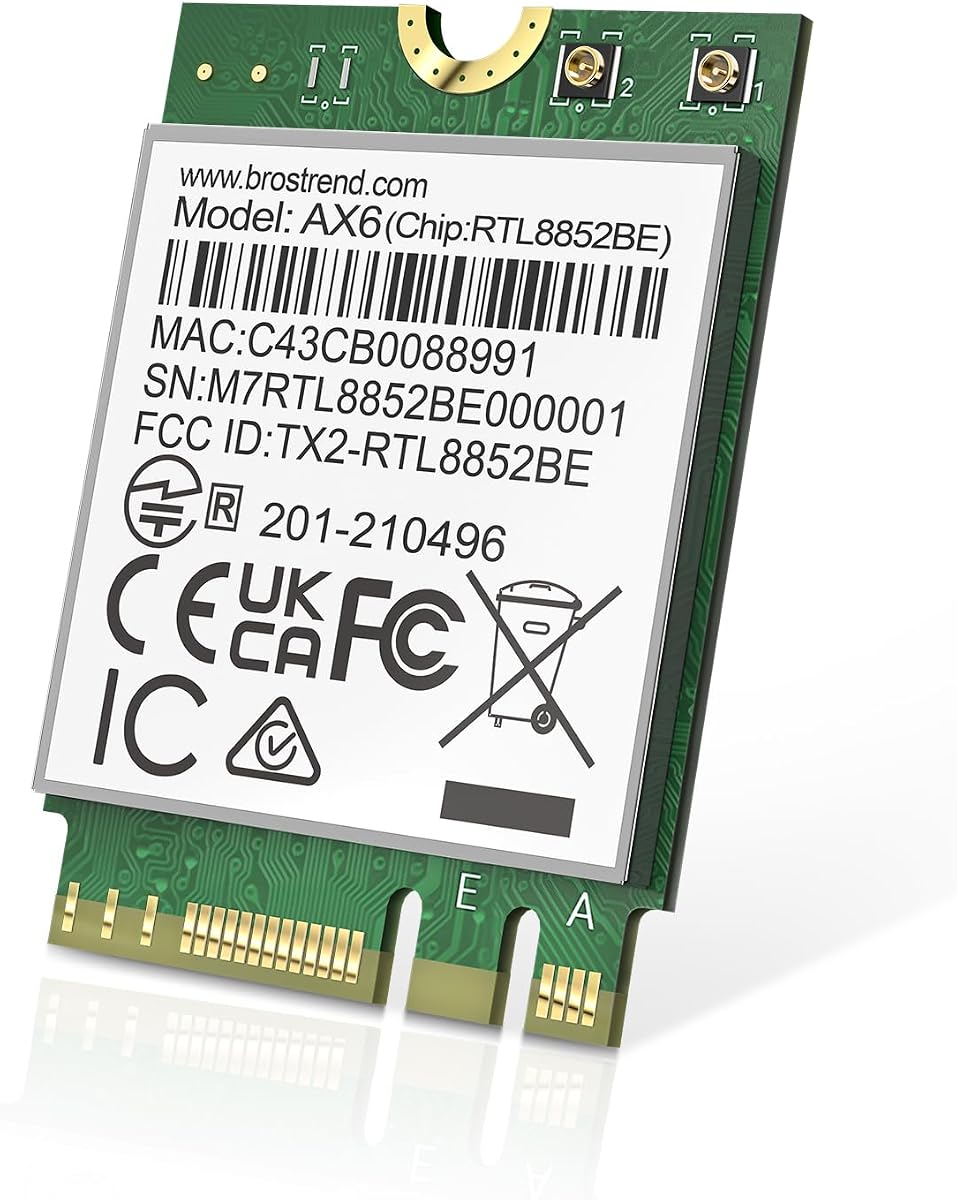
The BrosTrend AX1800 is a 4.4-rated dual-band WiFi 6 card aimed at laptop and PC upgrades. It offers a practical balance of current WiFi 6 features, Bluetooth 5.2, and broad operating system support without requiring a tri-band card.
We may earn a commission when you buy through this link, at no additional cost to you.
The stated maximum rate is 1201Mbps on 5GHz and 574Mbps on 2.4GHz. UL/DL MU-MIMO, OFDMA, and 1024-QAM are supported to improve multi-device efficiency and connection performance, while Bluetooth 5.2 is listed as twice as fast and four times broader in range than Bluetooth 4.2.
The module uses the M.2 2230 form factor with Key A and Key E slots. It supports Windows 10 and 11, while Linux compatibility requires Kernel 6.5 or later. The manufacturer does not provide Linux expertise support, and the current driver should be downloaded from its official website for optimal performance.
This card makes sense for users whose router is dual-band and who want efficient everyday WiFi 6 performance. It is less appropriate if you want 6GHz access or a WiFi 7 upgrade, but it can be a balanced choice for compatible systems that need better dual-band throughput and modern Bluetooth.
AX1800-class performance offers more capacity than older dual-band adapters while remaining compatible with standard 2.4GHz and 5GHz routers. It suits homes and offices that have not yet adopted 6GHz or WiFi 7 infrastructure.
Windows 10 and 11 support is clearly stated, and Linux users with Kernel 6.5 or later can also use the card. Installing the latest manufacturer driver is the best route to intended performance.
We may earn a commission when you buy through this link, at no additional cost to you.
The Intel Killer BE200 WiFi 7 Card is positioned as a low-latency option for gaming and has a 4.6 rating. It supports tri-band 802.11be wireless, Bluetooth 5.4, and maximum theoretical throughput of 5800Mbps across the available bands.
We may earn a commission when you buy through this link, at no additional cost to you.
Its gaming emphasis depends on the surrounding equipment. The listing specifically notes that maximum speeds require a compatible WiFi 7 router, while distance, other equipment, and configuration also affect the result. That makes this a high-ceiling card for a carefully matched system rather than a guarantee of any particular throughput.
The platform requirements are restrictive: Windows 11 64-bit, an available M.2 PCIe Key E slot, and an Intel processor are required. AMD-based systems are unsupported. The product is a single pack and uses a white/green color designation, while batch markings may show China or Vietnam as the country of origin without affecting functionality.
This BE200 is a good match for a compatible gaming desktop or laptop that will be paired with a WiFi 7 router. For general computing, an AX210-based card may offer more flexible platform support, while the Killer variant makes sense when gaming performance and Intel integration are priorities.
The card's low-latency positioning and tri-band WiFi 7 support are useful for responsive multiplayer gaming and other time-sensitive traffic. Real-world results still depend on router quality, signal conditions, and network congestion.
Windows 11 and an Intel processor are mandatory, rather than optional guidance. This narrower target makes the card more specialized but can provide a cleaner experience for buyers with a supported high-end platform.
We may earn a commission when you buy through this link, at no additional cost to you.
The Intel AX411.NGWG.NVX has a perfect 5.0 rating and is the only product in the guide to claim that score. It combines tri-band WiFi 6E, Bluetooth 5.3, Intel Killer optimization, and a compact M.2 2230 form factor for systems needing a discrete wireless module.
We may earn a commission when you buy through this link, at no additional cost to you.
Access to 2.4GHz, 5GHz, and 6GHz gives the card cleaner-spectrum potential in suitable locations, while the listed maximum speed of 3Gb/s reflects a different performance profile from the AX210 cards claiming 5400Mbps. These are theoretical category figures rather than promises of identical real-world throughput.
Killer optimization is the distinguishing feature because it is designed to prioritize gaming, streaming, and real-time applications. OFDMA, MU-MIMO, 1024-QAM, and WPA3 support add efficiency and security, while the M.2 Key E interface suits compatible laptops, mini PCs, and motherboards.
The title includes the word server, but the stated form factor and use cases are broader, so buyers should verify the exact system requirements and intended deployment. This is a premium choice for a compatible Windows 10 or 11 system where intelligent traffic prioritization and the 6GHz band matter.
Intel Killer optimization seeks to favor latency-sensitive or high-priority applications when network conditions are constrained. This can be valuable for gaming, streaming, and communication apps sharing a busy connection.
The M.2 2230 Key E format provides a space-efficient upgrade for laptops, mini PCs, and motherboards. Its Bluetooth 5.3 support also reduces the need for a separate internal wireless adapter.
We may earn a commission when you buy through this link, at no additional cost to you.
The right M2 WiFi card depends on more than its advertised speed. Start with your computer's slot type, processor platform, operating system, antenna arrangement, and router capabilities, then compare the wireless generation and features that match how you use the network.
Most products in this guide use the compact M.2 2230 format, but the suffix attached to a physical M.2 slot does not always communicate every radio requirement. WiFi 6E and WiFi 7 modules generally need the antenna connectors and platform support associated with their wireless generation, while CNViO2 protocol slots are explicitly incompatible with some of the included cards. Mini PCIe is another separate format and should not be treated as interchangeable with M.2.
Check the motherboard or laptop manual for a 2230 E-key slot, then compare its physical length, screw position, and antenna leads with the replacement card. If the listing is abbreviated, confirm the exact module dimensions and included parts before ordering.
A faster card cannot create WiFi 7, 6GHz, or high-speed links when the router and surrounding devices do not support them. WiFi 7 cards offer the greatest future headroom but need compatible infrastructure, while WiFi 6E cards are practical for 6GHz-capable networks. Dual-band WiFi 6 or WiFi 5 cards can still provide an effective upgrade in homes and offices limited to 2.4GHz and 5GHz.
Choose the standard that your network can actually use. Prioritize modern features if you plan to replace the router soon; otherwise, select the card that improves your current setup without paying for unused capabilities.
The BE200 choices in this guide have explicit Intel processor requirements, with one model requiring 12th-generation hardware or newer. The EDUP MT7925 option offers wider Intel and AMD support, while AX210 and AX411 cards are also positioned primarily for Intel-based systems. Windows versions and Linux kernel requirements can be equally important.
Write down your processor, Windows or Linux version, and motherboard model before buying. Check the product's compatibility list and ensure the required drivers exist for your exact environment before beginning the installation.
Laptop cards normally connect to antennas built into the display or chassis, while desktop cards may need external antenna hardware. A bare M.2 module can perform poorly if the slot is enclosed by metal or positioned far from the router. The AX210NGW DTK kit includes an RF cable, 5dBi antennas, and low-profile brackets for this reason.
Determine whether your device has the correct antenna connectors and cable routing. Desktop builders should also consider antenna placement, while laptop buyers should verify that the card's connector style matches the existing internal cables.
Every card in the guide includes Bluetooth, but versions range from 5.1 to 5.4. Bluetooth 5.3 and 5.4 offer improved efficiency, interference handling, and low-latency behavior, which can benefit headsets, keyboards, and mice. The MT7925 card also states that it can connect up to seven Bluetooth devices simultaneously.
Consider the peripherals you use and whether the system already has Bluetooth. If replacing an older combined wireless module, verify that your operating system will pair and manage the new card after installation.
Maximum throughput numbers describe theoretical conditions and should not be compared without context. The BE200's 8774Mbps figure, the AX210's 5400Mbps figure, and the AX411's 3Gb/s figure use different stated allocations and assumptions. Real results depend on band availability, channel width, distance, interference, router hardware, processing power, and the number of connected clients.
For most users, stable performance, coverage, security, and driver support matter more than the largest headline number. Look for features such as MU-MIMO, OFDMA, WPA3, and efficient sleep behavior that match your router and usage.
WPA3 support is desirable for newer secured networks, while WPA2 remains necessary for broader compatibility. Tri-band cards can reduce congestion by using cleaner 6GHz spectrum where available. Target Wake Time is highlighted for the AX210NGW DTK kit and can help extend battery life by coordinating wake intervals.
Choose a card that supports the security protocols used by your network and that offers power-management features appropriate for a portable system. Desktop-only builds can prioritize throughput, while laptops benefit from a balance of performance and efficiency.
Before installing an M.2 WiFi card, shut the computer down completely, disconnect its power source, and consult the device manual. Confirm that you have an M.2 2230 E-key slot, the correct antenna connectors, and compatible drivers. On laptops, note how the existing WiFi and Bluetooth antenna cables are attached before removing the old module.
Install the card according to the computer's service guide, reconnect the antenna leads if required, and secure the module with its retaining screw. For desktop cards with external antennas, position them away from metal cases, power supplies, and other sources of interference, then use the included brackets and RF cable where appropriate. Install the manufacturer or Intel driver, restart the computer, and allow the operating system to detect the new hardware.
After installation, connect to the desired network and test on all three bands if the router offers them. Keep router firmware and card drivers current, use WPA3 or WPA2 security, and avoid placing antennas behind obstructing materials. If connectivity is unstable, move external antennas, try a less congested channel, and verify that Windows or Linux is not repeatedly selecting a distant access point.
No. Compatibility depends on the physical slot, antenna connectors, processor platform, operating system, and wireless-generation requirements. Many of these cards require an M.2 2230 E-key slot, while some explicitly exclude CNViO2 slots and Mini PCIe. Check the computer manual and product restrictions before purchasing.
Only if the router, internet plan, and other network equipment support WiFi 7. A newer card cannot create faster service than the upstream connection provides. Its biggest benefits appear with compatible routers, suitable client devices, clean 6GHz spectrum, and favorable placement.
A tri-band card can be better when your router offers 6GHz and the local network is crowded. The 6GHz band generally provides cleaner spectrum and additional capacity. A dual-band card may still be sufficient for ordinary browsing, work, and streaming on a 2.4GHz and 5GHz network.
Every product in this guide includes Bluetooth, with versions ranging from Bluetooth 5.1 to 5.4. This makes the module a combined WiFi and Bluetooth solution, provided your computer's antenna connectors and driver support are compatible.
Laptop cards usually use the antennas already installed in the laptop. Desktop cards often benefit from external antennas, especially when the M.2 slot is behind a metal chassis. The AX210NGW DTK listing explicitly includes an RF cable, 5dBi antennas, and low-profile brackets.
The BE200 products in this guide explicitly do not support AMD processors, and one also limits compatibility to 12th-generation or newer Intel CPUs. The MediaTek-based EDUP MT7925 card is the cross-platform option in this list for compatible Intel and AMD systems.
Choose AX210 when you want broad platform familiarity, WiFi 6E, and compatibility with many current systems. Choose BE200 when your computer meets its strict Intel requirements, you own a WiFi 7 router, and you want greater future capacity. Neither offers its full potential when the network infrastructure is not matched.
First confirm that the operating system has installed the correct WiFi and Bluetooth drivers. Also check that the card is fully seated, the antenna cables are connected, and the correct slot is being used. Restarting after driver installation and checking the router's security settings can resolve many detection issues.
The AX210NGW DTK Kit is the most complete option in the guide because it combines a WiFi 6E AX210 module with antenna hardware, brackets, and an RF cable. The Intel AX210 Tri-Band card offers a focused module choice with a strong rating, while the AX411 provides Killer optimization, WiFi 6E, and Bluetooth 5.3 for compatible systems.
Compatibility should determine the purchase more than any headline speed. Check the M.2 interface, processor restrictions, operating system, antenna arrangement, and router bands before choosing. WiFi 7 is attractive for newer Intel systems, the MT7925 option broadens WiFi 7 support to AMD, and AX210-based cards remain excellent for typical WiFi 6E upgrades.
Finally, review the current listing and product documentation before ordering because prices, ratings, stock status, package contents, and driver instructions can change. Confirm that the card is suitable for your exact computer and that your router can use the selected wireless generation, then buy the most compatible option rather than the one with the largest theoretical number.