
4K HDMI EDID Emulator Passthrough Adapter
3.9Editor score
Bidirectional inline HDMI operation
Resolution support to 4096×2160
No drivers or external power
This guide compares 10 HDMI Edid Emulator Passthroughs for EDID stability, resolution support, headless use, HDCP handling, KVM compatibility, and easy setup.
HDMI Edid Emulator Passthroughs solve a frustratingly common display problem: a computer changes its resolution, rearranges its desktop, or stops sending video when a monitor, receiver, switch, or extender is disconnected. These compact adapters present persistent display information while passing the underlying HDMI signal, making them especially useful for headless computers and elaborate AV installations.
The products in this guide were compared using their stated resolution limits, EDID-copying capabilities, signal direction, HDCP and SCDC support, compatibility with switches and splitters, power requirements, and installation method. The list covers basic inline adapters as well as configurable emulators designed for professional control rooms, commercial displays, home theaters, and remote-access workflows.
Each review identifies the strongest use case and important limitations for that particular model. The three leading selections reflect the most useful combinations of flexibility, simplicity, and specialized hardware features, while the remaining recommendations provide alternatives for different resolution, budget, and connectivity needs. Product pricing and availability can change, so check the current listing before purchasing.
3.9Editor score

5.0Editor score

4.3Editor score
This side-by-side comparison highlights each adapter's EDID method, maximum stated resolution, passthrough direction, and integration with switches, splitters, receivers, or KVM equipment. It provides a quick way to identify the most appropriate option before reading the full reviews.




The EVanlak 3rd Generation is a straightforward inline EDID emulator built for users who need a persistent display identity without complicated configuration. Its 4.2 rating reflects generally favorable customer feedback, while its stated features cover the essentials: 4K at 60Hz, broad equipment compatibility, and a plug-and-play design. The premium aluminum housing also gives it a more durable appearance than a basic plastic adapter.
We may earn a commission when you buy through this link, at no additional cost to you.
Its strongest benefit is adaptability across different signal chains. The product description specifically mentions Mac Thunderbolt connections, HDMI switches, extenders, AV receivers, and video splitters. Because it eliminates manual EDID adjustments, it can help preserve display settings when a downstream component is switched off or disconnected. Its stated resolution range extends from 1080p configurations to 3840×2160 at 60Hz.
The trade-off is that this model appears focused on automatic EDID emulation rather than detailed control. There are no listed preset profiles, copy button, or configuration dial, so users who need exact copied EDID data have fewer options. The product information also does not explicitly promise HDCP pass-through. Those omissions matter in installations that require protected-content handshakes, surround-sound negotiation, or exact display matching.
Despite those limitations, the EVanlak remains a strong general recommendation for home-office, media-center, and moderately complex AV setups. It is particularly attractive to buyers who value a durable enclosure and broad stated compatibility over manual EDID selection. Choose it when stable 4K passthrough and straightforward installation matter most.
By keeping an emulated display present to the source, this adapter helps prevent desktop rearrangement when a receiver, monitor, or other downstream device is unavailable. That makes it useful for computers connected through switches and splitters.
The stated compatibility with receivers, extenders, switches, and splitters makes the adapter easy to incorporate into existing HDMI routes. It also works with Mac Thunderbolt sources through suitable HDMI connectivity.
We may earn a commission when you buy through this link, at no additional cost to you.
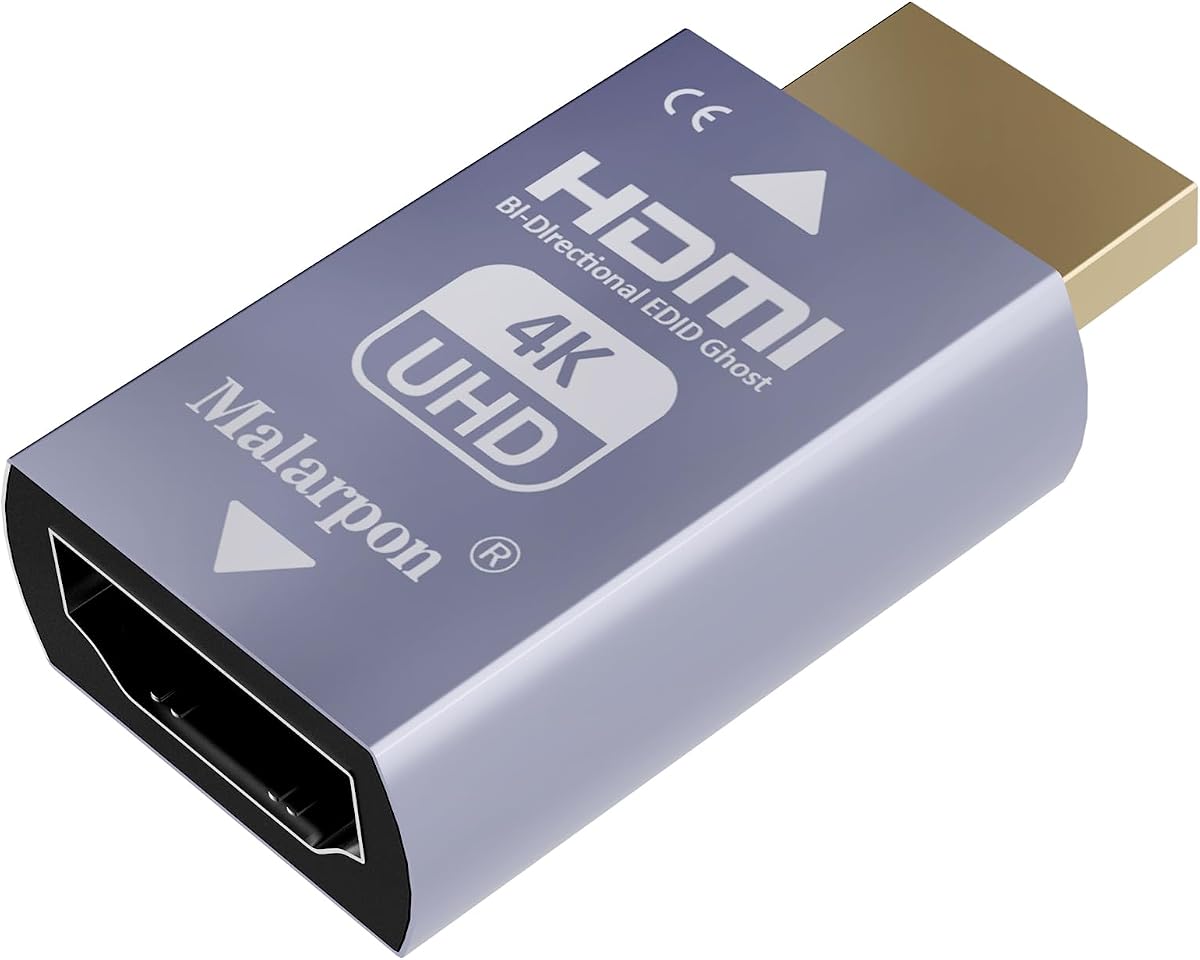
The Bidirectional 4K Adapter is an inexpensive and compact solution for keeping a computer's display configuration stable. It holds a 3.9 rating and emphasizes practical convenience: either side of the HDMI connection can serve as the source side, no drivers are required, and the unit operates without external power. Its stated resolution range reaches 4096×2160 at 60Hz.
We may earn a commission when you buy through this link, at no additional cost to you.
This model is well suited to laptops, Mac mini systems, Raspberry Pi computers, Intel NUC devices, and Jetson Nano boards that must retain their EDID while accessed remotely. Inserted inline with a computer's HDMI connection or a KVM switch, it can reduce desktop rearrangement when a monitor is removed, a cable becomes loose, or a source changes. Hot swapping is another useful capability for frequently changing signal paths.
The most important limitation is explicit: HDCP is not supported. Protected video may therefore fail to display, and the adapter is not appropriate for content paths that depend on HDCP authentication. It also presents a fixed EDID rather than offering exact copying from a chosen display. Consequently, buyers must verify that its emulated resolution, refresh rate, and audio profile match the equipment they intend to use.
For remote-access computers and simple KVM installations that do not involve protected content, this is a compelling budget recommendation. Its combination of bidirectional wiring, broad device support, high stated resolution, and driverless operation addresses many common EDID problems without introducing extra controls. It remains best suited to uncomplicated but stable HDMI setups.
Keeping an emulated monitor active allows laptops and compact computers to retain their display arrangement when accessed without a physically connected screen. This is valuable for remote administration and unattended operation.
Bidirectional source-side connectors reduce the need to determine cable orientation before installation. The adapter can also sit in series with KVM switches and supports hot swapping for changing signal sources.
We may earn a commission when you buy through this link, at no additional cost to you.
The HDR 4K and 2K Adapter targets installations that need flexible resolution support, including 4K 2K at 60Hz and 1080p at 120Hz. Its 3.5 rating is the second-lowest among the listed products, so buyers should assess the complete specifications carefully. The device offers bidirectional signal transmission, requires no drivers or external power, and is designed for use with KVM switches.
We may earn a commission when you buy through this link, at no additional cost to you.
Its stated compatibility extends to Mac mini, Raspberry Pi, NUC, DisplayPort, Thunderbolt, and Type-C-to-HDMI adapters. That makes it a reasonable option when the computer's native display output is not directly HDMI. The adapter is also designed to preserve settings during source switching, device power cycles, and signal renegotiation.
The listing describes the product as a headless HDMI adapter with a pure hardware design and lossless, zero-latency signal transmission. Those are appealing qualities, but the relatively modest rating suggests that buyer experiences may vary. The product information does not list configurable EDID presets, exact EDID copying, or specific HDCP behavior, making it less transparent for installations with complicated protected-content requirements.
This adapter is best for users who value high-refresh resolution options, flexible connector direction, and straightforward integration with common compact computers. It can be a sensible choice for KVM or office workflows that only need stable passthrough. More complex AV buyers should first confirm HDCP, audio, and exact EDID requirements.
Supporting both 4K-class 60Hz output and 1080p at 120Hz gives users options for large displays or high-refresh workflows. The maximum stated resolution of 4096×2160 also accommodates wider 4K formats.
Compatibility with DisplayPort, Thunderbolt, and Type-C-to-HDMI adapters expands the range of source devices. The lack of drivers or external power simplifies deployment across different computers.
We may earn a commission when you buy through this link, at no additional cost to you.
The 8K30Hz Dummy Plug is a particularly versatile EDID emulator with a perfect 5.0 customer rating. It supports stated output modes up to 8K at 30Hz and 4K at 120Hz, while its principal purpose is to keep a source transmitting when no display is connected. It is designed for switches, extenders, AV receivers, video splitters, conference rooms, control rooms, and digital signage.
We may earn a commission when you buy through this link, at no additional cost to you.
The adapter simulates display information covering resolution, refresh rate, color depth, and audio settings. That broad profile allows source equipment to continue sending stable video and audio whether the real display is on, off, or absent. Its plug-and-play design requires no software or drivers, making it suitable for quick deployment in home and commercial environments.
The primary limitation is that the product information describes emulation without explicitly promising exact EDID copying. It may therefore be less appropriate when a source must match a particular monitor's detailed capabilities. The listing also presents high headline resolutions without a complete table of supported formats, so actual mode support should be confirmed against the intended display and source.
For headless media systems, commercial displays, and signal chains where the goal is persistent output rather than exact matching, this is an excellent recommendation. Its high rating, broad application range, and unusually strong stated resolution support set it apart. It is best suited to installers who want dependable EDID behavior with minimal configuration.
A source such as a media player, console, or computer can continue operating without a connected display. This helps avoid signal loss and errors in installations where displays enter standby or are temporarily removed.
Conference rooms, control rooms, digital signage, and home theaters all benefit from consistent EDID information. The adapter requires no software, making it easier to deploy across multiple locations.
We may earn a commission when you buy through this link, at no additional cost to you.
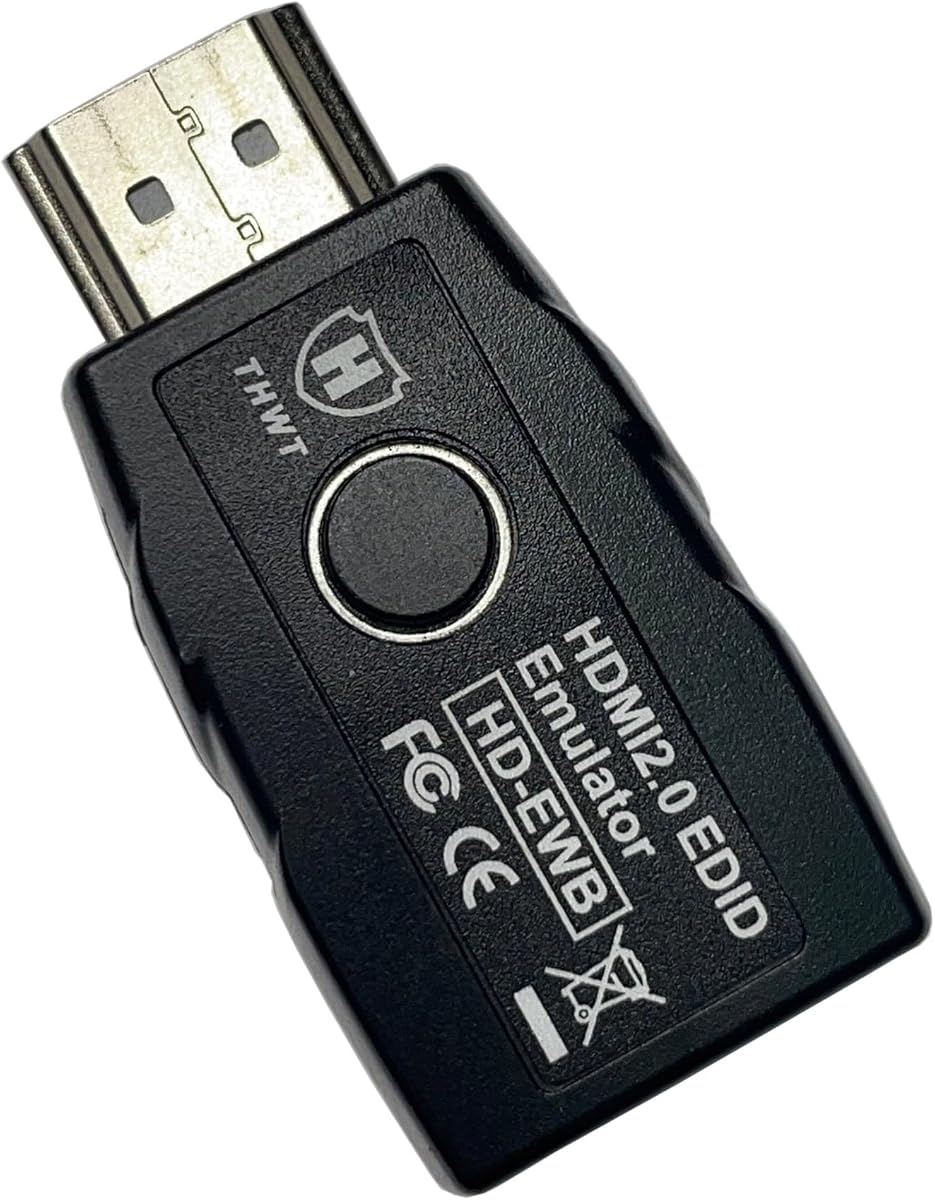
The HD-EWB stands apart because it supports both exact EDID copying and internal preset emulation. Its 3.6 rating is modest, but the feature set is appropriate for installers who need more than a generic fixed profile. The device is HDMI 2.0 compliant, supports HDCP 1.4 and 2.2 pass-through, and handles up to 4K at 60Hz or 1080p at 240Hz in 4:4:4.
We may earn a commission when you buy through this link, at no additional cost to you.
One button switches between internal and external EDID modes. The internal profile offers 1080p at 60Hz in 4:4:4 with 2.1-channel audio, while the external profile offers 4K at 60Hz in 4:2:0 with 2.1-channel audio. Holding the button enters copy mode, saving the latest monitor's EDID for later emulation. This is valuable when a source, switch, or extender has difficulty negotiating with the display.
There are important technical boundaries. HDMI 2.1 and SCDC are not fully functional, which can cause repeated interruptions in certain high-bandwidth configurations. Some 4K 4:4:4 displays also require SCDC for replugging behavior. For surround sound, users must copy an EDID from a display supporting 5.1 or 7.1 channels, since the internal profiles support only 2.1-channel audio.
The HD-EWB is best for moderate-complexity installations that need copied EDID, HDCP pass-through, and selectable internal profiles without moving to a more advanced HDMI 2.1 model. It is less attractive for 8K, full SCDC workflows, or users who require preset multichannel audio beyond 2.1 channels.
Copy mode stores the latest external monitor's EDID, including its video and audio format information. This allows the emulator to reproduce a known display identity when the physical screen is absent.
HDCP pass-through lets connected output equipment read the display's HDCP key when the configuration is correct. This makes the unit more suitable for protected sources than emulators that remove or bypass HDCP.
We may earn a commission when you buy through this link, at no additional cost to you.
The 4K60 HDCP Adapter combines a strong 4.4 rating with a practical set of passthrough features. It supports 4K at 60Hz, 1080p at 120Hz, and a maximum stated resolution of 4096×2160. Bidirectional male-to-female operation lets the source appear on either side, reducing installation guesswork in switch, extender, and splitter networks.
We may earn a commission when you buy through this link, at no additional cost to you.
Its major advantage is HDCP passthrough, which is important for source devices that transmit protected content. The adapter needs no drivers or external power, supports hot swapping, and can be placed in series with KVM switches. It is also stated to work with Mac mini, Raspberry Pi, NUC, DisplayPort, Thunderbolt, and Type-C-to-HDMI adapters.
Compared with configurable premium emulators, this product offers fewer controls. There is no mention of exact external EDID copying, multiple internal presets, SCDC management, or selectable audio profiles. Consequently, it works best when the source and downstream equipment already negotiate acceptably but need the EDID to remain present during switching or power cycles.
This is a compelling middle-ground recommendation for users who need HDCP passthrough without moving to a more complex emulator. Its favorable rating, simple installation, and broad computer compatibility make it suitable for office systems, media centers, and home laboratories. Buyers should still verify exact mode and audio support for their specific chain.
HDCP passthrough preserves the protected-content handshake between source and display. That capability is valuable when streaming devices, disc players, or game consoles feed into switches and receivers.
Because the adapter draws power from the HDMI source, it can be placed inline without adding another power supply. This simplifies temporary and permanent installations alike.
We may earn a commission when you buy through this link, at no additional cost to you.
The EVanlak Headless Adapter is designed around a focused problem: keeping a real monitor's EDID active even when that monitor is turned off or disconnected. It carries a 4.1 rating and supports 3840×2160 at 59Hz. Its bidirectional design allows either male or female source-side connections, and the aluminum enclosure gives it a practical, durable form.
We may earn a commission when you buy through this link, at no additional cost to you.
The product is particularly relevant to Mac mini, Raspberry Pi, NUC, and Jetson Nano systems accessed remotely. By presenting a stable display identity, it can prevent Windows from rearranging the desktop when a physical screen is unavailable. It also supports DisplayPort-to-HDMI adapters and can pass video and stereo audio through switches or extenders.
Its specifications are narrower than those of the more advanced emulators. The listing describes a one-port configuration, and there is no stated support for exact EDID copying, selectable presets, HDCP pass-through, or high refresh rates beyond the listed 4K-class mode. That makes it less attractive for complex commercial matrices or users requiring detailed EDID management.
For a single headless computer, this adapter remains an effective and straightforward solution. It is especially helpful when turning off a surround-sound receiver causes the computer to rearrange its display or lose its selected resolution. Choose it for focused headless or switch-based setups rather than broad enterprise deployments.
The emulator continues telling Windows that a display is connected, reducing unwanted rearrangement when the real monitor is off. This supports a more consistent remote and unattended workflow.
Support for Mac mini, Raspberry Pi, NUC, Jetson Nano, and DisplayPort-to-HDMI adapters makes the adapter useful across several compact and unconventional computing systems.
We may earn a commission when you buy through this link, at no additional cost to you.
The 4K-EW2 PRO is the most technically sophisticated adapter in this guide. It supports HDMI 2.1, SCDC, exact EDID copying, HDCP 1.4, 2.2, and 2.3, and a resolution ceiling of 4K at 120Hz in 4:2:0. Its 4.3 rating reflects a strong balance of features and customer reception for buyers who need precise control over display negotiation.
We may earn a commission when you buy through this link, at no additional cost to you.
A rotary control allows selection among 14 internal EDID profiles, while copy mode stores the EDID from an external monitor. Automatic sink-and-source detection means the adapter can be placed on either side of the connection. It also supports 10x and 40x frequency control for SCDC handshakes and hot-plugging, making it more appropriate for modern high-bandwidth HDMI installations than basic fixed-profile emulators.
The adapter still has clear boundaries. It does not support 8K resolution because full FRL handshaking is unavailable, and the internal EDID presets provide 2.1-channel audio rather than advanced surround-sound profiles. Cable quality and older displays may also interfere with exact copying, so users may need to try another monitor, cable, or internal mode. These limitations keep it focused on 4K-class professional workflows.
The 4K-EW2 is an excellent premium choice for installers handling switches, splitters, extenders, headless sources, and protected content at high resolutions. Choose it when SCDC handling, copied EDID, and multiple internal profiles justify deeper configuration. It is overkill for a simple monitor connection but well matched to demanding AV installations.
SCDC support and selectable 10x or 40x frequency control help manage the handshake required by modern high-bandwidth displays. This reduces signal instability in more demanding 4K configurations.
Users can copy a known display's EDID for exact simulation or select from 14 internal profiles. Bidirectional automatic detection also allows the emulator to be connected on either the source or display side.
We may earn a commission when you buy through this link, at no additional cost to you.
The 4K Prophecy Manager combines EDID management with repeater and retimer functionality. It has a 5.0 rating and is based on HDMI 2.0b, supporting a 4K at 60Hz, 18G-bandwidth HDMI system. This additional signal-conditioning role distinguishes it from simple one-piece emulators and makes it more relevant to extended commercial installations.
We may earn a commission when you buy through this link, at no additional cost to you.
Its repeater function amplifies and equalizes HDMI signals, making multiple layers of cascading possible. The manager also supports HDCP 2.2, CEC pass-through, plug-and-play operation, and continuous 7-day-per-week use. Eight preset EDID types are available, while the description states that the end display's EDID data can be copied and saved.
The main constraint is its HDMI 2.0b foundation rather than HDMI 2.1. It therefore does not address the newest SCDC and high-refresh 4K requirements as comprehensively as the 4K-EW2 PRO. The product information does not clearly describe the external copy procedure or provide the same level of detail about profile selection, so buyers with advanced EDID requirements should verify the operation before deployment.
The 4K Prophecy Manager is a strong recommendation for conference rooms, control rooms, digital signage, and other installations where signal quality and cascading matter. Its perfect rating and continuous-operation design suggest a particularly attractive option for fixed infrastructure. It is less appropriate when full HDMI 2.1 behavior is mandatory.
Repeater and retimer functions amplify and equalize the HDMI signal, supporting more demanding chains than a simple EDID adapter. This is useful in installations with multiple cascaded devices.
The device is designed for low power consumption and 7-by-24-hour operation. That makes it a better fit for control rooms and digital signage than a basic adapter intended only for occasional use.
We may earn a commission when you buy through this link, at no additional cost to you.
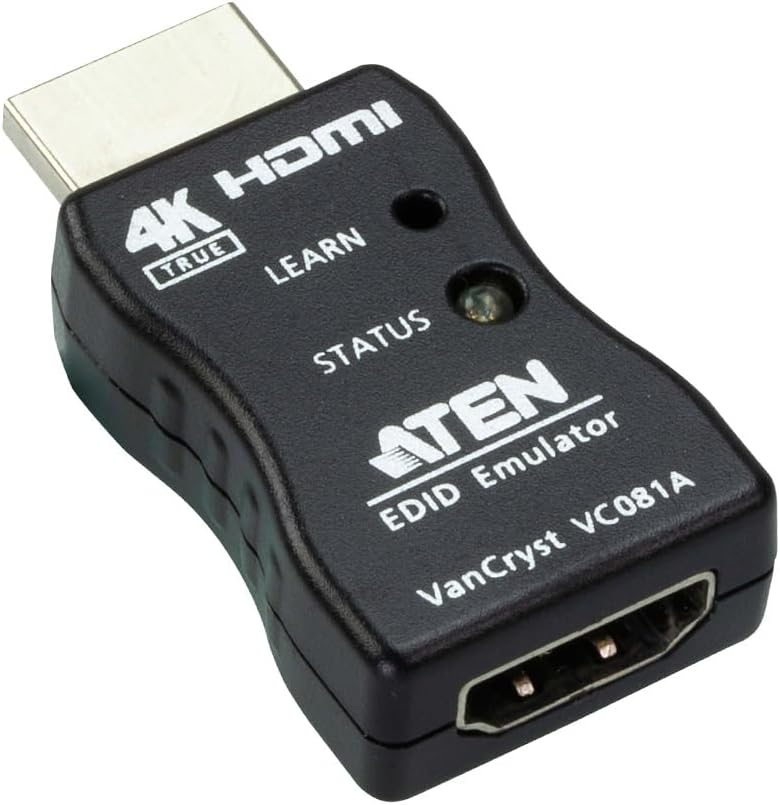
The ATEN VC081A is a compact true 4K EDID emulator from an established connectivity brand. Its 2.7 rating is the lowest in this list, but its specifications remain relevant for professional users who value full 4:4:4 color sampling, HDCP 2.2 compliance, and a simple pushbutton workflow. It supports up to 3840×2160 at 60Hz.
We may earn a commission when you buy through this link, at no additional cost to you.
The device learns and saves the EDID from a connected HDMI display with one pushbutton, then relays that information to the video source. This is a useful approach when the source must negotiate as though a particular display remains attached. The adapter also supports HDMI 3D, deep color, True 4K, HDCP 2.2, and Consumer Electronic Control.
Its limitations are significant for modern high-refresh workflows. It does not claim HDMI 2.1, SCDC, or 4K at 120Hz support, and the product data does not list multiple internal EDID presets or detailed audio profile controls. The low rating may also indicate that buyer experiences are less consistent than those associated with the more highly rated models, although customer experiences can vary by system configuration.
The VC081A is most appropriate for an established AV workflow that needs reliable learned EDID and true 4K color at 60Hz. Its simple one-button operation and compact design appeal to installers, while buyers requiring 120Hz 4K, SCDC, or extensive manual control should consider the premium 4K-EW2 PRO instead.
Full 4:4:4 sampling at 3840×2160 and 60Hz can benefit computer desktops, detailed graphics, and professional monitoring. Deep color and 3D support broaden its appeal for specialized displays.
Connecting a display and pressing the control allows the emulator to retain its EDID information. This simplifies deployment compared with systems that require menu-based configuration.
We may earn a commission when you buy through this link, at no additional cost to you.
The right HDMI EDID emulator depends on your source devices, display capabilities, signal chain, and required control. Resolution, EDID customization, HDCP behavior, power design, and installation environment should all be considered before selecting an adapter.
Start with the highest resolution and refresh rate used by your source and display. Basic adapters commonly support 4K at 60Hz, while some newer models reach 4K at 120Hz. Refresh rate is especially important for gaming, high-motion video, and demanding computer interfaces. Also check color sampling, because 4:2:0, 4:2:2, and 4:4:4 behave differently in terms of sharpness and compatibility.
Choose a model that fully supports your intended mode rather than relying on a broad resolution headline.
Fixed-profile emulators present a preset display identity to the source. They work well when the connected system already supports the selected resolution and audio format. Copying emulators learn the EDID from a real display and reproduce it later, which is better when the source must match a specific screen or operate headlessly. Configurable models may also provide several internal profiles for quick switching.
Exact copying offers greater precision, while a fixed profile is usually simpler and less expensive.
HDMI 2.0 equipment is sufficient for many 4K at 60Hz installations, but HDMI 2.1 and SCDC become important at higher refresh rates and bandwidths. SCDC helps source and display devices coordinate the signaling required for certain 4K modes. An emulator that lacks SCDC support can cause repeated handshakes, blank output, or loss of signal in otherwise capable systems.
Verify SCDC requirements whenever you plan to use 4K above 60Hz or modern high-bandwidth displays.
HDCP pass-through is different from bypassing or removing HDCP. Pass-through allows a compatible source and display to complete the protected-content handshake when the emulator is installed correctly. Basic emulators may not support HDCP, making them unsuitable for some streaming services, disc players, consoles, or broadcast equipment. The distinction is important because a missing HDCP key can produce a blank screen or reduced resolution.
Select a passthrough model when your signal path includes protected commercial content.
Consider whether the adapter must sit on the computer side, display side, or between a switch and source. Bidirectional designs detect the direction automatically and reduce installation errors. KVM, extender, splitter, and AV receiver installations may also impose length, handshake, or power limitations. Inline adapters are ideal for retaining EDID, while repeater models are more appropriate for longer or more complex chains.
Map the entire HDMI route before buying and confirm the adapter's connector direction.
Most passive adapters draw power from the HDMI source and require no drivers or software. That simplicity is valuable in headless installations and temporary setups. More advanced emulators may still operate from source power but include controls or signal-conditioning circuitry. In professional installations, consider whether the source can supply adequate power and whether hot-plugging is required when displays are switched frequently.
Driverless, no-external-power models are usually easiest to deploy in permanent installations.
EDID can advertise audio formats as well as video capabilities. A fixed profile with limited audio support may restrict a receiver, soundbar, or display to stereo or a small number of channels. Exact copying is often the best solution for complex surround-sound systems because it reproduces the target display's supported formats. CEC pass-through may also matter when a display or receiver is expected to control other HDMI devices.
Check the emulator's audio channels and control features before finalizing a theater installation.
Headless operation means the source continues sending a stable signal without a physically connected display. This is valuable for servers, mini PCs, Raspberry Pi systems, digital signage, and remote-access workstations. A suitable adapter can prevent resolution changes, desktop rearrangement, or shutdown behavior when a receiver or monitor powers down. For these setups, persistent EDID and stable renegotiation are more important than decorative construction.
Choose a compact model specifically described for headless or remote computer use.
Begin by identifying the HDMI source, the downstream display or AV device, and the resolution, refresh rate, color format, and audio requirements you intend to use. For a copying model, connect the target display first so the emulator can learn its EDID. For a preset model, confirm that the advertised profile matches the display before placing the adapter inline.
Install the emulator between the source HDMI output and the first downstream component. Connect the correct adapter orientation, power the system, and allow the source to renegotiate the signal. If a switch, KVM unit, extender, or splitter is involved, complete the remaining connections and test switching, hot-plugging, display shutdown, and source power cycling before securing the cable run.
Keep the adapter dry, unobstructed, and away from sharply bent cables or excessive mechanical stress. Do not modify the HDMI connectors, and avoid repeatedly reconnecting the device solely to change resolution unless the manufacturer recommends it. If copying fails, test with another known-good display or cable and use the internal preset for troubleshooting. Always verify current output mode and audio behavior after any equipment change.
An HDMI EDID emulator presents persistent display information to a source device while allowing the HDMI signal to continue toward a display or other sink. This can prevent resolution changes, desktop rearrangement, or signal shutdown when the real display is turned off or disconnected. The adapter does not create a visible picture on its own; it stabilizes how the source negotiates and delivers its output.
They serve related but not always identical purposes. A dummy plug is usually a simple passive plug that gives a computer a basic display identity, while an EDID emulator passthrough sits in an active signal chain and may use fixed, copied, or selectable EDID information. Some products described as dummy plugs also pass video and audio, making the terminology overlap.
The usual position is directly after the source or immediately before the display, depending on the product's supported direction and the installation's requirements. Bidirectional models can often be placed on either side. In a KVM, switch, extender, or splitter chain, placement may affect which device reads the EDID, so testing the complete route is essential.
It can fix a blank screen when the underlying cause is an EDID negotiation failure or a source refusing to output without a detected display. It will not repair a faulty cable, incompatible resolution, damaged connector, missing HDCP authorization, or a failed graphics processor. Troubleshooting should therefore include signal tests and basic hardware checks before blaming EDID.
You need HDCP pass-through when your source sends protected content and the complete HDMI chain must authorize that content. Streaming services, game consoles, disc players, and commercial broadcast equipment may behave differently without it. Basic emulators that explicitly do not support HDCP are better reserved for unprotected or computer-desktop workflows.
Only if the specific model supports that mode and the source, display, cables, switch, and emulator all meet the relevant HDMI bandwidth and SCDC requirements. Many budget adapters stop at 4K at 60Hz. Models advertising 4K at 120Hz may still use chroma subsampling rather than 4:4:4, so check every format detail before purchasing.
You can if that source uses a DisplayPort, Thunderbolt, or USB-C-to-HDMI adapter that outputs a compatible HDMI signal. Several listed products specifically mention support for these adapter types. The conversion adapter and the EDID emulator must both be supported, and the source still needs to recognize the emulated display correctly.
Copying can fail because of cable quality, an older display, an unsupported EDID format, or another device in the chain intercepting the handshake. Try a known-good monitor and cable, connect directly to the emulator for testing, and confirm that the adapter supports your required resolution and audio format. Fixed internal presets can also help isolate whether copying is the specific problem.
The Bidirectional 4K Adapter is the leading budget option because it combines broad resolution support, reversible HDMI connections, hot swapping, and no-power operation in a simple package. The 8K30Hz Dummy Plug is the strongest general-purpose choice for headless and commercial AV applications, while the 4K-EW2 PRO stands apart for exact copying, HDMI 2.1, SCDC, and 14 selectable EDID profiles.
Prioritize the features your installation actually needs. A simple fixed-profile emulator is enough for many computers that lose their layout when a monitor powers down, while exact copying and HDCP pass-through become important with complex switches, receivers, and protected sources. High-refresh 4K users should pay particular attention to SCDC, chroma format, and full system compatibility.
Before making a final selection, verify the current product listing, supported modes, connector direction, and included accessories. Pricing, availability, and product revisions can change over time, and an emulator only solves a problem if it matches the source, display, and every device placed between them.