Dell OptiPlex 7020 MFF
4.9Editor score
Core i3-14100T processor
32GB DDR5 memory
1TB PCIe NVMe storage
Three-display support
Discover the best Intel Core i3 Mini PC options for work, browsing, media, and multitasking, with key specs, displays, connectivity, and trade-offs compared.
An Intel Core i3 Mini PC combines capable everyday computing with a compact enclosure that can sit beside a monitor, tuck behind a display, or occupy a reception desk. The best models balance processor performance, memory, storage, display support, and practical connectivity without demanding a full-size tower.
We compared all ten systems using the supplied specifications, focusing on processor generation, memory, storage, port selection, wireless networking, display capabilities, operating system, and intended workspace. The guide covers newer business systems, compact general-purpose models, a renewed Dell micro PC, and enthusiast-friendly alternatives.
Each review reveals the strongest reasons to choose a particular model and its practical limitations. Ratings reflect the supplied customer feedback rather than a hands-on test, while product availability and pricing can change. Buyers should compare the current listing details with the priorities outlined here.
4.9Editor score

5.0Editor score

4.2Editor score
The comparison below highlights the principal differences in processor age, memory, storage, connectivity, display support, and workspace suitability across the ten models.




The GMKtec G3 Pro is a compact Core i3 mini PC built around the Intel Core i3-10110U, a four-core, eight-thread processor that can boost to 4.1 GHz. Its supplied customer rating is 4.4, and the standout combination is 16GB of dual-channel DDR4 memory, 512GB of storage, two 4K-capable HDMI outputs, Wi-Fi 6, Bluetooth 5.2, and 2.5GbE Ethernet. That makes it especially interesting for a desk where a fast wired connection matters.
We may earn a commission when you buy through this link, at no additional cost to you.
The specification mix is well suited to browsing, office applications, communication, and normal multitasking. Dual-channel memory gives the system more bandwidth than a basic single-channel configuration, while the primary M.2 2280 PCIe or SATA slot and secondary M.2 2242 SATA slot create some flexibility for expansion. Four USB 3.2 ports provide modern peripheral support, and the two HDMI 2.0 outputs can drive two displays at up to 4K and 60Hz. The listing also highlights AV1 decoding and remote-operation features such as Wake-on-LAN, PXE boot, RTC wake, and automatic power-on.
The trade-off is the age of the Core i3-10110U. It remains capable for routine productivity, but it does not offer the performance headroom of the 12th-, 13th-, and 14th-generation Core i3 systems later in this guide. The integrated graphics are suitable for media and display duties rather than demanding modern games. A buyer who can accept an older platform in exchange for 2.5GbE, dual-channel memory, and a broad port selection will find those compromises reasonable.
This is a strong recommendation for a home office or small business workstation that needs fast Ethernet, flexible storage, and two displays. Choose it over a newer model when connectivity and expandable memory matter more than processor agility. For heavy compilation, intensive content creation, or a long-term upgrade path, one of the newer 13th- or 14th-generation systems would be a better fit.
The Intel i226-based 2.5GbE connection is the model's defining feature. It provides a substantial upgrade over ordinary Gigabit Ethernet for large transfers, busy networks, and high-bandwidth storage workflows, while Wi-Fi 6 and Bluetooth 5.2 cover wireless peripherals.
The supplied 16GB dual-channel DDR4 configuration is generous for browsing and office work. Two M.2 positions also give buyers room to add storage, although the compact processor platform is older than several alternatives.
We may earn a commission when you buy through this link, at no additional cost to you.
The QAZIPO Core i3 Mini PC is a particularly small workspace computer, measuring 4.9 by 4.4 by 1.3 inches, and it has the highest supplied rating in the group at 5.0. Its Intel Core i3-8109U operates at a 3.0 GHz base frequency and can turbo to 3.6 GHz, while a 28-watt thermal design helps maintain clock speeds during ordinary productivity workloads.
We may earn a commission when you buy through this link, at no additional cost to you.
The configuration includes 12GB of RAM and a 256GB M.2 2280 NVMe SSD. A second SSD slot can be added for a total capacity of up to 4TB, which is useful for media libraries, larger project folders, and lightweight server roles. Display support is a major strength: HDMI and DisplayPort enable a true dual-4K workspace. The port selection also includes two USB 3.0 ports, two USB 2.0 ports, Gigabit Ethernet, an audio jack, dual-band Wi-Fi, and Bluetooth.
Its 256GB starting storage is the most obvious limitation, particularly for users who keep large media collections or multiple desktop applications installed. The Core i3-8109U is also an older mobile processor, so the system's advantage lies in efficiency, size, and expandability rather than demanding CPU performance. Windows 11 Home is preinstalled, and the supplied operating-system support also mentions Linux and Ubuntu for technical users.
The system is most appropriate for someone creating a tidy two-monitor home office where a VESA mount can free desk space. It also suits students, remote workers, and light developers who want a small, complete PC with room to add storage. Buyers who expect substantial gaming performance or intensive rendering should choose a more recent processor instead.
The combination of HDMI and DisplayPort allows two 4K screens to operate simultaneously, making side-by-side research, communication, and document work more practical. Its compact body can also be mounted behind a display or placed beneath a desk.
The dual SSD arrangement gives this otherwise small system room to grow. Dual-band Wi-Fi, Bluetooth, Gigabit Ethernet, and remote-management features support a flexible office or home-working setup.
We may earn a commission when you buy through this link, at no additional cost to you.
The C3 Mini PC takes a deliberately entry-level approach with a 15-watt Intel Core i3-5005U, 8GB of DDR4 memory, and a 512GB M.2 SSD. Its supplied rating is 4.2. The generous storage allowance, low-power design, and long-operation focus distinguish it from more conventional office mini PCs, although the processor is considerably older than every modern alternative in this guide.
We may earn a commission when you buy through this link, at no additional cost to you.
The computer is positioned for digital signage, thin-client use, home media, monitoring, and retail applications. Its M.2 storage can be expanded to 2TB, and an additional 2.5-inch SATA SSD or hard drive can raise total storage to as much as 4TB. Two HDMI outputs support displays up to 2560 by 1600 at 60Hz, while Intel HD Graphics 5500 handles ordinary media and visual workloads. Connectivity includes two USB 3.2 Gen 1 ports, a data-only USB Type-C port, two USB 2.0 ports, Gigabit Ethernet, Wi-Fi 5, and Bluetooth 5.0.
The primary compromise is processing capability. A fifth-generation Core i3 may feel constrained when running demanding browser workloads, complex spreadsheets, or multiple demanding applications, particularly compared with 12th- through 14th-generation options. The installed 8GB of memory is also modest, even though the system can be expanded. Buyers should therefore treat the C3 as a focused, low-power appliance rather than a premium workstation replacement.
It is a sensible choice for signage, a lightweight terminal, a basic media computer, or a secondary desktop where storage matters more than processor speed. Those wanting a long-term daily productivity system should invest in a newer Core i3 generation. Within those constraints, the C3's 512GB SSD and three-year support package are compelling practical benefits.
The low 15-watt processor and optimized cooling fan target steady operation in signage, thin-client, and monitoring environments. That makes the C3 more useful for a dedicated role than for demanding general-purpose computing.
A 512GB SSD is useful for locally stored media and business files, and two storage paths allow substantial expansion. The trade-off is the included 8GB of memory, which may require an upgrade for sustained multitasking.
We may earn a commission when you buy through this link, at no additional cost to you.
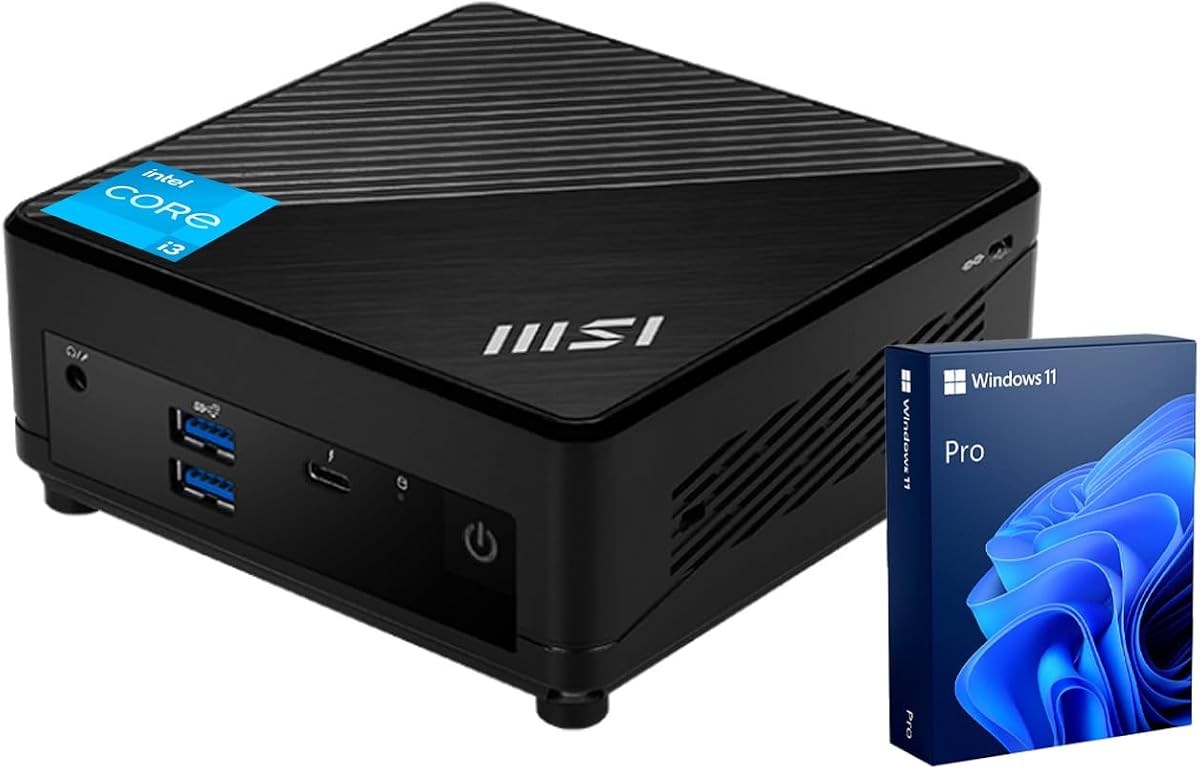
The MSI Cubi 5 Professional combines a Core i3-1215U processor, 16GB of DDR4 memory, and a 512GB PCIe M.2 SSD in a business-oriented mini desktop. Its supplied rating is 4.8. The detailed specifications identify a six-core, eight-thread processor with a 3.3 GHz base frequency, up to 4.4 GHz turbo, and 10MB of cache, giving this model a notably balanced foundation for office productivity.
We may earn a commission when you buy through this link, at no additional cost to you.
Its standout feature is connectivity for a compact system. The specification includes four USB 3.2 Gen 2 Type-A ports, Thunderbolt 4, DisplayPort, HDMI, two RJ45 connections, a microphone and headphone combination jack, Wi-Fi 6, and Bluetooth. The title identifies support for three 4K monitors, which is valuable for financial dashboards, editing timelines, engineering layouts, and other side-by-side workflows. Windows 11 Pro adds BitLocker, Remote Desktop, and management features that are useful in a professional setting.
There is some ambiguity in the supplied naming because the marketplace title describes an Intel six-core processor while the detailed section specifically identifies the Core i3-1215U. Buyers should check the final listing specifications before purchasing. Two Ethernet ports are excellent for infrastructure roles or specialized networking arrangements, but more casual users may not need them. The 512GB SSD is also adequate rather than expansive for large creative libraries.
This is our editor's choice because it balances modern processor capability, ample memory, fast storage, three-display support, and a professional operating system without emphasizing gaming. It is well suited to office users, remote teams, creators, and system administrators. Choose a more powerful 14th-generation model if maximum memory capacity or three-display support combined with top-tier business manageability is the primary concern.
Three-monitor support turns the Cubi 5 into a practical central workstation for information-dense roles. DisplayPort and HDMI provide the necessary video outputs, while the 16GB memory configuration supports several active applications and browser tabs.
Windows 11 Pro brings BitLocker, Remote Desktop, and management tools that home editions do not offer in the same form. This makes the configuration suitable for managed work, secure document handling, and remote office access.
We may earn a commission when you buy through this link, at no additional cost to you.
The renewed Dell OptiPlex 3060 Micro offers a familiar business desktop in a compact form. It pairs a 3.1 GHz Intel Core i3-8100T, a quad-core processor with 6MB of cache, with 8GB of 2666MHz DDR4 memory and a 128GB solid-state drive. The supplied rating is 4.2, and the listing includes Windows 11 Pro 64-bit in multiple languages.
We may earn a commission when you buy through this link, at no additional cost to you.
The ports are arguably more useful than the title initially suggests. There are six USB 3.0 ports, one RJ45 connection, one HDMI output, and one DisplayPort output. Dual-display support at up to 4K resolution allows the system to serve as a two-monitor office, service counter, or digital-workstation setup. The one-liter-class Dell enclosure is particularly attractive for users familiar with the OptiPlex line, and the business operating system adds useful remote and security functionality.
The most significant limitation is the 128GB SSD. After the operating system and essential applications are installed, the remaining capacity may be tight for downloaded files, browser data, or media. The 8GB of memory is also modest for heavy multitasking. In addition, this is a renewed product, so its physical and cosmetic condition can differ from a new unit. That status should be considered carefully when reliability and appearance matter.
Despite those caveats, this is a practical budget-oriented choice for basic office work, school projects, reception duties, and lightweight home productivity. Windows 11 Pro and abundant USB ports add value even though the internal specifications are dated. Buyers wanting the same Dell-style footprint with more memory and storage should consider a current configuration or another OptiPlex model.
The OptiPlex 3060 is designed to fit where full-size towers cannot. Windows 11 Pro and dual-display capability make it useful for administrative work, point-of-service use, and compact dual-screen offices.
Six USB 3.0 ports make connecting several peripherals more convenient than on many compact systems. The trade-off is limited internal storage and the variable condition associated with a renewed listing.
We may earn a commission when you buy through this link, at no additional cost to you.
The MSI PRO DP21 is a modern productivity mini PC built around the 13th-generation Intel Core i3-13100. The processor has four cores, eight threads, 12MB of L3 cache, a 3.4 GHz base frequency, and up to 4.5 GHz turbo. With a supplied rating of 4.6, 16GB of memory, and a 512GB PCIe NVMe SSD, it offers a convincing combination of responsiveness and everyday practicality.
We may earn a commission when you buy through this link, at no additional cost to you.
The system supports two 4K displays through DisplayPort 1.4 and HDMI 2.0b. Its port list includes four USB 2.0 Type-A ports, one USB 3.2 Gen 2 Type-A, two USB 3.2 Gen 1 Type-A ports, one USB Type-C port, RJ45, a microphone input, and a headphone output. Wi-Fi and Bluetooth are included, while the package also supplies a wired keyboard and mouse. Windows 11 Pro is preinstalled for business and home use.
Compared with the older Core i3 systems, the i3-13100 has substantially more headroom for browser-heavy workflows, complex spreadsheets, and light development. Its limitation is the two-display ceiling, which is below the three-monitor capability of the MSI Cubi 5 and Dell OptiPlex 7020 MFF. The 512GB SSD remains the most common capacity in this group, so owners of large media libraries may eventually want more room.
This is a good recommendation for buyers who want a recent Core i3 platform, a complete peripheral package, and a professional operating system without moving to a full-sized desktop. It is particularly suitable for home offices, shared workspaces, and small teams. For complex three-screen configurations, choose a model explicitly designed for that capability instead.
A 4.5 GHz maximum turbo frequency and eight threads help the DP21 respond quickly in office applications and multi-tab browsing. The 512GB NVMe drive also reduces pauses when launching applications and transferring active files.
The included keyboard and mouse remove the need to purchase basic peripherals immediately. Windows 11 Pro adds a business-oriented layer, although buyers relying on three monitors should choose a different model.
We may earn a commission when you buy through this link, at no additional cost to you.
The ASUS ExpertCenter PB63 is a business mini PC centered on 14th-generation Intel processing, 4K UHD output, and two-display support. Its supplied rating is 4.0. Because the supplied listing does not identify the exact processor model, memory capacity, or storage configuration, this review focuses on the confirmed platform features rather than guessing at unstated specifications.
We may earn a commission when you buy through this link, at no additional cost to you.
The system includes Intel Wi-Fi 6 with Gigabit+ capability and Bluetooth 5.2, allowing modern wireless peripherals and network connections without adding internal hardware. ASUS Dynamic Tuning technology is included to automate performance and thermal management. For a business deployment, the built-in Kensington lock slot is also meaningful: it gives an administrator a straightforward way to physically secure a compact computer that may otherwise be easy to remove.
The tradeoff is disclosure. Unlike several other models in this roundup, the supplied data does not state RAM, SSD capacity, exact port counts, or the precise 14th-generation processor. A buyer therefore needs to confirm those details on the current product page. Wi-Fi 6 also does not offer the 6 GHz band associated with Wi-Fi 6E, although it remains a capable standard for ordinary office use.
The PB63 is best suited to organizations that prioritize a business-focused platform, current processor generation, physical security, and warranty coverage over fully disclosed listing details. Verify the exact configuration before purchase, particularly if memory, storage, or a specific display connector is essential. Those who need a more transparent specification set may find the MSI, Lenovo, or Dell alternatives easier to evaluate.
A built-in Kensington lock slot is especially useful in reception areas, shared offices, and public-facing installations. It allows the compact unit to be secured without relying on adhesive or improvised mounting methods.
14th-generation processing, Wi-Fi 6, Bluetooth 5.2, and dynamic tuning create a modern foundation for office use. Exact CPU, memory, and storage details should be confirmed because they are not included in the supplied listing.
We may earn a commission when you buy through this link, at no additional cost to you.
The Lenovo ThinkCentre Neo 50q Gen4 1L is an unusually balanced compact PC and carries the highest supplied rating in the comparison at 5.0. Its Intel Core i3-1215U has six cores, can reach 4.4 GHz, and is paired with 16GB of RAM and a 512GB PCIe NVMe SSD. That combination gives it enough capability for office suites, communication tools, research, and sustained browser-heavy work.
We may earn a commission when you buy through this link, at no additional cost to you.
The system supports two simultaneous 4K displays through one HDMI output and DisplayPort. Wi-Fi 6 and RJ45 Ethernet provide flexible networking, while UHD Graphics handles everyday visual output. Its enclosure measures only 1.4 inches tall, 7 inches wide, and 7.2 inches deep, and it can be positioned upright, laid flat, or VESA-mounted on a wall, below a desk, or behind a monitor. ENERGY STAR certification and recycled plastic packaging add environmental considerations to the design.
Its main limitation is that display support stops at two screens, which is less than the three-display MSI Cubi 5 and Dell OptiPlex 7020 MFF. The optional nature of the VESA mount means buyers who want that installation method should confirm accessory availability. Nevertheless, the standard 16GB memory, fast NVMe storage, and modern six-core processor leave more headroom for growth than many lower-end alternatives in this guide.
This is our overall recommendation because it combines a high customer rating, modern processing, fast storage, flexible installation, and an attractive footprint with few obvious compromises. It is ideal for home professionals, students, reception desks, and office users who need two screens. If three displays or more business-specific management features are essential, compare the dedicated three-screen models before deciding.
The one-liter enclosure makes the Neo 50q easy to integrate into a compact workstation. Its ability to sit upright, lie flat, or mount behind a display gives users more placement options than a conventional desktop.
Six processor cores, 16GB of memory, and NVMe storage form a practical foundation for simultaneous office applications, browser tabs, and communication software. The two-display limit is the main reason to consider a three-monitor alternative.
We may earn a commission when you buy through this link, at no additional cost to you.
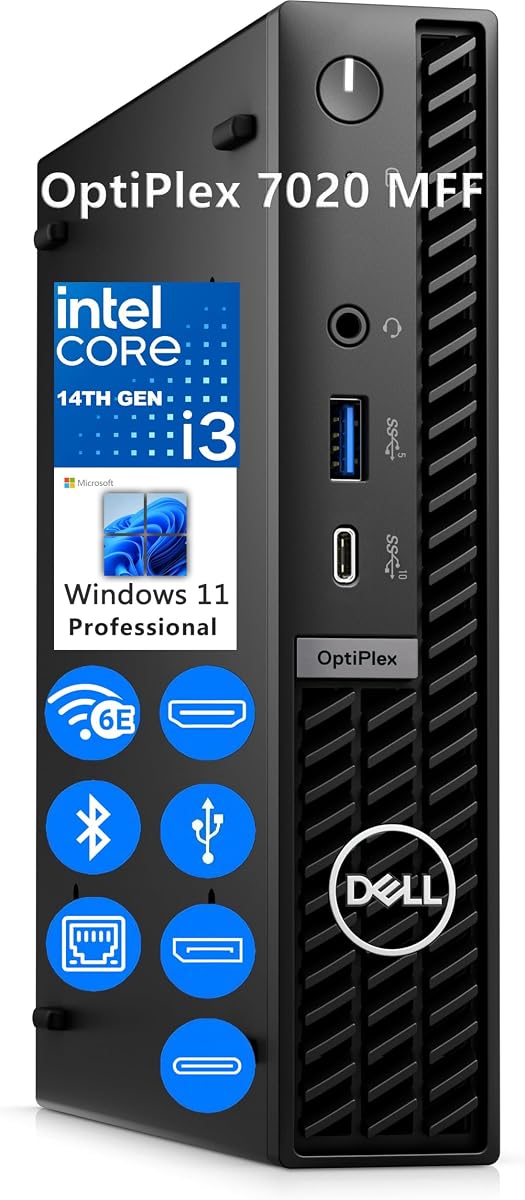
The Dell OptiPlex 7020 MFF is the most fully equipped traditional business model here, with a supplied rating of 4.9. Its Intel Core i3-14100T provides four cores, eight threads, a 2.7 GHz base frequency, up to 4.4 GHz turbo, and 12MB of cache. The standout specifications are 32GB of DDR5 memory and a 1TB M.2 PCIe NVMe SSD, which comfortably support complex office workflows and multiple active applications.
We may earn a commission when you buy through this link, at no additional cost to you.
Display and connectivity options are also strong. The system supports up to three displays through two DisplayPort 1.4a outputs and one HDMI 1.4b output. Wi-Fi 6E uses an Intel AX211 adapter, while Gigabit Ethernet supplies a stable wired option. The front includes a 10Gbps USB Type-C port, a 5Gbps USB Type-A port with PowerShare, and an audio jack. At the rear are two more 5Gbps USB Type-A ports, two USB 2.0 ports, and RJ45. Windows 11 Pro is preinstalled.
The main tradeoff is that this level of memory and storage exceeds the requirements of basic browsing or a single-application setup. A buyer with a modest workload may not benefit from 32GB of RAM, even though the system remains efficient and compact. It also uses a micro form factor measuring roughly 1.42 by 7.01 by 7.17 inches and weighs 2.41 pounds, so it is portable but not pocket-sized.
This premium recommendation is ideal for a professional who routinely works across several applications, needs three displays, or wants a longer-lived business platform with ample memory. It also suits managed deployments that value Windows 11 Pro, remote access, encryption, and flexible mounting. Buyers with lighter needs can get more than enough performance from a 16GB configuration.
Thirty-two gigabytes of DDR5 is the most generous memory allocation among these selections. It reduces the likelihood of memory pressure when running many browser tabs, office programs, communication tools, and business applications together.
Two DisplayPort outputs and one HDMI output provide ample flexibility for a three-screen workspace. The system is particularly well suited to analysts, developers, designers, and administrators who compare information across several applications.
We may earn a commission when you buy through this link, at no additional cost to you.
The Dell OptiPlex 7020 Micro combines a 14th-generation Intel Core i3-14100T with 8GB of DDR5 memory and a 256GB PCIe NVMe SSD. Its supplied rating is 4.4. The processor offers four performance cores, eight threads, a 2.7 GHz base clock, up to 4.4 GHz turbo, and 12MB of cache, ensuring that the system has a modern foundation even though its memory and storage capacities are modest.
We may earn a commission when you buy through this link, at no additional cost to you.
The micro chassis supports up to three simultaneous displays through one HDMI and two DisplayPort outputs. Connectivity includes Wi-Fi 6E, Bluetooth, Gigabit Ethernet, front USB Type-A and Type-C ports, and several rear USB ports. Windows 11 Professional is included, bringing enterprise-oriented features to a compact form factor. A separately purchased VESA mount can attach the system behind a monitor, under a desk, or to a wall.
The most likely issue is that 8GB of memory and 256GB of storage may restrict long-term flexibility. The processor is capable, but applications, browser tabs, and an operating system can consume a meaningful share of both resources. The listing's reference to UHD 730 and real-time ray tracing should not be interpreted as making this a dedicated gaming PC; integrated graphics remain limited for modern 3D workloads.
The OptiPlex 7020 Micro is a good fit for a business desktop when the priority is a recent processor, three-display support, Windows 11 Pro, and a very small footprint. It may also appeal to buyers seeking a travel-friendly computer that can be deployed in different workspaces. For heavier multitasking, however, the 32GB version of the same OptiPlex family is the more sensible configuration.
The compact micro design can be mounted behind a display or placed beneath a desk, preserving valuable workspace. Its three-display support and Windows 11 Pro features make it useful for structured professional environments.
The Core i3-14100T provides modern performance, but 8GB of RAM and 256GB of storage are easier to exhaust than the higher-capacity OptiPlex configuration. Buyers with sustained multitasking needs should consider a memory and storage upgrade.
We may earn a commission when you buy through this link, at no additional cost to you.
The right Intel Core i3 mini PC depends less on raw processor branding than on workload, memory, storage, display requirements, connectivity, and the operating environment. Use the following factors to narrow the field before making a final decision.
Processor generation matters because Core i3 models vary significantly in architecture, clock behavior, cache, power limits, and support for current media and peripherals. The Core i3-5005U and i3-8100T are older options intended more for lightweight applications, whereas the i3-1215U, i3-13100, and i3-14100T provide progressively newer performance characteristics. The i3-1215U is described as a six-core processor, while the i3-13100 and i3-14100T each provide four performance cores and eight threads. A newer model generally handles browser-heavy workloads, complex office files, and light content creation with more headroom, although proper memory and storage remain essential.
RAM determines how many applications and browser tabs can remain responsive at once. The list spans 8GB, 12GB, 16GB, and 32GB, with the GMKtec offering dual-channel DDR4. Sixteen gigabytes is a sensible middle ground for general office use, browsing, and communication, while 32GB is better for intensive multitasking, large project files, or multiple professional applications. An 8GB system may be adequate for a dedicated terminal, signage player, or basic secondary desktop, but it can run out of comfortable headroom when several browser tabs are open. Check whether memory is included at the stated capacity or whether the listing describes a maximum upgrade figure.
A fast SSD improves boot time, application launches, and file access, but capacity must match the workload. The selection begins with 128GB in the renewed Dell OptiPlex 3060 Micro, continues through 256GB models, and rises to 512GB or 1TB. The C3 and GMKtec offer especially flexible storage expansion, while the QAZIPO supports a second SSD for a listed total of up to 4TB. Users who store large video libraries should verify the exact interface, physical slot size, and whether an additional drive or cable must be purchased. NVMe models offer the strongest transfer performance, while SATA drives are generally more affordable but slower.
A mini PC often replaces a full desktop, so video output deserves careful attention. Most systems support two displays, with the MSI Cubi 5, Dell OptiPlex 7020 MFF, and Dell OptiPlex 7020 Micro supporting three. Several models explicitly support dual 4K output. The C3's two HDMI ports reach 2560 by 1600 at 60Hz, while the GMKtec and QAZIPO advertise 4K at 60Hz. Check both the number of outputs and their supported resolution and refresh rate. A modern office user may benefit more from three well-arranged screens than from a faster processor with a single display, particularly in trading, development, editing, or research workflows.
A good mini PC should connect the peripherals already in your workflow without unnecessary adapters. The strongest systems include multiple USB-A ports, USB Type-C, HDMI, DisplayPort, audio connections, and Gigabit Ethernet. The GMKtec stands out with 2.5GbE, which is valuable for fast network storage or demanding transfers, while the MSI Cubi 5 lists two RJ45 ports and Thunderbolt 4. The Dell OptiPlex 3060 provides six USB 3.0 ports, which is useful for existing office accessories. For wireless use, Wi-Fi 6 is common, while the two Dell OptiPlex 7020 options and the MSI PRO DP21 use Wi-Fi 6E. The difference matters when using multiple Wi-Fi 6E routers and compatible clients.
The included operating system can materially change the experience. Windows 11 Home suits general personal computing, while Windows 11 Pro adds features such as BitLocker, Remote Desktop, and more advanced management capabilities. The MSI Cubi 5, MSI PRO DP21, renewed Dell OptiPlex 3060, and Dell OptiPlex 7020 models include Windows 11 Pro. Some technical users may prefer Linux or Ubuntu, and the QAZIPO system explicitly supports those environments. Consider how the PC will be used, who needs access, whether remote administration matters, and whether specialized business software requires a particular edition.
A smaller mini PC frees desk space, but placement options determine how well it fits your setup. The Lenovo ThinkCentre Neo 50q can stand upright, lie flat, or use an optional VESA mount. The QAZIPO includes a VESA mount, while Dell models can use separately purchased mounting hardware. Consider the room available, cable routing, ventilation, monitor weight, and whether the computer will be moved regularly. A machine placed behind a monitor needs adequate clearance for airflow. Remote operation features such as Wake-on-LAN, PXE boot, automatic power-on, and RTC wake can also improve reliability in unattended installations.
A low-power processor can be ideal for a continuously operating signage player, thin client, or media server. The C3's 15-watt design specifically targets those roles, while newer systems provide stronger general-purpose performance. Warranty length also varies among the selected products: the GMKtec and QAZIPO list one- and 12-month coverage respectively, the C3 and ASUS ExpertCenter highlight three-year support, and the Dell OptiPlex 3060 is a renewed product. For a dedicated commercial role, continuous-operation claims, support terms, remote-management features, and compatible operating systems may matter more than maximum processor speed.
Begin by placing the mini PC on a stable, hard surface with the vents unobstructed. Even a compact system needs airflow around the intake and exhaust openings, particularly during sustained processor tasks or when the chassis is mounted behind a monitor. Connect the power adapter, display, keyboard, mouse, and network before starting the operating system, then follow the standard Windows or Linux setup process. If the computer will be mounted vertically or horizontally, use the mounting arrangement supported by its manufacturer.
After setup, install the applications required for your work and move large files, browser data, and temporary project assets to suitable storage. Leave a reasonable amount of free SSD capacity, because operating systems and applications require working space to update and run efficiently. Use the supplied Wake-on-LAN, PXE boot, automatic power-on, or remote-access features when appropriate, but secure network access with strong passwords and current software updates. For a machine used as a server or signage endpoint, schedule routine restarts only if the application and deployment method permit it.
Clean the chassis with a soft, dry microfiber cloth and disconnect the power before removing any panels or upgrading internal components. Do not use compressed air that could force dust into the system without care, and avoid blocking vents with books, fabric, or other objects. Check that ventilation openings remain clear, keep the computer away from excessive heat and moisture, and review the product listing for warranty conditions. Memory and storage upgrades should follow the supplied slot, size, and interface requirements exactly.
Yes, when it has a current processor and at least 16GB of RAM. It can comfortably handle browsing, email, document editing, spreadsheets, video calls, and routine multitasking. A model with 8GB and an older processor may feel constrained, while a 14th-generation system with 32GB provides the greatest headroom for demanding office workloads.
Many models in this guide support two displays, while the MSI Cubi 5 and Dell OptiPlex 7020 configurations support three. Check the exact HDMI and DisplayPort specifications, including maximum resolution and refresh rate. Adapters can create compatibility issues, so native video outputs are preferable for a multi-monitor setup.
For most home-office users, 16GB is a good balance for browser tabs, Microsoft Office, communication apps, and several background services. It is also a sensible minimum for light development and content workflows. Users running virtual machines, large creative projects, or many simultaneous applications should consider 32GB.
NVMe is generally the better choice for an operating system and frequently used applications because it offers much faster transfer performance. SATA drives are useful for inexpensive bulk storage and are sufficient for media files that do not need rapid access. Confirm the interface and physical size supported by the mini PC before purchasing an upgrade.
The Core i3-14100T is a newer 14th-generation part, while the i3-1215U belongs to the 12th generation. Both are suitable for office productivity, but the newer model provides a more current platform and the option here is paired with 32GB of memory and 1TB of storage. Actual performance also depends on cooling, software, memory configuration, and the task being performed.
Mini PCs can be highly suitable for office work because they combine efficient processors, compact dimensions, and flexible display options. Some models also provide Wake-on-LAN, PXE boot, and automatic power-on for deployment. For unattended commercial use, verify thermal design, remote management, warranty coverage, and the stability of the particular configuration.
Light titles, older games, cloud gaming, and casual media use may be possible depending on the integrated graphics and display resolution. Modern games with demanding graphics settings are generally better suited to a system with a dedicated GPU. For Intel Core i3 mini PCs, productivity, media playback, and compact multi-monitor use are the more realistic strengths.
Windows 11 Pro is generally more useful for managed business environments because it includes features such as BitLocker, Remote Desktop, and advanced administration options. Windows 11 Home is sufficient for ordinary personal browsing, entertainment, and schoolwork. A business buyer should also confirm that the operating system is included and properly licensed for the intended use.
The Lenovo ThinkCentre Neo 50q Gen4 1L is the strongest all-around choice because it combines a 5.0 supplied rating, a six-core Core i3-1215U, 16GB of memory, fast NVMe storage, flexible mounting, and dual 4K support. The Dell OptiPlex 7020 MFF is the premium option for buyers who need 32GB of DDR5, a 1TB SSD, Wi-Fi 6E, and three displays.
The renewed Dell OptiPlex 3060 Micro serves as the value-focused business option, offering Windows 11 Pro, dual displays, and numerous USB ports in a compact chassis. Other buyers should prioritize processor generation and memory for daily productivity, storage capacity for local files, display count for visual workflows, and port selection for existing accessories. Older Core i3 systems can still work well for dedicated or light-duty roles.
Before purchasing, verify the current specification, included accessories, operating system, display outputs, and warranty terms. Product listings and prices can change, and a configuration with the same product name may differ from one another. Checking those details at the time of purchase helps ensure the selected Intel Core i3 mini PC fits the intended workspace and workload.