
MNN 15.6-inch Portable Monitor
4.3Editor score
Full HD IPS viewing panel
Dual full-featured USB-C ports
Landscape and portrait modes
Protective folding smart cover
A portable monitor can turn a compact Mini PC into a more capable workstation, but the strongest choice depends on how you connect, move, and use the display. Resolution, USB-C video support, power delivery, viewing angle, speakers, and included stands all influence the experience more than screen size alone.
This guide compares ten portable monitors suitable for Mini PC setups, focusing on the supplied specifications rather than unsupported hands-on claims. It covers standard 15.6-inch productivity displays, a specialized seven-inch option, and premium ASUS models with software, stands, and eye-care features.
Each review explains the monitor's strongest benefits, practical limitations, and ideal user profile. The featured selections represent the best budget, overall, and premium options in this comparison, while shoppers should verify current specifications, accessory contents, and prices before purchasing.
4.3Editor score

4.8Editor score

4.4Editor score
As an Amazon Associate we earn from qualifying purchases.
The comparison covers display size, resolution, USB-C and HDMI support, portability features, and practical extras such as speakers, stands, covers, and VESA mounting. The seven-inch TngsChryxia model occupies a specialized niche, while the remaining products target standard portable productivity and gaming setups.


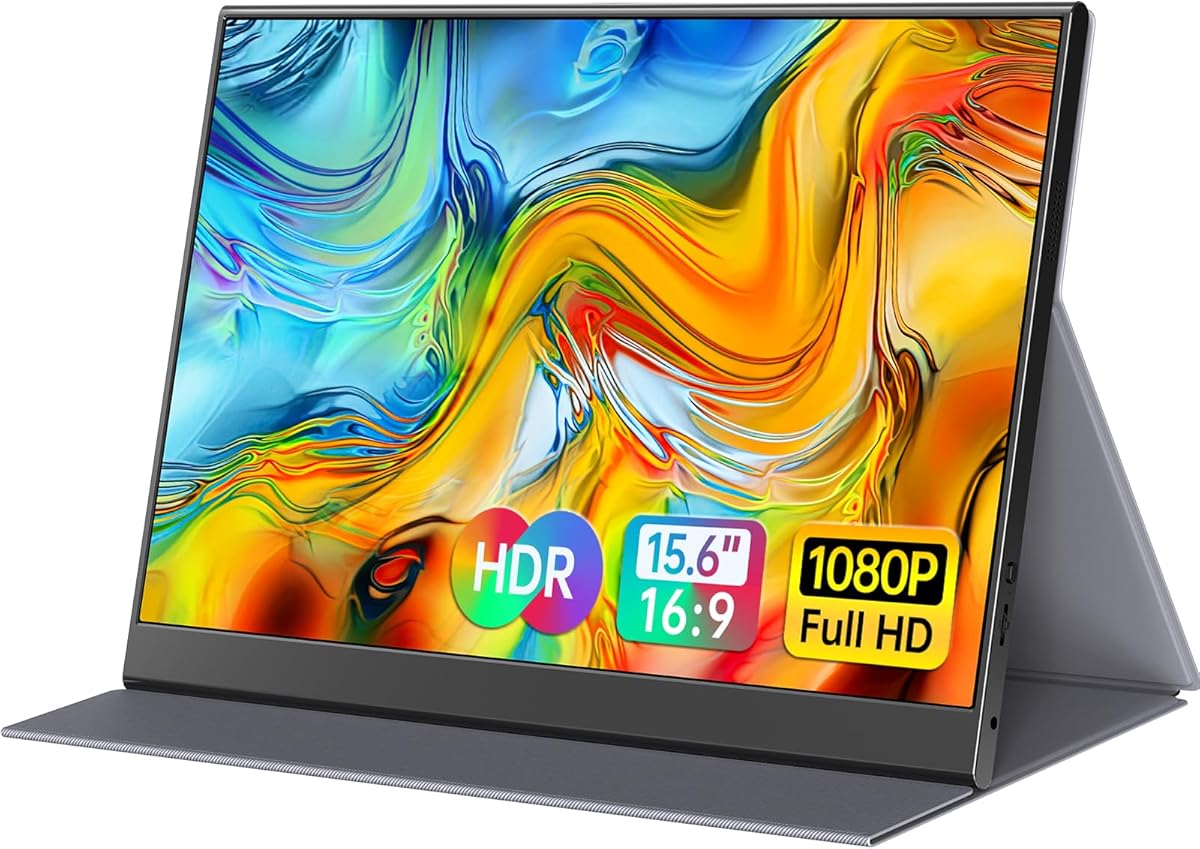


The MNN 15.6-inch Portable Monitor combines a Full HD IPS panel, 60Hz refresh rate, HDR support, and flexible USB-C connectivity in a format suited to a mobile Mini PC workstation. Its 4.3 rating reflects a generally well-received feature set, although the glossy screen may be less suitable for brightly lit workspaces.
We may earn a commission when you buy through this link, at no additional cost to you.
Two full-featured Type-C ports can carry display and power, with HDMI support adding another route for compatible systems. Copy, extended, second-screen, and portrait modes make it easy to adapt the display to presentations, parallel work, or vertical document viewing. The smart cover also serves as a protective sleeve and basic stand.
The main caveat is compatibility. A Mini PC must support Thunderbolt 3.0 or USB 3.1 Type-C DisplayPort Alt Mode when using the Type-C video connection. With older or display-output-limited configurations, HDMI is the more dependable option. The glossy IPS finish may also reflect ambient light compared with matte alternatives.
This is a strong general recommendation for users who want a large portable workspace, several operating modes, and a protective cover without moving to a premium software ecosystem. It is particularly useful for travelers, students, and office workers who alternate between extended desktop space and portrait viewing.
The dual Type-C arrangement simplifies single-cable use when the Mini PC supports DisplayPort Alt Mode, while HDMI broadens the available connection choices. Verify your system outputs before planning to rely entirely on USB-C.
The thin 15.6-inch format provides enough workspace for documents, monitoring tools, and communication windows without reaching the size of a conventional desktop monitor. Its folding cover offers protection and a simple way to support the panel.
We may earn a commission when you buy through this link, at no additional cost to you.
The Anyuse 15.6-inch Portable Monitor is a lightweight productivity option for Mini PC users who carry their equipment between offices, classrooms, hotels, and shared workspaces. Its 4.2 rating, 1.37-pound listed weight, and 0.04-inch listed thickness emphasize mobility, while the IPS panel delivers 1920 by 1080 resolution and a 178-degree viewing angle.
We may earn a commission when you buy through this link, at no additional cost to you.
Two full-featured Type-C ports, a Mini HDMI port, and integrated speakers cover the most common portable-display needs. Copy, extension, and second-screen modes support presentations and multitasking, while HDR and low-blue-light features are intended to improve perceived contrast and viewing comfort during extended sessions.
Its principal limitation is that the USB-C path still depends on Thunderbolt 3.0 or 4.0, or a USB 3.1 Type-C port with DisplayPort Alt Mode. Mini HDMI may also be less convenient than full-size HDMI, and the product description does not identify a VESA mount. Some buyers may also want a cover or separate stand.
The Anyuse is best for mobile productivity users who prioritize low carry weight and straightforward plug-and-play operation. It suits anyone who needs a second screen for editing documents, joining meetings, or keeping reference material visible, provided the Mini PC has the required video output.
The listed weight and extremely thin profile make this screen easier to fit into a slim laptop sleeve or backpack than a conventional monitor. The trade-off is that the supplied information does not mention an integrated physical stand.
Built-in speakers can provide convenient sound for a compact office setup, while copy and extension modes make it easier to present or separate active work from reference material. A separate desktop or third-party stand may improve positioning.
We may earn a commission when you buy through this link, at no additional cost to you.
The Yxk Portable Monitor combines a 15.6-inch 1080p IPS panel with a 60Hz refresh rate, HDR support, dual speakers, and an included VESA kickstand. Its 4.2 rating and broad device compatibility make it a practical choice for a Mini PC that needs a full-size travel display with flexible mounting.
We may earn a commission when you buy through this link, at no additional cost to you.
The monitor offers two full-featured Type-C ports and a Mini HDMI connection, supporting plug-and-play use with compatible laptops, phones, consoles, and desktop systems. Copy, extension, and second-screen modes cover common productivity needs, while the zero-frame construction keeps the visible panel visually clean.
Compared with cover-based designs, this model emphasizes a usable support system. The included kickstand is convenient for immediate setup, and VESA compatibility allows an alternative stand to be used. Its listed 1.43-pound weight is still portable, although the 0.31-inch body and stand should be considered when packing space is tight.
Choose the Yxk when a ready-to-use stand and speakers matter more than having a folding protective sleeve. It is a strong fit for temporary offices, presentations, and travel, as long as the Mini PC supports the required Type-C display protocol or can use HDMI.
The included VESA kickstand allows immediate placement on a table and provides a path to a separate compatible mount. This makes the monitor less dependent on a laptop or mini stand.
Dual speakers reduce the need to carry another audio device for casual playback. The 1080p IPS panel remains easy to read for productivity, although the 60Hz specification is more practical for general use than demanding high-frame-rate gaming.
We may earn a commission when you buy through this link, at no additional cost to you.
The InnoView Portable Monitor is a well-rounded second screen for Mini PC users who need a 15.6-inch FHD IPS display, a built-in speaker, and a protective cover. Its 4.4 rating places it among the stronger-rated products in the group, with 178-degree viewing angles, HDR, and low-blue-light features.
We may earn a commission when you buy through this link, at no additional cost to you.
Two full-function Type-C ports and an HDMI port provide flexible connectivity. A single USB-C cable can handle display and power when the computer supports the required protocol, and reverse charging is supported. The scratch-resistant PU leather cover protects the screen and has grooves that allow the viewing angle to be adjusted.
The product information notes that the power cable is not included. Devices with limited USB-C power output may therefore require separate power or an HDMI plus power arrangement, which can make setup less tidy. Buyers should also check whether their preferred desktop stand is compatible with the cover-based design.
The InnoView is an attractive recommendation for people who frequently transport their display and already own or plan to buy a cover. It gives a Mini PC a sizeable productivity canvas while offering enough flexibility for meetings, extended desktops, media, and travel.
The smart cover does more than shield the display: its adjustable grooves support the screen at several angles. This creates a compact alternative to carrying a separate tabletop stand.
USB-C can provide a clean one-cable setup for compatible Mini PCs, while HDMI offers a useful fallback. Check power requirements and the absence of an included power cable before traveling.
We may earn a commission when you buy through this link, at no additional cost to you.
The ForHelp 15.6-inch Portable Monitor stands out for its aluminum alloy body, matte IPS panel, and 4.4 rating. It offers a 1920 by 1080 resolution, 178-degree viewing angle, HDR support, and two built-in speakers in a portable format intended for work and casual gaming.
We may earn a commission when you buy through this link, at no additional cost to you.
Connectivity includes two full-featured Type-C ports and one Mini HDMI port. Copy, extension, and second-screen modes make the display useful for a Mini PC office setup, and the magnetic smart holster protects the panel while doubling as a stand with two viewing-angle grooves.
The matte screen can be easier to use under office lighting than a glossy alternative. However, the Mini HDMI port may require a particular cable, and the cover-based support is less adaptable than a dedicated articulated stand. USB-C video also still requires DisplayPort Alt Mode support.
This monitor is best for users who want a more refined housing and smart cover without moving to a premium brand. It works particularly well for travel, presentations, and a compact dual-screen Mini PC arrangement where basic audio and a matte display are priorities.
The aluminum construction adds rigidity without changing the core 15.6-inch portability. A matte surface can reduce distracting reflections in offices, cafes, and other shared environments.
Integrated speakers and a magnetic cover create a more self-contained travel package. The cover's viewing grooves help establish a viewing angle, although a separate VESA-compatible stand would offer more positioning freedom.
We may earn a commission when you buy through this link, at no additional cost to you.
The WGK 15.6-inch Portable Monitor is a feature-rich travel display with a 1080p IPS panel, HDR, a built-in adjustable stand, two speakers, and VESA mounting support. Its 4.3 rating reflects a balanced package for Mini PC users who want straightforward connections and flexible screen positioning.
We may earn a commission when you buy through this link, at no additional cost to you.
Two USB-C ports and one Mini HDMI port enable plug-and-play operation with compatible laptops, phones, consoles, and desktop computers. Copy, extension, and second-screen modes cover presentations and productivity, while horizontal and vertical orientations support different workflows.
Its listed weight of 2.7 pounds is heavier than most 15.6-inch alternatives in the comparison, making the stand and speakers the likely source of that difference. The product information also warns that insufficient device power can cause the screen to switch off, recommending a compatible 5V 2A charger if necessary.
The WGK is a sensible choice when a stable included stand and VESA compatibility matter more than minimum pack weight. It is well suited to a temporary Mini PC office, demonstration table, or travel setup where a larger stand and built-in audio are welcome.
The integrated stand can be adjusted to suit a desk, while VESA mounting provides another route for a compatible arm or stand. This makes the display easier to align than cover-only designs.
A Mini PC with adequate USB-C power delivery may operate cleanly, but some systems may need an additional compatible power supply. Confirm the Mini PC's output behavior before relying on the display away from an outlet.
We may earn a commission when you buy through this link, at no additional cost to you.
The TngsChryxia 7-inch Monitor is a specialized miniature display for embedded projects, Raspberry Pi systems, retro computers, security equipment, and other compact installations. Its 4.1 rating accompanies a 1024 by 600 LCD panel, 178-degree IPS viewing angle, 800:1 contrast ratio, and listed brightness of 500 cd/m2.
We may earn a commission when you buy through this link, at no additional cost to you.
Its unusual advantage is input variety. HDMI, VGA, BNC, and AV connections make it useful with PCs, laptops, Raspberry Pi models, DVD players, DVRs, televisions, cameras, and CCTV systems. Two built-in speakers add audio capability, while the aluminum shell is described as scratch-resistant and drop-resistant.
This is not a conventional desktop-quality second screen for reading documents or editing interfaces. The 1024 by 600 resolution offers limited workspace, and the supplied information does not list a full-featured USB-C display input or VESA mounting. BNC specifically works with CVBS cameras, while AHD, TVI, and CVI require an adapter.
Choose this monitor only when its compact size and broad video inputs fit a dedicated project. It can serve as a status display for a Mini PC, a Raspberry Pi terminal, or a monitoring screen, but a 15.6-inch 1080p model is much better for normal desktop productivity.
The broad mix of HDMI, VGA, AV, and BNC inputs makes this display valuable when the source device is old, specialized, or lacks modern USB-C video output. It is a practical accessory for a compact embedded system rather than a general productivity display.
A 1024 by 600 panel can comfortably show dashboards, menus, logs, and camera images. It cannot provide the breathing room of a 1080p screen, so consider how much information must remain visible at once.
We may earn a commission when you buy through this link, at no additional cost to you.
The ASUS ZenScreen MB169CK is a premium portable monitor designed for travel, remote work, and clean dual-screen setups. Its 4.2 rating, 15.6-inch 1080p anti-glare IPS panel, 0.78-kilogram listed weight, and 11.8-millimeter listed thickness make it a polished option for a compact Mini PC station.
We may earn a commission when you buy through this link, at no additional cost to you.
A single USB-C connection carries both power and video, reducing cable clutter when the Mini PC supports the required DisplayPort Alt Mode. The 360-degree kickstand and tripod socket allow several viewing arrangements, while DisplayWidget software can automatically rotate the display between portrait and landscape orientations.
Its most notable trade-off is the absence of a listed HDMI input. That means users whose Mini PCs lack compatible USB-C video output may need an additional adapter, and the single-cable workflow is less flexible. The supplied details also do not mention built-in speakers.
This ZenScreen is best for users who value refined industrial design, an anti-glare display, automatic rotation, and a stable built-in stand. It is particularly suitable for frequent travelers who want a dedicated professional second screen and whose Mini PC supports modern USB-C video.
The thin magnesium-and-aluminum-style profile described by ASUS combines low weight with a refined appearance. The anti-glare panel is particularly useful in cafes, coworking spaces, and other locations with variable lighting.
DisplayWidget can rotate the screen automatically, reducing the need to change operating-system settings when switching between documents and code. Portrait mode can provide a tall workspace, while the kickstand and tripod socket support different placements.
We may earn a commission when you buy through this link, at no additional cost to you.
The cocopar Portable Monitor earns the highest rating in this comparison at 4.8 stars, reflecting a strong combination of portability, useful connectivity, and a complete travel package. Its 15.6-inch 1080p IPS display runs at 60Hz, offers HDR, and covers 85% of the sRGB color gamut.
We may earn a commission when you buy through this link, at no additional cost to you.
Two full-featured USB-C ports and an HDMI input support many Mini PCs, laptops, and gaming devices. A single USB-C cable can handle power and video, with reverse charging support, while extend and mirror modes cover productivity and presentation tasks. Two VESA holes and a smart stand case broaden setup options.
The 85% sRGB specification is suitable for general office work and media viewing, but color-critical users may prefer a wider gamut. The product also reaches 4 millimeters at its slimmest point, so buyers should account for the wider body sections around ports. USB-C still depends on DisplayPort Alt Mode.
This is the most broadly convincing option in the group for a Mini PC user seeking a balanced travel monitor. Its strong rating, slim construction, single-cable operation, cover, speakers, and mounting options create a particularly complete package for remote work and travel.
The smart case protects the display and provides a basic support, while VESA holes allow a more permanent arm or stand. This combination suits users who move between temporary desks and a more fixed home office.
Compatible Mini PCs can receive both power and video over USB-C, and reverse charging helps keep a connected device powered. The HDMI port remains a useful alternative when USB-C compatibility is uncertain.
We may earn a commission when you buy through this link, at no additional cost to you.
The ASUS ZenScreen MB16AHV is a premium 15.6-inch 1080p portable monitor whose distinguishing feature is an ionic silver treatment surface described as inhibiting 99.9% of bacteria. Its 4.4 rating, anti-glare IPS panel, and eye-care technology make it a thoughtful option for shared workspaces.
We may earn a commission when you buy through this link, at no additional cost to you.
Two USB-C ports and a Mini HDMI port offer flexible connectivity, with one USB-C cable able to carry both video and power through 15W power delivery. The 0.9-kilogram listed weight and 10-millimeter listed thickness support easy transport, while the fold-out kickstand and tripod socket make positioning straightforward.
DisplayWidget software supports automatic rotation between portrait and landscape use, which can be useful for documents, communication windows, and vertically oriented applications. The panel is not listed with built-in speakers, so separate audio may be needed. The 15W charging provision is also intended primarily for a lightweight portable workflow rather than heavy charging demands.
The MB16AHV is recommended for professionals and frequent travelers who place a premium on finish, health-oriented features, automatic rotation, and warranty support. It is a particularly good fit for shared offices, airports, and other frequently touched environments where the treated surface adds a distinct benefit.
The ionic silver coating is designed to inhibit bacteria on the display surface. It does not change the image quality, but it adds a practical distinction for users who regularly work in shared or high-traffic locations.
Automatic rotation, a fold-out kickstand, and a tripod socket simplify changes between horizontal and vertical work. Eye-care features and the anti-glare panel support comfortable use in demanding mobile sessions.
We may earn a commission when you buy through this link, at no additional cost to you.
The most important considerations are video compatibility, power requirements, workspace quality, and the degree to which the display must travel. A larger panel is useful for productivity, but the right connection and stand can matter more than minor differences in advertised specifications.
USB-C is the most convenient connection for many Mini PCs because one cable can carry both video and power, but the connector alone does not guarantee display support. The products in this guide generally require Thunderbolt 3.0 or 4.0, or a USB 3.1 Type-C port with DisplayPort Alt Mode. Check the Mini PC's manual or technical specifications for video-output compatibility, and do not assume that a USB-C data port can send a display signal.
HDMI remains a dependable fallback for desktop systems and for Mini PCs whose USB-C implementation is limited. Most of the 15.6-inch options in this guide include HDMI, although the MNN listing specifies HDMI while the MNN feature description also emphasizes its Type-C connections. Several alternatives use Mini HDMI, which may require a smaller cable or adapter. Confirm both the connector size and the maximum supported resolution before ordering.
A compact Mini PC may not provide enough power for a portable monitor while simultaneously operating its internal drive, network equipment, and other peripherals. A monitor with sufficient power delivery can reduce cable clutter, but users should still check the system's output. The WGK description specifically recommends a compatible 5V 2A charger when the display does not remain on, and the InnoView listing notes that a separate power cable is not included.
A 15.6-inch 1920 by 1080 IPS panel provides a practical balance between usable workspace and portability. IPS panels in this group advertise wide viewing angles, while HDR and low-blue-light features can improve perceived contrast and comfort. The seven-inch 1024 by 600 model is different: it works well for status displays, embedded projects, and camera monitoring, but it is too limited for comfortable document editing or many desktop windows.
Most full-size models in the comparison are specified at 60Hz, which is well suited to office applications, remote work, media viewing, and general Mini PC use. The Yxk and cocopar listings explicitly state 60Hz, while the MNN model also identifies a 60Hz panel. Portable monitors are not primarily designed for demanding competitive gaming, so responsiveness, color, and portability should generally be prioritized over very high refresh rates.
The preferred support system depends on how often the monitor moves. The Yxk and WGK include built-in stands, the cocopar and ASUS ZenScreen products provide mounting options, and the MNN, InnoView, and ForHelp use folding smart covers that also protect the display. The Anyuse listing emphasizes weight and thickness but does not specify a cover. VESA compatibility gives greater arm positioning, while cover-based stands usually emphasize protection and compact packing.
Listed weights range from approximately 0.78 to 0.9 kilograms for the ASUS ZenScreen models and about 1.37 to 1.52 pounds for several generic-brand 15.6-inch screens, while the WGK is listed at 2.7 pounds. Thinness matters too: the cocopar reaches 4 millimeters at its slimmest point, and the Anyuse is listed at 0.04 inch. Actual packing size can differ because cables, stands, covers, and thicker port sections add bulk.
Built-in speakers can make a compact Mini PC setup more self-contained, and they are included with the Anyuse, Yxk, ForHelp, WGK, cocopar, InnoView, and TngsChryxia models. The ASUS ZenScreen listings do not specify integrated speakers, although both offer automatic orientation through DisplayWidget software. Audio is useful for alerts and media, while software-assisted rotation is particularly valuable for users who frequently alternate between portrait documents and landscape applications.
Begin by confirming that the Mini PC can output video through the selected port. For USB-C, verify Thunderbolt 3.0 or 4.0 or USB 3.1 Type-C with DisplayPort Alt Mode; for Mini HDMI, use a matching cable. Connect the display, select the appropriate input if necessary, and then configure the operating system to extend, mirror, or treat the panel as a second screen.
Position the monitor directly in front of you and use the supplied stand, cover, or mounting accessory to establish a stable, slightly elevated viewing position. If the display repeatedly turns off, reduce the load on the Mini PC's USB-C power output or connect a compatible charger. Avoid leaving the screen folded in its cover while powered, and do not place heavy objects against the panel.
For transport, switch the display to portrait when appropriate, disconnect all cables, and fit the protective cover if one is included. Clean the surface with a soft, lint-free microfiber cloth and a small amount of suitable screen-cleaning fluid applied to the cloth rather than directly to the display. Avoid abrasive pads, compressed air, and liquid near the ports, and keep the screen away from prolonged direct sunlight.
No. A USB-C port may support only data, power delivery, or another function rather than video output. The listed monitors generally call for Thunderbolt 3.0 or 4.0, or a USB 3.1 Type-C port with DisplayPort Alt Mode. Check the Mini PC specifications or manufacturer documentation before purchasing, and use HDMI if USB-C video is unavailable.
Yes, because 15.6 inches is a common portable-display size that balances workspace and weight. A 1920 by 1080 resolution can comfortably show documents, browser windows, monitoring applications, and communication tools. The Mini PC remains the main processor, so the portable monitor's portability does not limit the system's computing capability.
It depends on the Mini PC and the monitor's power requirements. Compatible USB-C systems may power a display through the same cable used for video, while some configurations need additional power. The WGK description recommends a compatible 5V 2A charger if the screen does not stay on, and the InnoView listing notes that a power cable is not included. Check both device specifications and package contents.
Mini HDMI uses a smaller physical connector but can carry comparable display signals. The main practical difference is the cable and connector size, with Mini HDMI being more convenient on a compact travel setup. Users should confirm that their Mini PC has a matching port and that the display supports the intended resolution and refresh rate.
It is better suited to status displays, Raspberry Pi projects, retro computers, security systems, and camera monitoring than to document editing or complex multitasking. Its 1024 by 600 resolution leaves much less workspace than a 15.6-inch 1080p panel, although its HDMI, VGA, AV, and BNC inputs make it unusually versatile for embedded equipment.
Choose a smart cover when transport protection and compact storage are the priorities. A cover can also provide a simple viewing support, but its angle is usually less adjustable than a dedicated stand. Built-in stands offer quicker placement on a desk, while VESA support provides the most freedom for using a compatible arm or stand.
Many models in this guide support portrait orientation, either through an included cover, kickstand, or mounting holes. The MNN, InnoView, Yxk, WGK, cocopar, and both ASUS ZenScreen models offer different ways to rotate or mount the panel. Mini PCs generally recognize the rotated output correctly, though some desktop backgrounds and applications may need configuration.
They are convenient for system alerts, video calls, and media, especially when desk space is limited. Built-in speakers do not necessarily provide high-fidelity sound, and the ASUS ZenScreen models reviewed here do not list integrated speakers. Users who value audio quality may prefer separate headphones or compact speakers with a better sound signature.
The cocopar Portable Monitor is the strongest all-around recommendation in this comparison, combining the highest rating with a slim 1080p panel, flexible USB-C and HDMI connectivity, reverse charging, a smart cover, and VESA mounting. The MNN 15.6-inch model is a strong value-oriented option with four display modes, dual Type-C ports, and a protective cover.
Before choosing, prioritize protocol compatibility, power delivery, and the physical support system rather than focusing only on diagonal size. A 15.6-inch 1080p display is the most versatile for ordinary productivity, while the seven-inch TngsChryxia monitor is reserved for embedded, retro, or monitoring projects. Premium ASUS models add polished construction, automatic rotation, and specialized surface or eye-care features.
Finally, verify the current product listing, connector sizes, included accessories, and warranty terms before purchasing. Portable monitor specifications and package contents can change, and current prices fluctuate. Confirm that the selected Mini PC supports the intended video mode and that the display's power requirements are fully satisfied.