
Architectural Scale Ruler
4.8Editor score
Triple-sided scale layout
Anodized aluminum construction
Laser-etched markings
Portable drafting format
Our Digital Architectural Scale Ruler guide compares ten digital and analog options for plan measurement, custom scales, drafting, portability, and professional
A digital architectural scale ruler converts scaled drawings into usable measurements, helping architects, engineers, estimators, and designers check dimensions without repeatedly consulting printed scale bars. The best device balances broad scale support, dependable accuracy, clear controls, practical takeoff features, and a form factor suited to office, studio, and jobsite work.
The products in this guide were compared using the supplied specifications, feature descriptions, ratings, included accessories, and intended professional applications. The list covers electronic plan measures, a smart Bluetooth-enabled ruler, drafting bundles, and conventional architectural scale rulers for readers who still prefer direct visual scaling.
Each entry explains the product's strongest capabilities, important limitations, and best-fit user. The top selections represent the overall, budget, and premium choices, while the complete comparison shows how all ten options differ. Product prices and availability can change, so readers should verify current listing details before purchasing.
4.8Editor score

4.8Editor score

4.0Editor score
This side-by-side comparison covers electronic plan measuring tools, smart digital rulers, modular bundles, and traditional architectural scales, with each option evaluated for scale coverage, measurement functions, portability, and professional workflow support.



The Calculated Industries Scale Master Pro is a portable digital plan measure with a 4.7 rating and a clear focus on architectural takeoff. Its defining advantages are 72 built-in scales, direct area and volume calculations, and a body short enough to carry between the office, vehicle, and jobsite without requiring a cable or computer.
We may earn a commission when you buy through this link, at no additional cost to you.
Its scale library includes 39 imperial and 33 metric formats, covering decimal feet, feet-and-inches, decimal inches, yards, millimeters, meters, and kilometers. Square and cubic formats extend that coverage into takeoff work, while six custom scale positions—three imperial and three metric—allow users to calibrate plans that have been reduced, enlarged, or otherwise printed at an unusual scale.
The trade-offs are modest but real. Six stored custom scales are less flexible than the unlimited customization described for the HOZO NeoRuler, and the item-counting function requires a dedicated button press rather than a fully automatic counting workflow. As with the other rolling plan measures in this guide, accuracy depends on steady start and stop points and correct scale selection; the stated typical rolling error is approximately 2% to 3%.
This is a strong choice for an estimator, architect, contractor, or student who wants standalone takeoff capability without app-based complexity. It is especially useful for measuring lengths, areas, volumes, and repeated plan symbols across mixed imperial and metric documents. For users who prioritize portability, readable results, and a complete package rather than extensive connectivity, the Scale Master Pro remains a practical recommendation.
The device works without a cable or personal computer, which makes it useful on a jobsite, in an estimating office, or beside a vehicle. Its dedicated length, width, and height controls support a faster takeoff workflow when the user needs more than a single linear dimension.
Six custom scale slots are sufficient for many reduced, enlarged, faxed, or scanned drawings. Calibrating against a known dimension before measuring helps keep results consistent across the project.
We may earn a commission when you buy through this link, at no additional cost to you.
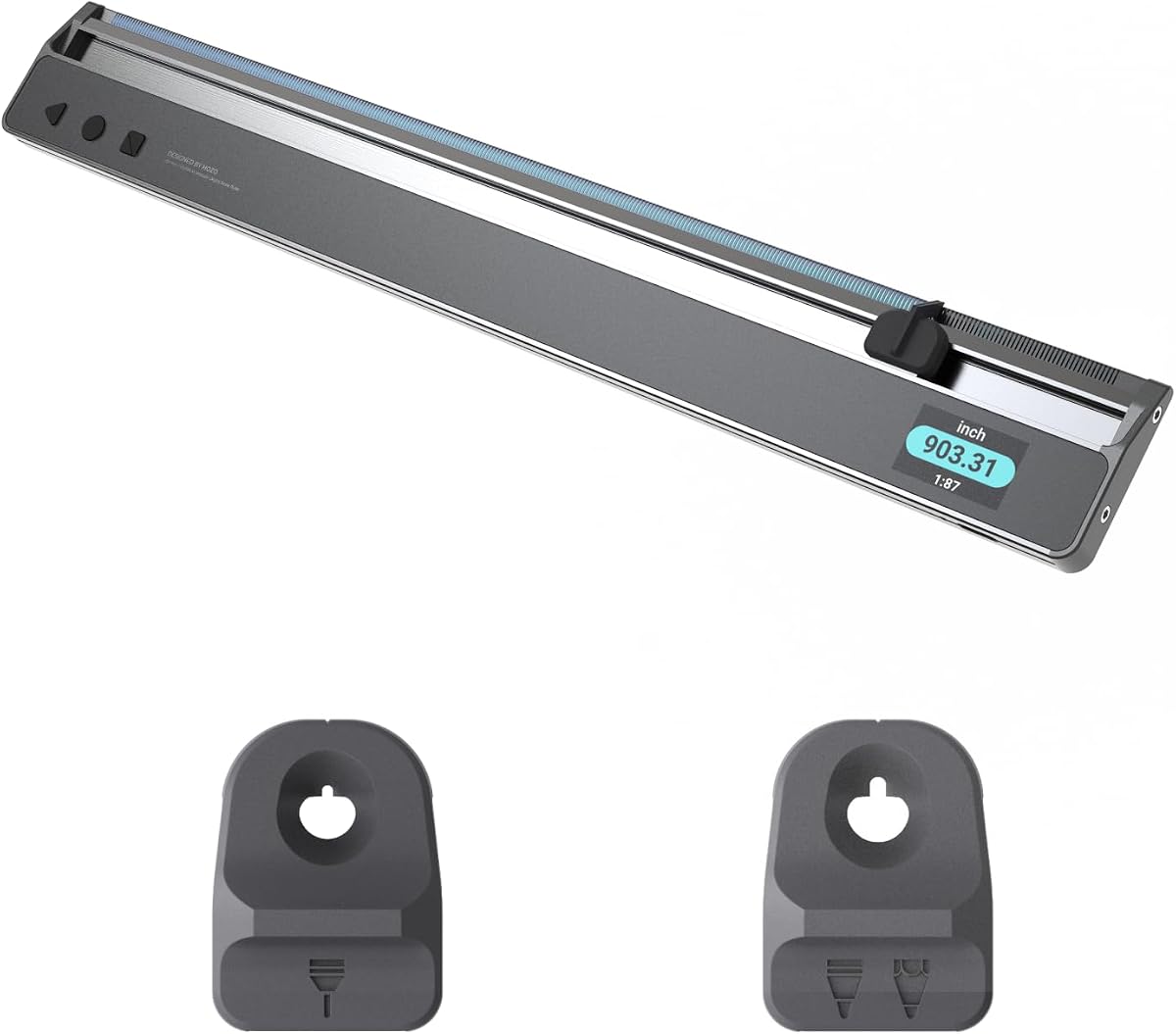
The HOZO NeoRuler is a 12-inch smart scale ruler with a 4.4 rating, 93 built-in scales, unlimited custom-scale support, and Bluetooth transfer to the MEAZOR app. It stands apart by combining physical measurement, drafting tools, custom scale lists, and digital export functions in one elongated instrument.
We may earn a commission when you buy through this link, at no additional cost to you.
Its scale library covers decimal feet, feet-and-inches, decimal inches, yards, millimeters, meters, and kilometers. Users can create unlimited custom scales, save them in the app, and upload them again later. Measured data can move into the app for additional editing and drawing, with export options listed for DXF, PDF, and JPG files.
The main drawback is that some of the strongest functionality depends on the companion app and ecosystem. The ruler also uses a modular system, and the listed modular accessories for transforming it into a scale caliper require separate purchase. Buyers should therefore consider the complete workflow rather than judging only the ruler's physical specifications.
This model fits architects, civil engineers, interior designers, real estate professionals, and serious DIY users who want a connected measuring and drafting workflow. It is especially attractive when a project repeatedly uses a nonstandard scale or when measured data must move into CAD-oriented files. For users willing to adopt the app, its customization and export capabilities justify serious consideration.
Unlike a wheel-based plan measure with a limited number of stored custom positions, the NeoRuler supports unlimited customized scales. This is valuable for consultants and designers who repeatedly work with reduced, enlarged, or nonstandard drawings.
Bluetooth transfer allows captured measurements to continue into the MEAZOR app for editing, drawing, saving, and export. This makes the ruler useful as an entry point for a connected design workflow rather than only a standalone measuring instrument.
We may earn a commission when you buy through this link, at no additional cost to you.
The Calculated Industries 6135 Scale Master Pro XE earns a 4.8 rating and offers the most complete conventional plan-takeoff feature set among the standalone digital options here. It handles linear distances, square areas, cubic volumes, 91 built-in scales, 10 custom scales, and recurring-item counting without requiring a connected device.
We may earn a commission when you buy through this link, at no additional cost to you.
Fifty US and 41 metric scales provide broad compatibility with printed plans, drawings, and maps. Multiple unit formats are available, including decimal feet, feet-and-inches, decimal inches, yards, millimeters, meters, and kilometers, along with square and cubic versions. Five custom positions for each measurement system let users accommodate reduced, enlarged, faxed, scanned, and PDF drawings.
This model goes beyond basic wheel measuring with dedicated area and volume workflows, manual and automatic counters, and an optional PC interface. Its limitations are the standard trade-offs of wheel-based measurement: carefully starting and stopping the wheel is essential, and the supplied information notes typical rolling error of about 2% to 3%. Some readers may also prefer the smaller standard Scale Master Pro.
It is an excellent recommendation for professional estimators, architects, engineers, and contractors who need broad scale coverage and standalone takeoff functions in one device. The included batteries, hard case, guide, and warranty add convenience, while the optional computer connection supports users who eventually want a more integrated estimating workflow. It earns the Editor's Choice designation for its comprehensive balance.
With 50 US and 41 metric scales, the Pro XE accommodates many drawing conventions in a single device. The format variety is particularly useful for users who move between architectural, engineering, interior design, and estimating documents.
Manual and automatic counting modes help estimate recurring elements such as studs, piers, outlets, or other plan symbols. Area and volume calculation reduces the need to move raw measurements into separate tools for common takeoff tasks.
We may earn a commission when you buy through this link, at no additional cost to you.
The NeoRuler Reading Kit combines a 12-inch smart scale ruler, NeoPointer, and NeoMagnifier, earning a 5.0 rating in the supplied data. It is designed for users who need to measure a drawing while also examining small annotations, symbols, and fine print.
We may earn a commission when you buy through this link, at no additional cost to you.
The ruler retains 93 built-in scales, unlimited custom scale creation, and Bluetooth connectivity with the MEAZOR app. Users can transfer measured data for editing and drawing and export it in listed DXF, PDF, and JPG formats. The included magnifier improves visibility of intricate details, while the pointer offers a more controlled way to indicate specific locations on a plan.
The main consideration is bundle size: readers focused solely on measuring may not need the pointer and magnifier. The app also remains central to the digital transfer and export process, and this bundle's supplied feature summary does not emphasize the same space-divider function listed for the standalone HOZO configuration.
This bundle is a strong fit for architects, interior designers, engineers, and real estate professionals who often inspect detailed drawings at a desk or in the field. The combination of measurement, navigation, magnification, and digital transfer is particularly useful when drawing annotations are too small for comfortable unaided reading. It is a compelling choice when plan interpretation matters as much as numerical measurement.
The NeoMagnifier is the bundle's most distinctive addition. It helps users inspect tiny text, symbols, and linework that could otherwise be difficult to identify on a large sheet.
The core ruler supports 93 built-in scales, unlimited custom scales, and Bluetooth transfer to MEAZOR. Saved scale lists and export options help carry a consistent measurement workflow across multiple drawings.
We may earn a commission when you buy through this link, at no additional cost to you.
The 12-inch Triple-Sided Architectural Scale is a conventional drafting tool with a 4.8 rating. Instead of calculating measurements electronically, it provides several imperial scales on a solid anodized aluminum triangle, offering a direct and dependable alternative for students and professionals who prefer visual scale bars.
We may earn a commission when you buy through this link, at no additional cost to you.
The three-sided arrangement includes 1-1/2-inch, 1-inch, 3/4-inch, 3/8-inch, 3/16-inch, 3/32-inch, 1/2-inch, 1/4-inch, 1/8-inch, and 3/16-inch scales. Laser etching helps keep the markings clear and resists fading or wear, while the aluminum construction is designed for repeated studio and office use.
Its limitations are obvious but important. It is focused on imperial measurement, so users working primarily in metric systems or needing area, volume, item counting, or custom plan calibration will require another tool. It also depends on correct visual placement, which can be slower than rolling a digital plan measure across a drawing.
The scale is a sensible budget choice for architecture students, drafters, engineers, and anyone building a basic drafting kit. It works particularly well for quick dimension checks, classroom exercises, and conceptual layouts. Those wanting an electronic takeoff tool should look elsewhere, but for a durable traditional scale with several useful divisions, this option delivers a focused solution.
The triangle format keeps frequently used imperial ratios accessible without requiring separate rulers. Rotating the tool changes the scale while maintaining a stable reference edge for marking or reading.
Laser-etched numbers and graduations are designed to resist fading and wear. The anodized aluminum body adds a durable, professional feel to a tool intended for repeated handling.
We may earn a commission when you buy through this link, at no additional cost to you.
The NeoRuler Complete Kit is a smart digital ruler bundle with a NeoPointer, NeoMagnifier, and two penholder sizes. Its 3.6 rating is the lowest among the listed products, although that figure should be interpreted as a supplied review metric rather than a basis for assuming poor construction or performance.
We may earn a commission when you buy through this link, at no additional cost to you.
The bundle is organized around precision reading and drafting. The magnifier supports close inspection of small text and intricate details, while 0.8 mm and 1.2 mm penholders accommodate different pen types. Together, the accessories support a more complete technical workstation than a standalone ruler.
Because the supplied description for this version concentrates on the accessories rather than restating the ruler's scale and connectivity specifications, buyers should inspect the current listing carefully. The inclusion of several modules also means more components to organize or carry, and the lower rating gives careful shoppers more reason to review owner feedback before deciding.
This kit is best suited to designers, engineers, drafters, and architecture students who want measurement, detail viewing, pointer navigation, and pen support in one coordinated system. It may be especially useful in a studio where multiple drafting tools would otherwise need to be purchased separately. The recommendation depends on finding a preferred fit with the modular accessories, since the broad bundle is less minimal than the basic digital ruler.
The magnifier and dual penholders create a more complete micro-drafting setup. They are useful when the user needs to inspect annotations, make fine marks, or navigate a drawing without switching among unrelated accessories.
Readers should confirm that every included module will be used. A complete kit can streamline a studio setup, but a simpler configuration may be more convenient for frequent travel.
We may earn a commission when you buy through this link, at no additional cost to you.
The 12-inch Three-Piece Scale Set is a conventional drafting package rated 4.8. It combines an architectural scale ruler, an engineering scale ruler, and a stainless steel straightedge, making it a broad option for students and professionals who work across architectural and civil drawing conventions.
We may earn a commission when you buy through this link, at no additional cost to you.
The black anodized architectural ruler and blue engineering ruler use high-contrast laser-etched graduations intended to resist fading. The steel straightedge provides a familiar straight reference for general layout work. Together, the three pieces cover building layouts, construction plans, civil blueprints, technical measurements, CAD plans, and interior design drawing tasks.
The set lacks the automatic calculations, counters, custom scales, and digital exports offered by electronic devices. It also places the user in a more hands-on workflow where correct scale selection and careful alignment remain essential. The architectural and engineering scales may also require some adjustment for users accustomed to metric-only plans.
This set is an excellent foundation for architecture and engineering students, drafters, and studio teams that need several core manual drafting tools in one coordinated purchase. It is especially attractive when one person handles multiple drawing disciplines and wants a dedicated straightedge. For pure plan takeoff, an electronic measure may be more efficient, but this set offers broader everyday drafting utility.
Separate architectural and engineering scales let users match their tools to the drawing convention at hand. This reduces the need to interpret a single scale as if it were appropriate for every technical document.
The included stainless steel ruler complements the triangular scales by supporting straight layout and extended-edge work. It remains useful even when a project requires only general alignment rather than scaled measurement.
We may earn a commission when you buy through this link, at no additional cost to you.
The NeoRuler Drafting Kit combines a 12-inch digital smart ruler with 0.8 mm and 1.2 mm penholders. No numeric rating is supplied for this particular bundle, so the available 5.0 rating shown for the NeoRuler Reading Kit should not be treated as a rating for this distinct listing.
We may earn a commission when you buy through this link, at no additional cost to you.
The ruler provides 93 built-in scales and unlimited custom scale creation. Measured data can transfer through Bluetooth to the MEAZOR app, where users can continue editing and drawing, save custom scale lists, and export work in listed DXF, PDF, and JPG formats. The two penholder sizes add a more integrated drafting surface to the measuring function.
A missing rating means shoppers have less customer-feedback information to evaluate, and the app ecosystem adds a learning curve compared with a standalone tool. The extra pen modules may also be unnecessary for users who only intend to measure plans rather than make or annotate drawings.
This bundle is well suited to designers, engineers, drafters, and advanced students who want one device to bridge digital measurement and close-range drafting. It is particularly helpful for custom scales and file transfer, provided the user is comfortable with the MEAZOR app. For buyers who value wireless export and drawing integration, it offers a compelling combination, but checking current owner feedback is advisable because no rating is listed.
Ninety-three built-in scales cover common US imperial and metric formats, while unlimited custom scales support unusual drawings. This reduces the chance that a project will be limited by a fixed internal scale library.
Measured information can be sent to the MEAZOR app for continued editing, drawing, and export. Users can also create and save scale lists for reuse, which is useful across a sequence of related documents.
We may earn a commission when you buy through this link, at no additional cost to you.
The NeoRuler Collection Kit is the most complete modular presentation in the guide, pairing the digital ruler with NeoReading and NeoDrafting accessories and a dedicated collection case. Its 4.0 rating reflects a product that emphasizes organization, protection, and a coordinated accessory system.
We may earn a commission when you buy through this link, at no additional cost to you.
The NeoMagnifier assists with small text and intricate drawing details, while the 0.8 mm and 1.2 mm penholders accommodate different drawing instruments. Magnetic storage can organize up to three modules, including the magnifier and penholders, and the compact case is designed to keep the ruler and accessories together for transport.
The trade-off is complexity. A large coordinated kit can take up more room than a standalone ruler, and buyers should confirm that every module fits their working style. The supplied information for this bundle emphasizes storage and accessories rather than detailing the full measurement and connectivity specification, so the current listing should be reviewed for complete configuration details.
This is the premium choice for a designer, architect, engineer, or serious drafter who values a ready-made portable system. It is especially useful for studio work, client meetings, and field visits where magnification, pen support, and organized storage all matter. The premium recommendation rests on completeness and portability rather than on any one electronic measurement feature.
The collection case keeps the ruler and three modules together, reducing the chance of leaving a small penholder or magnifier behind. Magnetic attachment provides a straightforward way to organize the included components.
Combining magnification with two penholder sizes supports both document inspection and fine drafting. The result is a cohesive kit for users who would otherwise need several separate accessories.
We may earn a commission when you buy through this link, at no additional cost to you.
The Scale Master Duo packages two Calculated Industries plan measures: the advanced Scale Master Pro XE and the compact Scale Master Pro. The set carries a 5.0 rating and offers a generous combined scale library, making it appealing to teams or individual users who want both advanced and compact options.
We may earn a commission when you buy through this link, at no additional cost to you.
The Pro XE contributes 91 built-in scales and 10 custom positions, while the standard Scale Master Pro adds 72 built-in scales and 6 custom positions. Across the pair, that means 163 built-in scales and 16 custom scale slots. Both devices support area and volume calculation, and the smaller model operates without a cable or computer.
The obvious trade-off is redundancy. Many users will not need two closely related measuring tools, and carrying both adds bulk. A buyer comparing this package with a single Pro XE should consider whether the standard Pro's smaller form and additional built-in scales solve a real workflow problem or merely duplicate existing capabilities.
This duo makes sense for an office with multiple estimators, a training program, or a professional who wants a compact backup alongside a feature-rich unit. It may also be useful for users who divide work between the Pro XE and the smaller Scale Master Pro. The 5.0 supplied rating is encouraging, and the package's breadth is the deciding factor for buyers who value two complete standalone tools.
The larger Pro XE provides more built-in and custom scale capacity, while the standard Pro favors compact portability. Teams can assign the more capable device to complex estimating and the smaller one to quick field checks.
The standard Scale Master Pro in the package performs takeoffs without a cable or personal computer. That makes the duo useful beyond a fixed office, including mobile estimating and on-site verification.
We may earn a commission when you buy through this link, at no additional cost to you.
The right scale ruler depends on the drawings, measurements, and workflow: electronic plan measures excel at takeoffs, smart rulers add connectivity, and traditional drafting scales provide direct visual scaling.
A broad scale library reduces the need to recalibrate between drawings with different conventions. The Scale Master Pro offers 72 built-in scales, the Scale Master Pro XE offers 91, and the NeoRuler family offers 93 across US imperial, metric, decimal, and compound formats. Architects working primarily with domestic plans may need fewer options than civil engineers or consultants who regularly review international documents.
Choose the largest practical library available. More built-in choices are especially useful when drawings arrive from different offices without a consistent scale policy.
Reduced, enlarged, faxed, scanned, and otherwise unusual drawings may not match a standard scale. The rolling plan measures provide a limited set of stored custom positions, while the NeoRuler supports unlimited customized scales through its app-based scale-list system.
Check custom-scale needs against your typical document workflow. Unlimited customization is advantageous for consultants, while several stored positions may be enough for a consistent in-house drawing set.
Length measurement is only one part of architectural takeoff. The Calculated Industries models calculate area and volume and include item-counting functions, making them more useful for estimating than a basic digital ruler. The NeoRuler emphasizes scale measurement, spacing, app-based editing, and export rather than the same dedicated takeoff calculation workflow.
Prioritize the functions used most often. Estimators may prioritize area, volume, and counts, while designers may value digital transfer, space division, and drawing integration.
The NeoRuler can transfer measured data to the MEAZOR app through Bluetooth, where users can edit, draw, save scale lists, and export files. The Scale Master Pro XE has an optional PC interface, while the standard Scale Master Pro operates without a cable or computer. Connectivity can reduce duplicate entry, but it can also add setup steps and another interface to learn.
Choose wireless app connectivity for a mobile design workflow, optional computer connectivity for office integration, or no connection for dependable standalone operation.
The 7.3-inch Scale Master Pro is compact enough for a pocket, tool pouch, or vehicle, while the 12-inch NeoRuler provides a longer drafting surface. Traditional scale triangles offer broad physical scale access, and the three-piece drafting set includes a straightedge but requires several items to be stored together.
Consider where the tool will be used most. Frequent field work favors compactness, while desk-based drafting can justify a longer body and additional modules.
A magnifier helps inspect tiny plan annotations, while 0.8 mm and 1.2 mm penholders support fine drafting. The NeoRuler Reading Kit combines a pointer and magnifier, the Drafting Kit focuses on pen support, and the Collection Kit adds magnetic organization in a protective case. Traditional drafting users may instead value a dedicated straightedge and multiple physical scale ratios.
Match accessories to actual tasks. Including a module without a clear use can add bulk, while a coordinated kit can streamline a frequently used desk setup.
Wheel-based plan measures can be fast across large sheets, but their typical rolling error is stated at approximately 2% to 3%, depending on scale magnitude and start-and-stop precision. The NeoRuler is described with a stated accuracy of plus or minus 0.004 inch. Traditional scales depend on careful visual placement and offer no electronic error correction.
Understand the method before choosing. For a quick dimension check, either may suffice; for high-volume takeoff, proper technique and consistent calibration are more important than the presence of a digital display.
The NeoRuler uses a high-pressure aluminum alloy frame and stainless steel components, while the traditional architectural ruler is made from anodized aluminum. Calculated Industries models include batteries, a user guide, and protective hard cases. A scale with a suitable case and secured battery compartment may be better suited to frequent transport and site use.
Look for a construction package that matches the environment. Portability, protected storage, durable markings, and included essentials can matter more than a small number of extra electronic features.
Begin by identifying the drawing's printed scale and confirming its units before taking any measurement. For an electronic plan measure, select the closest built-in scale, roll the wheel over a known dimension, and use the custom-scale function if the result does not match. For the NeoRuler, select or create the appropriate scale in the device or MEAZOR app and verify it against a dimension printed on the sheet.
Measure from clearly defined endpoints and keep the wheel or measuring edge in contact with the drawing. Stop at the same point each time, avoid tracing around symbols, and record dimensions as you work. Use area and volume modes when appropriate, and check the displayed unit, length, width, or height before storing a result. If a plan will be used for formal takeoff, verify several known dimensions rather than relying on a single calibration.
Clean the tool with a soft, slightly damp cloth and avoid abrasive cleaners or excessive moisture around electronic contacts, display surfaces, and battery compartments. Store rolling tools in their cases, keep pen modules secured, and organize the NeoRuler's magnetic accessories in the collection case. Replace batteries as needed, keep the measuring wheel clean, and avoid placing heavy objects on a digital ruler's display or precision edge.
It depends on the device and technique. The HOZO NeoRuler is described with a stated accuracy of plus or minus 0.004 inch, while rolling plan measures typically have approximately 2% to 3% rolling error depending on scale and endpoint accuracy. Traditional scales can be accurate when carefully aligned, but they depend entirely on correct visual placement and reading.
A digital plan measure is rolled across a drawing to accumulate length and may calculate area, volume, and repeated-item counts. A smart digital scale ruler uses a fixed measuring edge, provides a broad scale library, and in the NeoRuler's case can transfer data to an app for editing, drawing, and export. The first is particularly useful for takeoffs, while the second is better integrated with drafting and digital workflows.
Yes. The Calculated Industries models include metric scales, and the NeoRuler includes metric units alongside imperial formats. The standalone triple-sided architectural scale and the architectural portion of the three-piece set are primarily imperial, so metric-heavy users should confirm the markings on the physical ruler before purchasing.
The Scale Master Pro works as a standalone tool without a cable or computer, and the Scale Master Pro XE is designed for portable operation while offering an optional PC interface. The NeoRuler's app-based transfer, custom scale lists, editing, and export require its compatible mobile app and Bluetooth connection, although its physical measuring functions are available as a separate part of the workflow.
A custom scale lets the tool learn the relationship between printed distance and real-world distance when a drawing does not match a standard scale. You calibrate against a dimension that is known to be accurate, then reuse the stored setting for other measurements on that document. This is useful for faxed, scanned, resized, or nonstandard plans.
The triple-sided architectural scale is a simple, durable choice for learning visual scaling and fundamental drafting, while the three-piece set offers broader architectural and engineering coverage. Students who need area, volume, counting, and professional takeoff practice may prefer a digital plan measure. The connected NeoRuler bundles are most appropriate when course or work assignments specifically require app-based transfer or drafting.
No. The core ruler can perform scale measurement independently, while the magnifier, pointer, penholders, and collection case support specific reading, drafting, and storage tasks. Buying the full kit makes sense when those functions are part of a regular workflow; otherwise, a standard configuration may be more convenient to carry.
Verify the scale, units, and calibration before taking quantities, then measure between the same clearly defined endpoints every time. Keep the wheel moving consistently, avoid overrunning the endpoint, and verify a sample of dimensions against the drawing. For high-stakes work, use an appropriate scale rather than forcing a slightly out-of-scale document into the nearest setting.
The Scale Master Pro XE is the strongest all-around recommendation for professional plan takeoff, offering the broadest conventional scale library, area and volume calculations, counting features, and portable operation. The Scale Master Pro serves users who prefer a smaller standalone tool, while the Scale Master Duo is attractive for teams that want two complete measuring devices.
The HOZO NeoRuler is the strongest choice for connected measurement and drafting, particularly for unlimited custom scales and app-based export. Readers should prioritize custom-scale flexibility when drawings vary frequently, area and volume when estimating is the main task, and accessories when close-detail drafting is central. Traditional rulers remain relevant for students and professionals who want simple, durable visual scaling.
Before purchasing, confirm the measurement methods, units, accessories, and connectivity requirements that match your work, and read the latest customer feedback. Prices, ratings, bundles, and listing contents can change, so checking the current product page ensures that the selected digital architectural scale ruler still provides the features and configuration you need.